

01
Record or import
Capture supported device audio, or bring in audio files you already have.
TUNETRACE · FREE TO DOWNLOAD · IPHONE
Record songs and shows playing in Apple Music, Spotify, YouTube Music, Amazon Music, and other apps when iOS and the source app allow it. You can also capture audio from videos or import files you already have. TuneTrace automatically splits recordings into clips, identifies songs, and organizes your local library for offline listening, without another monthly subscription.
A SIMPLE FLOW
TuneTrace helps you turn audio you have the right to record or import into an organized collection on your iPhone.
Capture supported device audio, or bring in audio files you already have.
Find natural breaks in a long recording and identify songs when a match is available.
Choose the clips you want, save them locally, and play them from your library.
01 / CAPTURE KEEP THE SOUNDS YOU LOVE
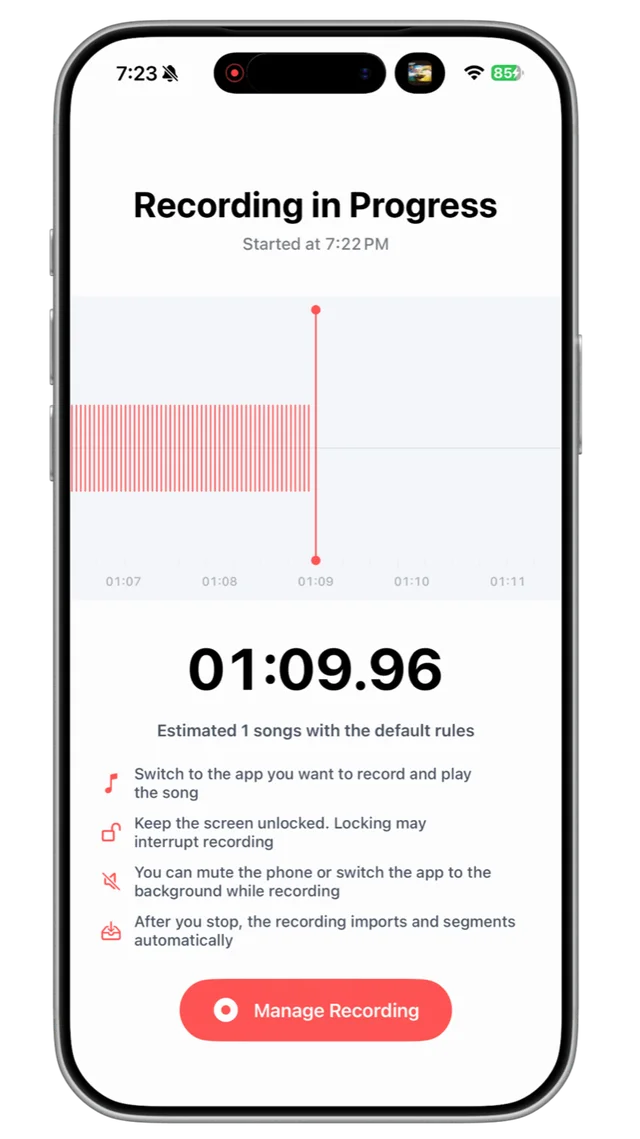
Play music, a show, or a video in another app, then record its audio with TuneTrace. You can also import existing audio files and keep those sounds locally for good.
02 / DISCOVER MAKE SENSE OF LONG RECORDINGS
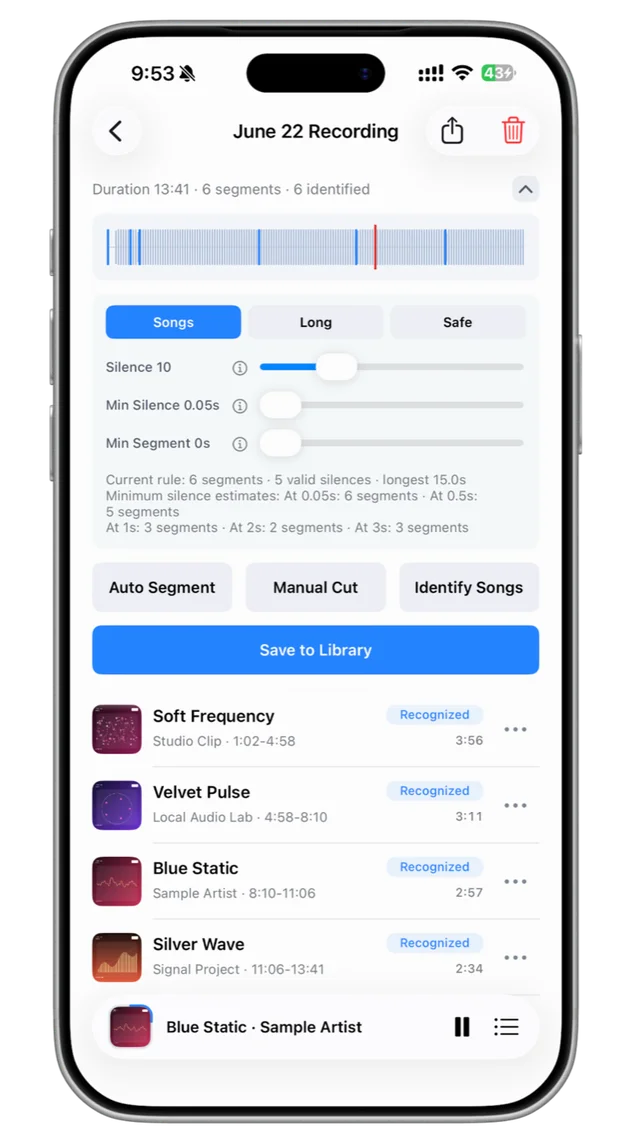
TuneTrace looks for quiet gaps to suggest clips, then uses music recognition to add titles and artists when it finds a match. Adjust the cuts yourself when needed.
03 / LISTEN YOUR LIBRARY, YOUR WAY
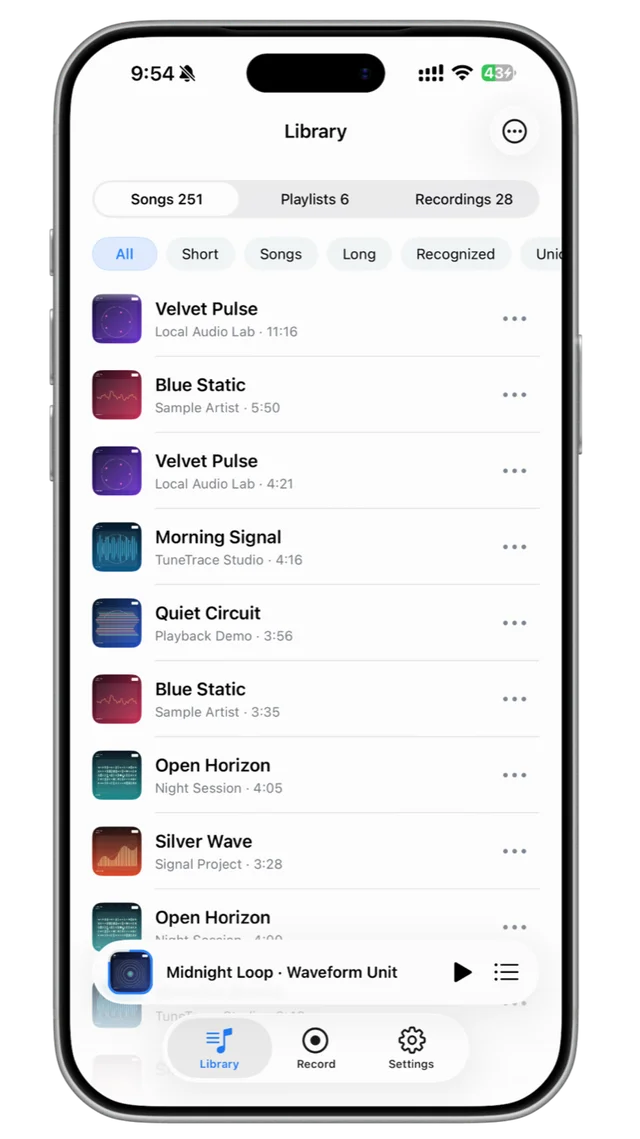
Save selected clips as tracks, organize playlists, and return to what you kept. Saved audio is stored on your iPhone for local playback.
NEW TO TUNETRACE?
Follow the guide to record audio, identify songs, and build a library you can listen to offline.
Open detailed guideStart with what you want to do
Spotify
Download in Spotify or save permitted audio to TuneTrace.
YouTube
Keep interviews, music and lessons to hear on the go.
MP3 and local files
Put music files you already have into your own library.
GOOD TO KNOW
No. Some apps and protected content do not allow recording. Results depend on iOS and the source app. Record only audio you own or have permission to keep.
No. TuneTrace organizes audio that you record or import. It does not provide an unlimited catalog of licensed songs to stream.
The app is free to download, and you can save unlimited tracks. The first 30 saved songs play in full for free. Additional songs have a 45-second preview unless you unlock Premium.
U.S. App Store prices
Prices may vary by App Store region. The price shown at checkout applies.
They are stored in the app's local library on your iPhone. Keep a copy of important audio before deleting the app or changing devices.
TuneTrace is currently available for iPhone and requires iOS 16 or later.
READY TO KEEP LISTENING?
Start a local library with TuneTrace on iPhone.
Download free on the App Store