
Quick answer
With an active Apple Music subscription, download songs inside the Music app for offline listening. To save audio in TuneTrace, first try a short recording: protected content may block it. Ordinary audio files you already have can be imported directly.
Step by step
4 stepsDownload within Apple Music
Keep your subscription active and add music to your library. Use “More → Download” for a song or the download button for an album or playlist. Find it under “Downloaded”.
Try a short recording in TuneTrace
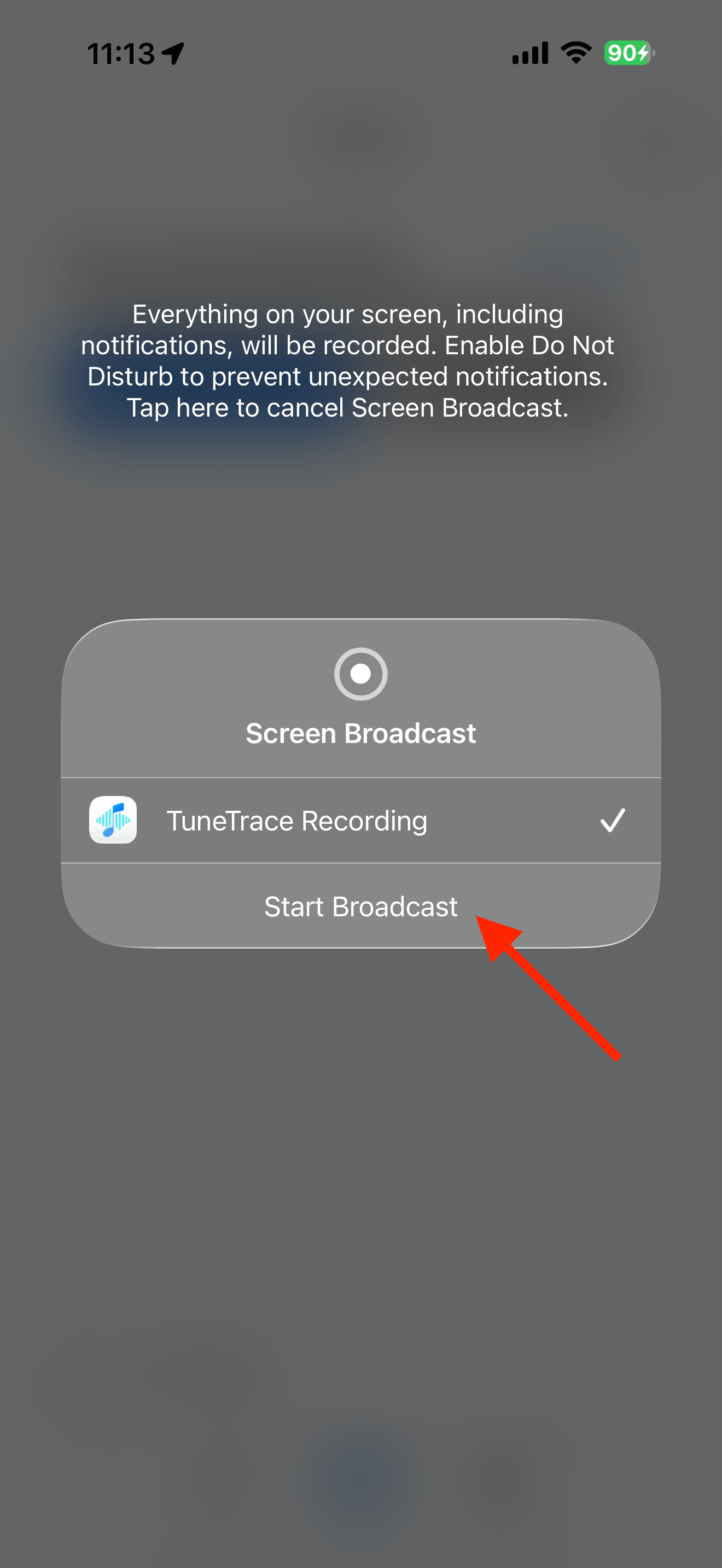
Tap “Start Recording → Start Broadcast”, play about 15 seconds in Music, then stop and listen back in TuneTrace. If it stays silent, use an available audio file instead.
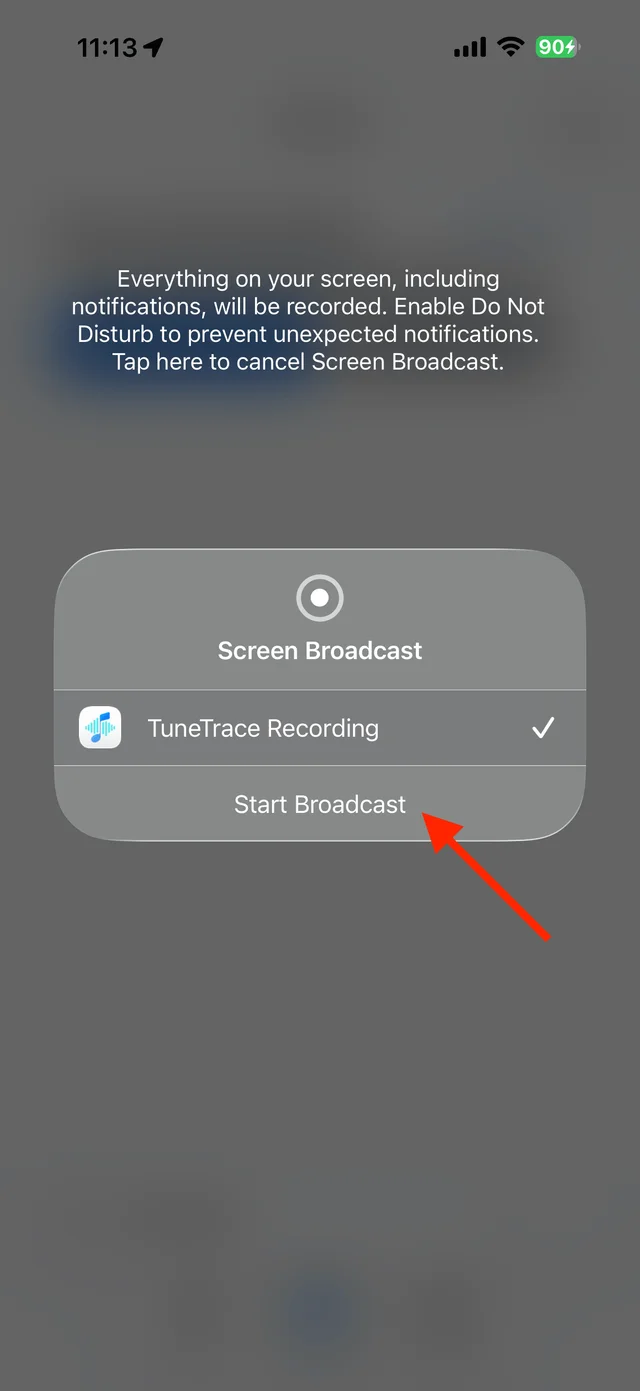
Tap “Start Broadcast” in the system dialog Record and save only if audio is captured
Start again from the beginning and keep your screen awake. Stop the broadcast, check the recording, then save to your library. A preview can only produce a preview-length recording.

Select the tracks you want to keep and save them Import audio files you already have
Save usable MP3 or M4A files in Files. In TuneTrace’s Library, tap the top-left import arrow and choose them. Apple Music subscription downloads cannot be imported this way.

Find songs, playlists, and recordings in the Library


Common questions
Can I keep playing downloads after my subscription ends?
Subscription downloads no longer provide offline access after the subscription ends. They are not permanent, independent audio files.
Can I rename a subscription download to M4A?
No. Changing an extension does not remove protection or create a playable audio file. Use your own recordings or downloadable purchased audio instead.
Only record audio you have permission to save. The source app or iOS may restrict recording.