
Quick answer
Keep the clip you love and find its song title.
Record permitted Douyin video audio with TuneTrace, identify the song and save the clip locally. Speech and sound effects in the video are recorded along with the music.
Your first 30 saved songs play in full for free, forever. Unlock more with a one-time purchase.
Step by step
5 stepsStart recording in TuneTrace
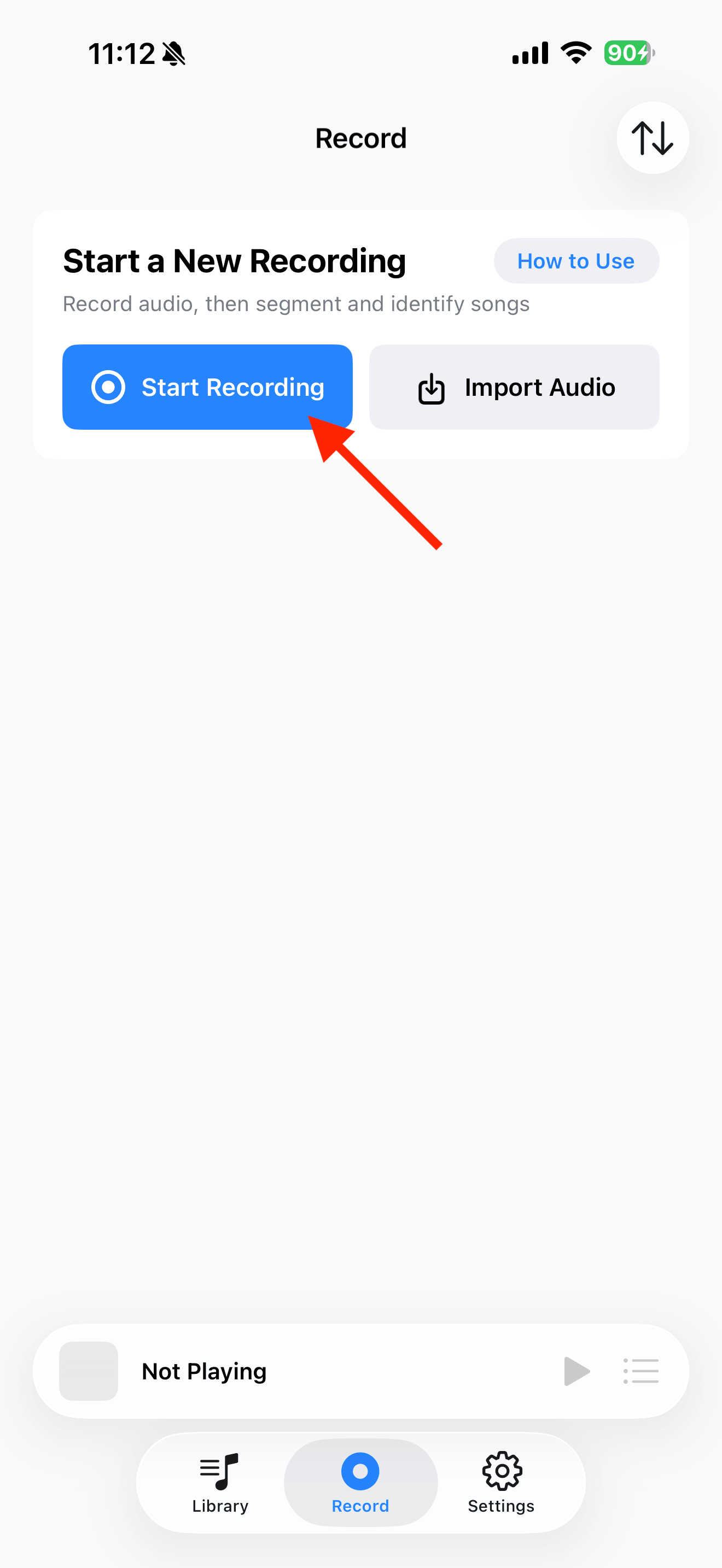
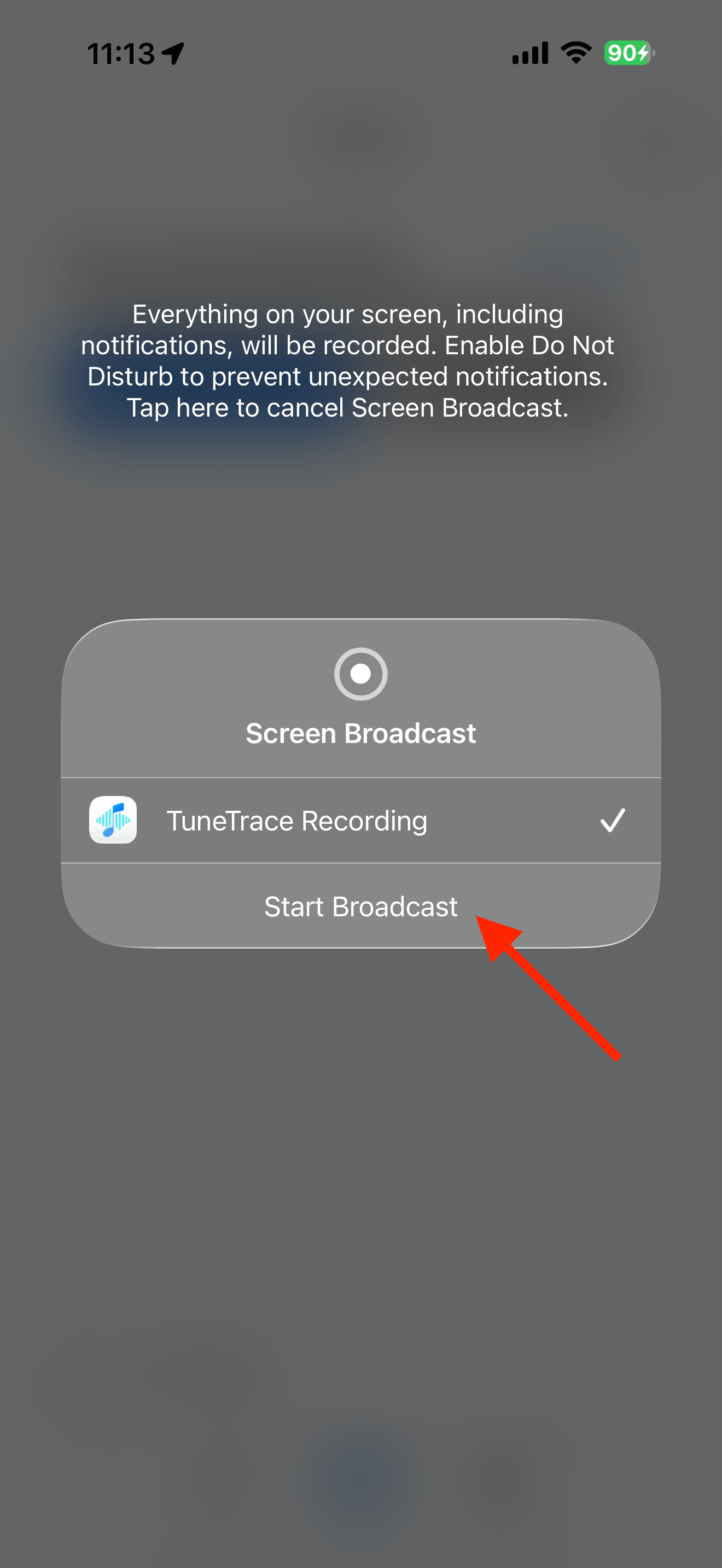
Tap “Start Recording”, then “Start Broadcast” in the system dialog. Once recording starts, tap outside the dialog to close it.
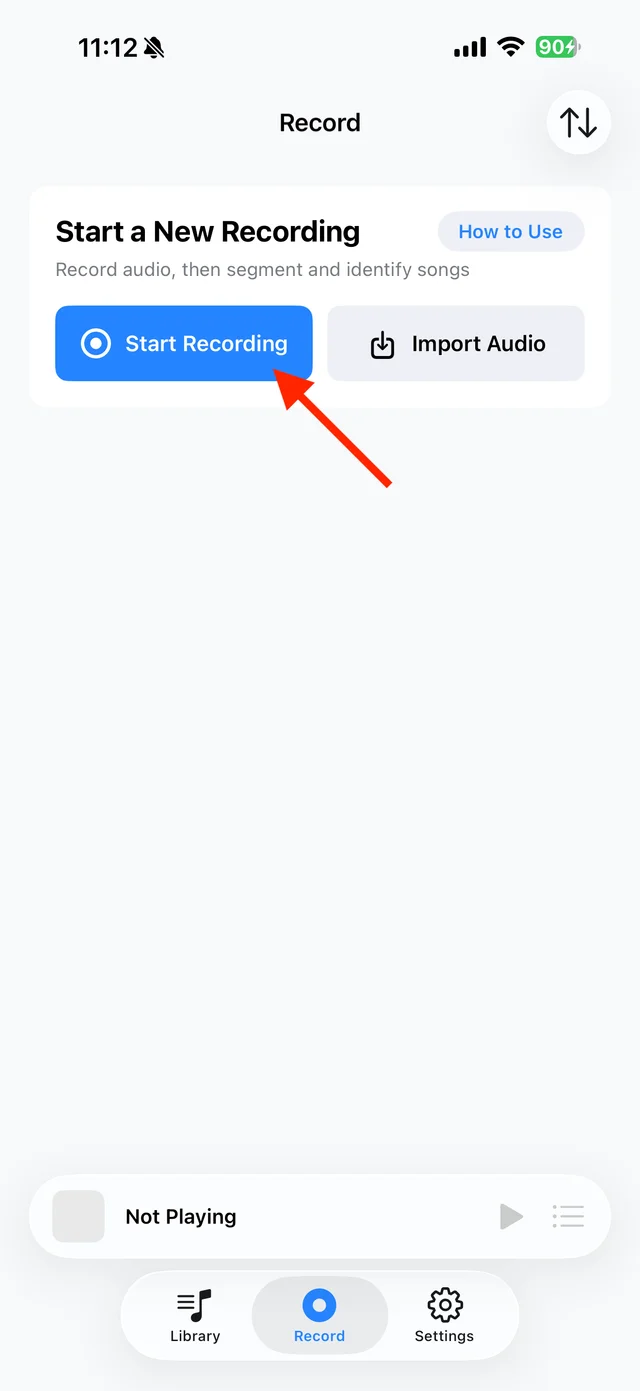
Tap “Start Recording” 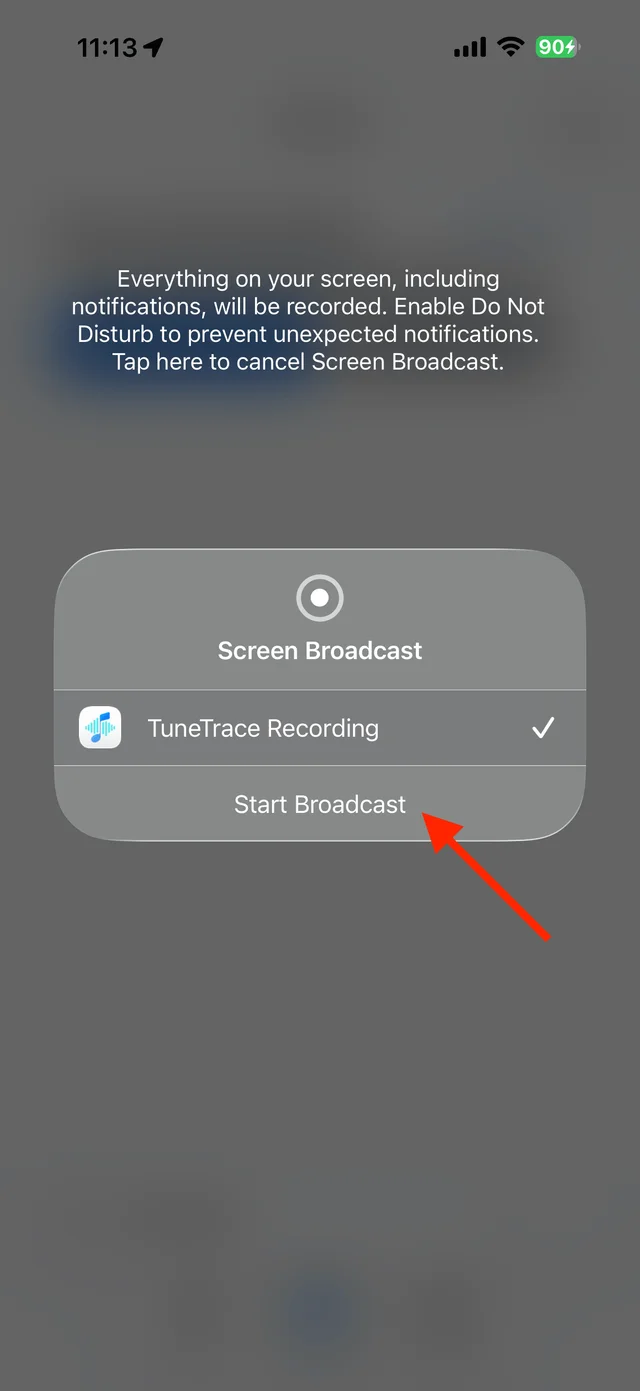
Confirm “Start Broadcast” Play the clip in Douyin
Play it from the beginning with the screen awake. Stay on that video so other clips are not recorded.
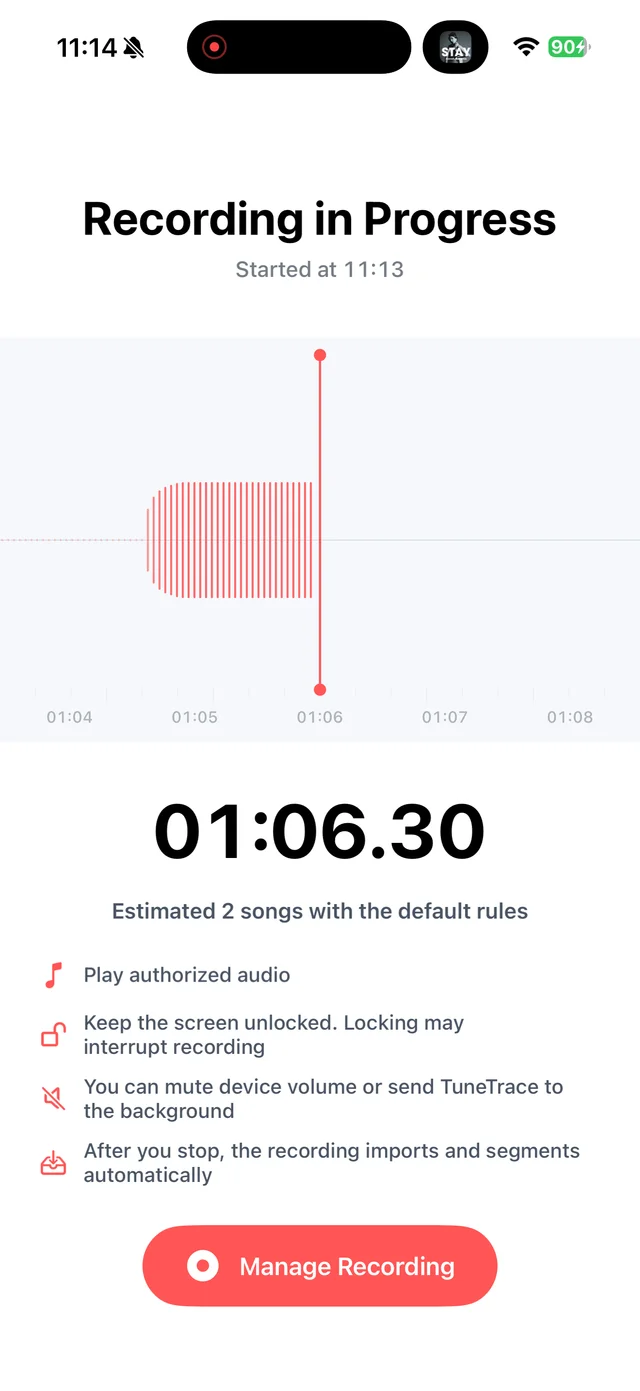
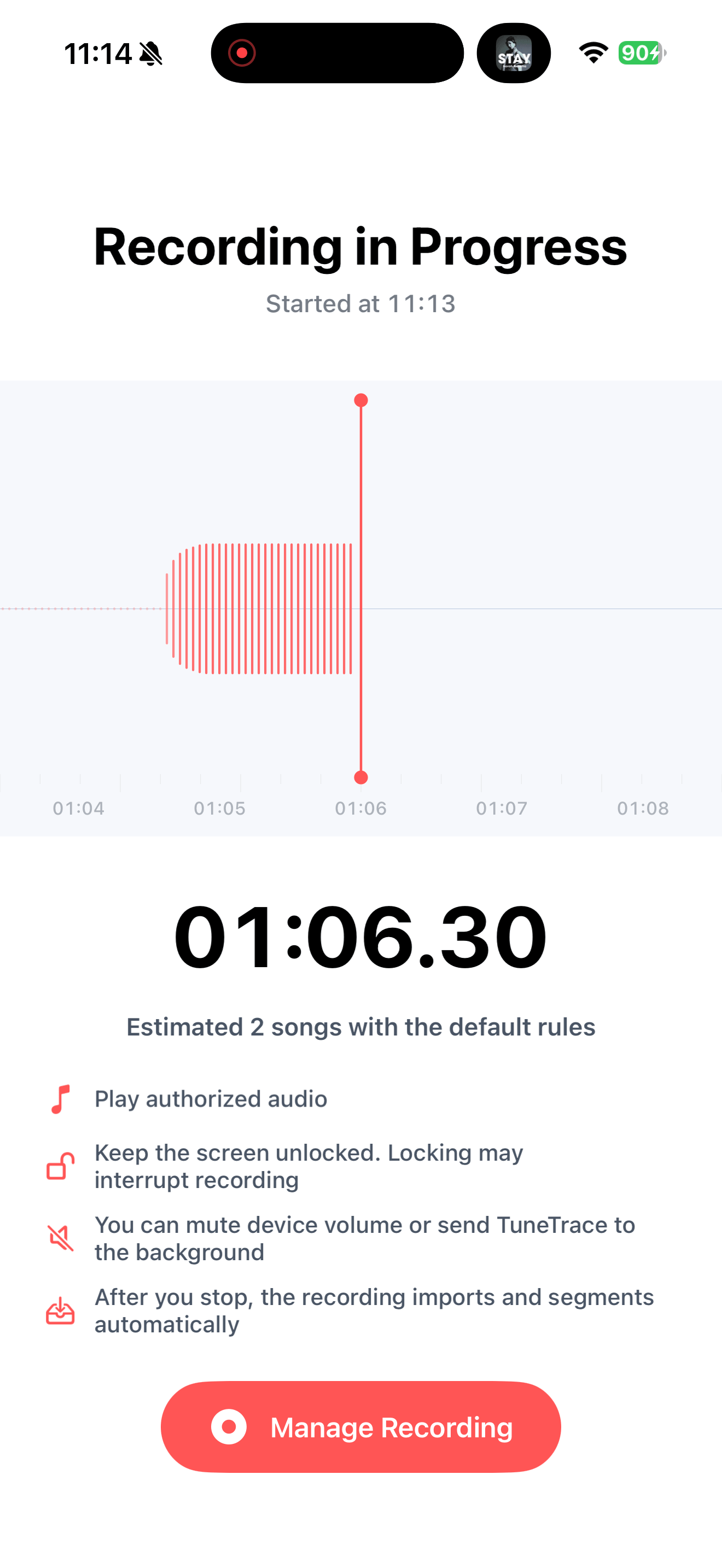
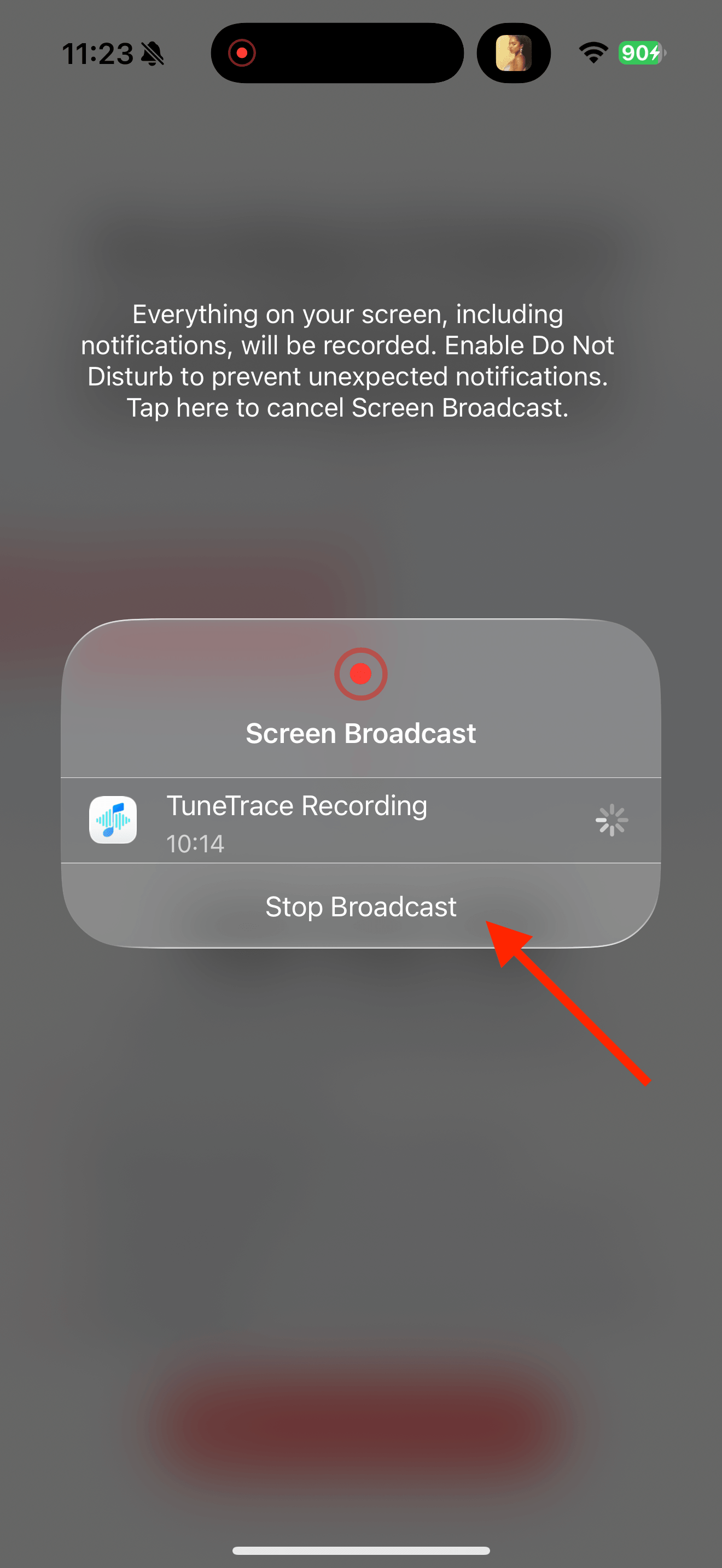
Check recording status in TuneTrace Stop after one complete play
Return to TuneTrace and tap “Manage Recording → Stop Broadcast”. Stop promptly if the short video loops automatically.
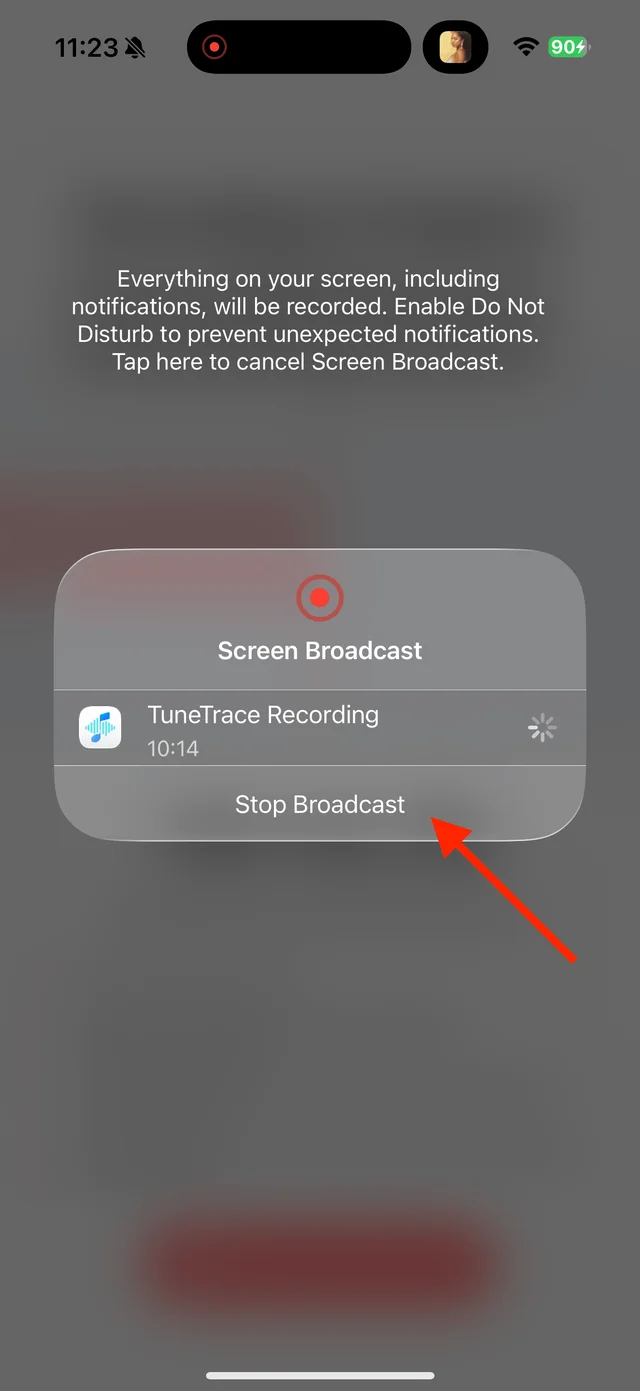
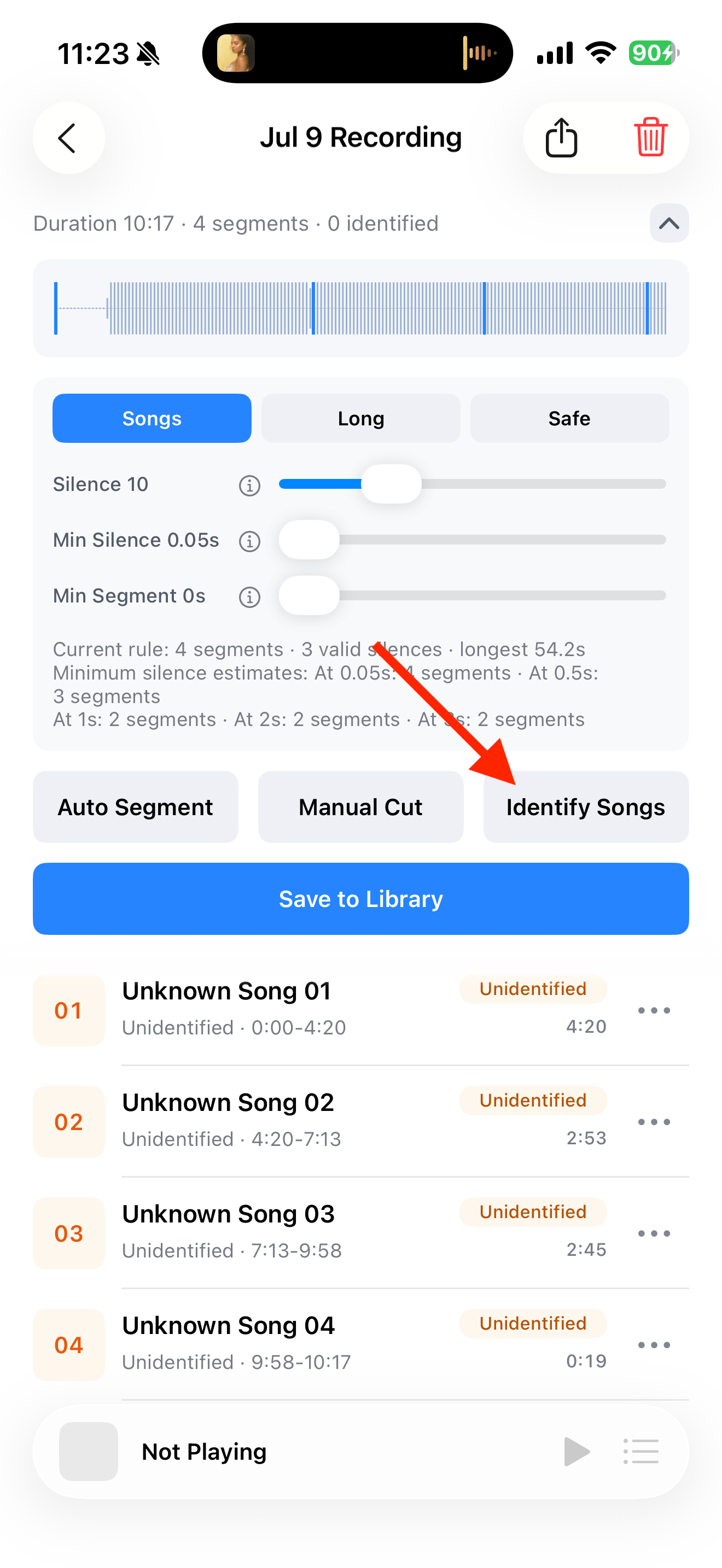
Tap “Stop Broadcast” to finish Identify and save the clip
Tap “Identify Songs” and check the title and version. Select one complete copy if it played repeatedly. If recognition fails, name it yourself and save.
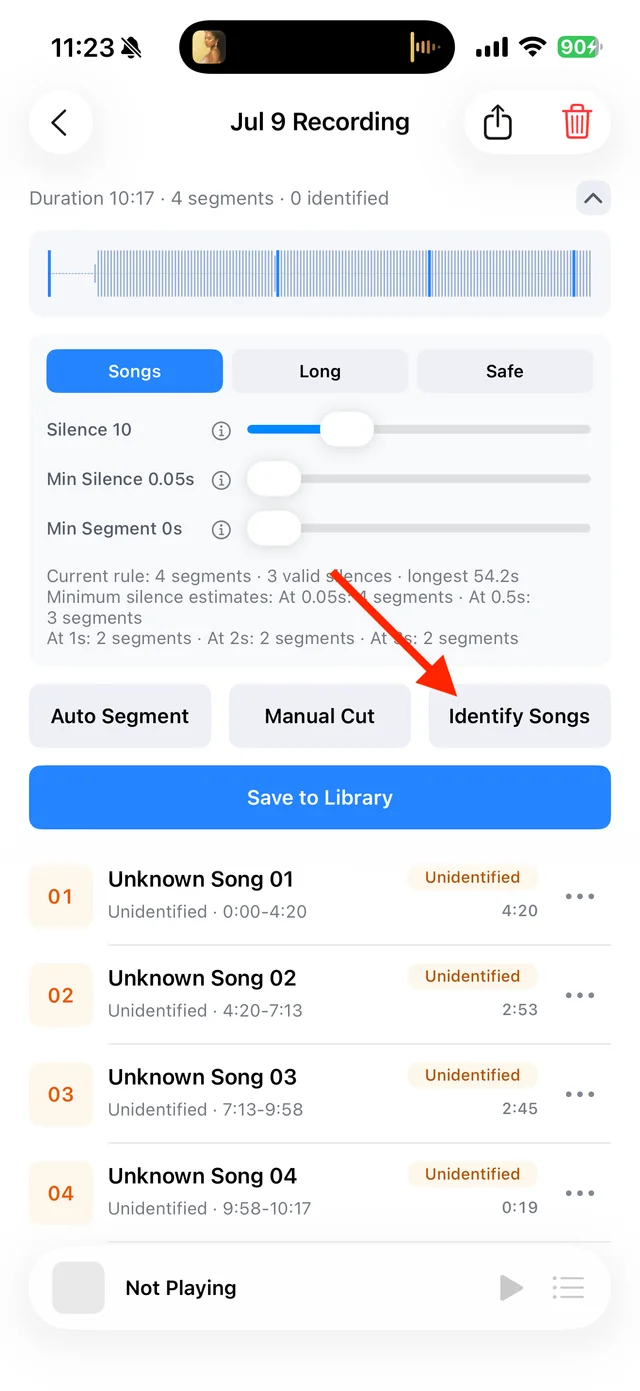
Split and identify songs 
Select tracks, then tap “Save Selected” Listen from your library
The audio is now saved locally. Open TuneTrace to hear it offline without finding the video again.

Play saved tracks from your local Library


Common questions
Can a 15-second clip become a full song?
No. Recording keeps only what plays. Recognition can find a title, but it cannot fill in missing audio.
Can I remove speech and keep only background music?
No. Speech and music are recorded together and cannot be separated automatically.
What if a sped-up or cover version is identified incorrectly?
Edit the name to match what you hear. Recognition does not change the recorded sound.
Recording depends on iOS and the source app. Only save audio you have permission to record.