
Quick answer
Try a short recording of permitted Reels audio with TuneTrace. If it works, record and save the complete clip. Add its topic or creator to the name so you can find it in your library.
Step by step
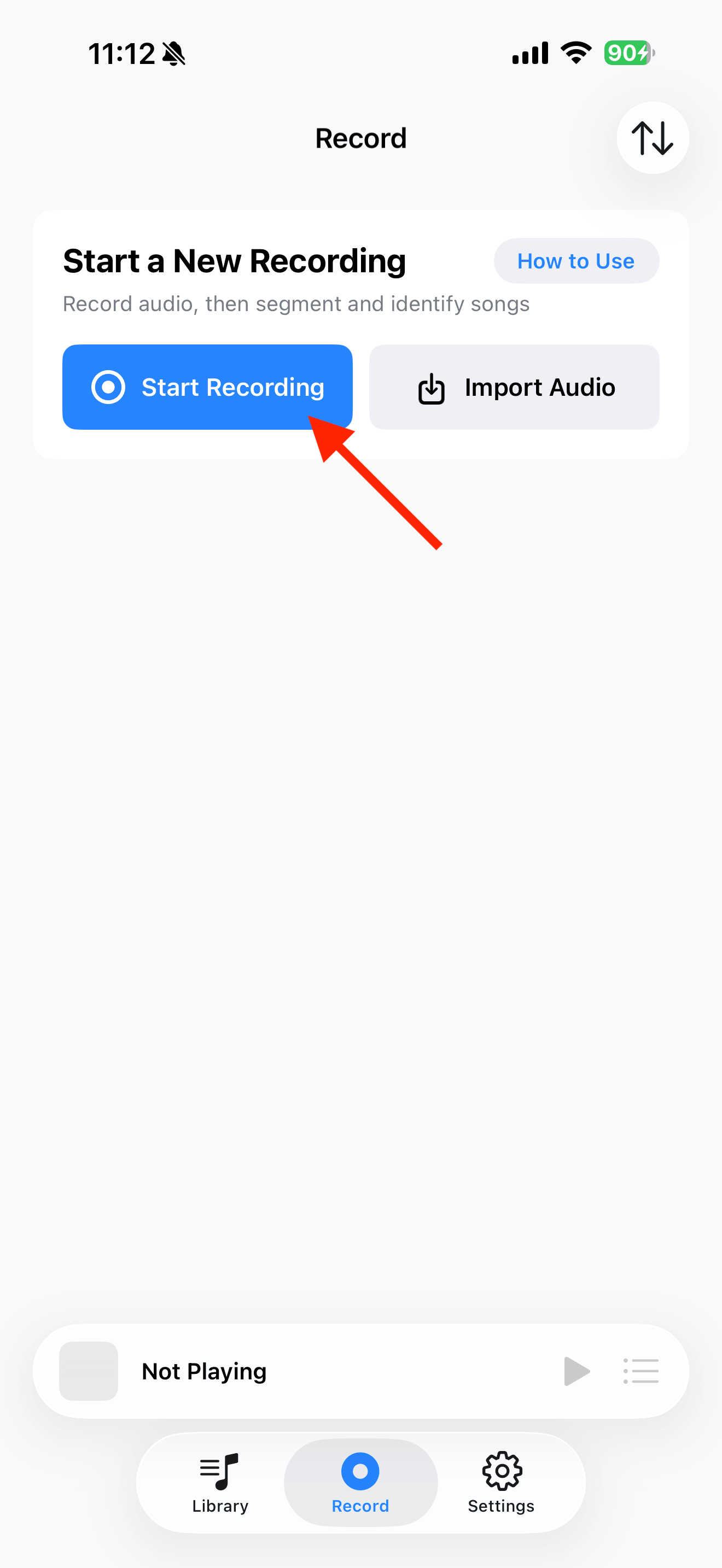
4 stepsStart recording in TuneTrace
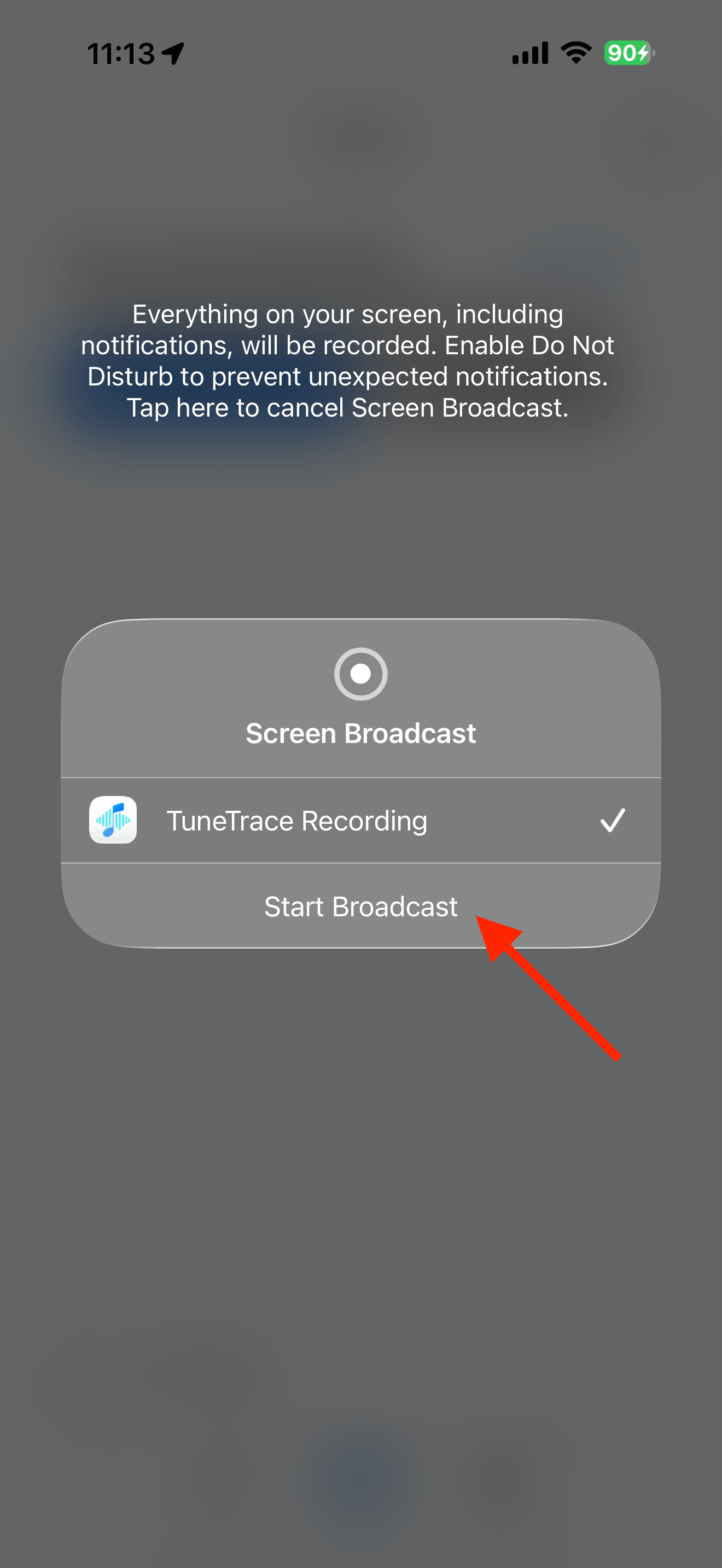
Tap “Start Recording”, then “Start Broadcast”. Once recording starts, close the dialog and return to the source app.
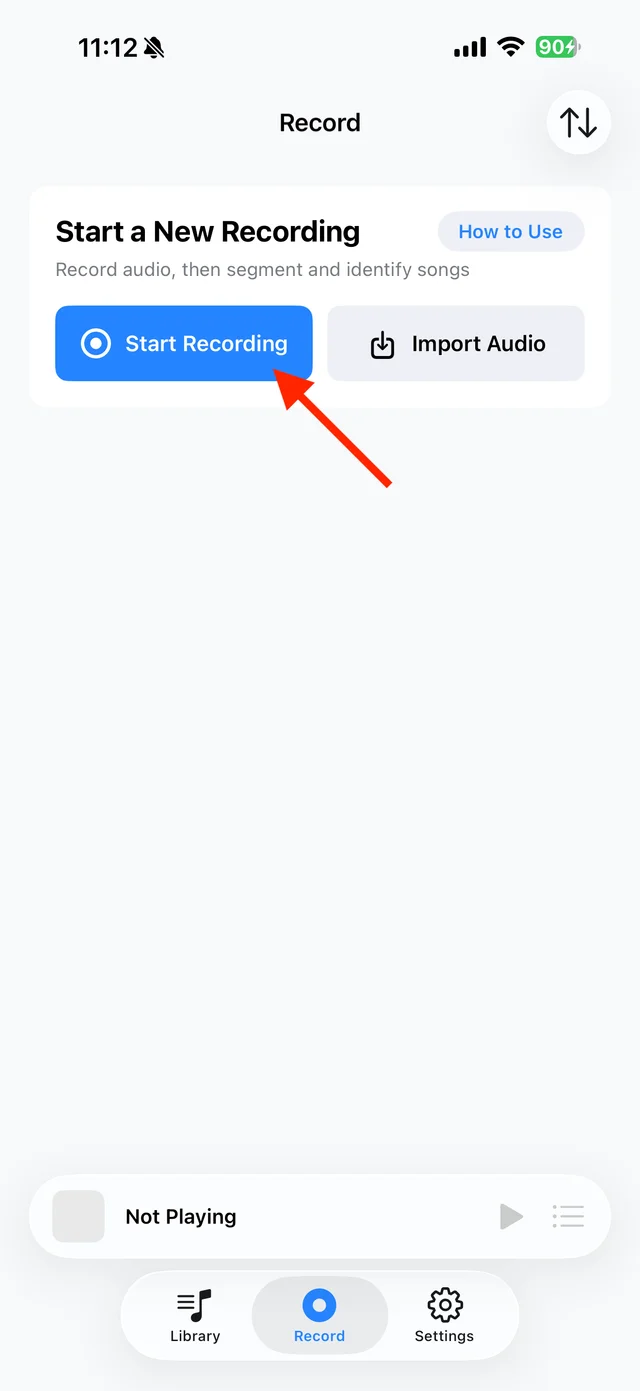
Open TuneTrace’s recording page 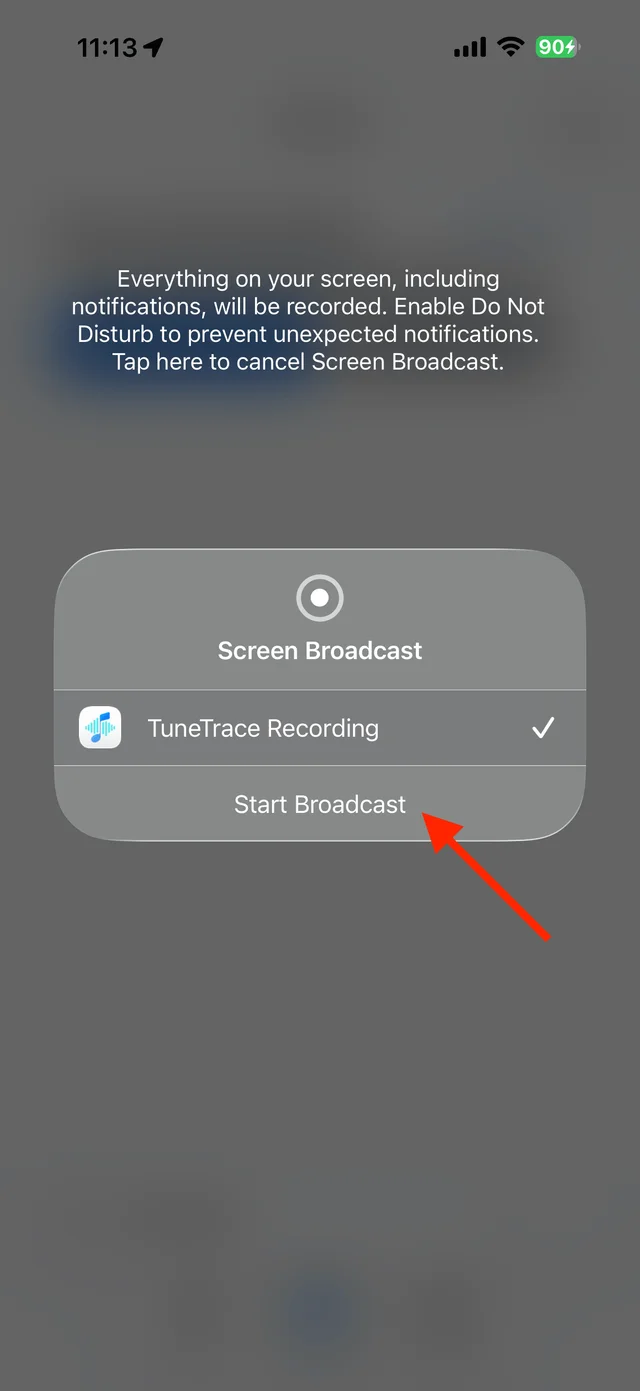
Start the broadcast in the system dialog Play the Reel and check the sound
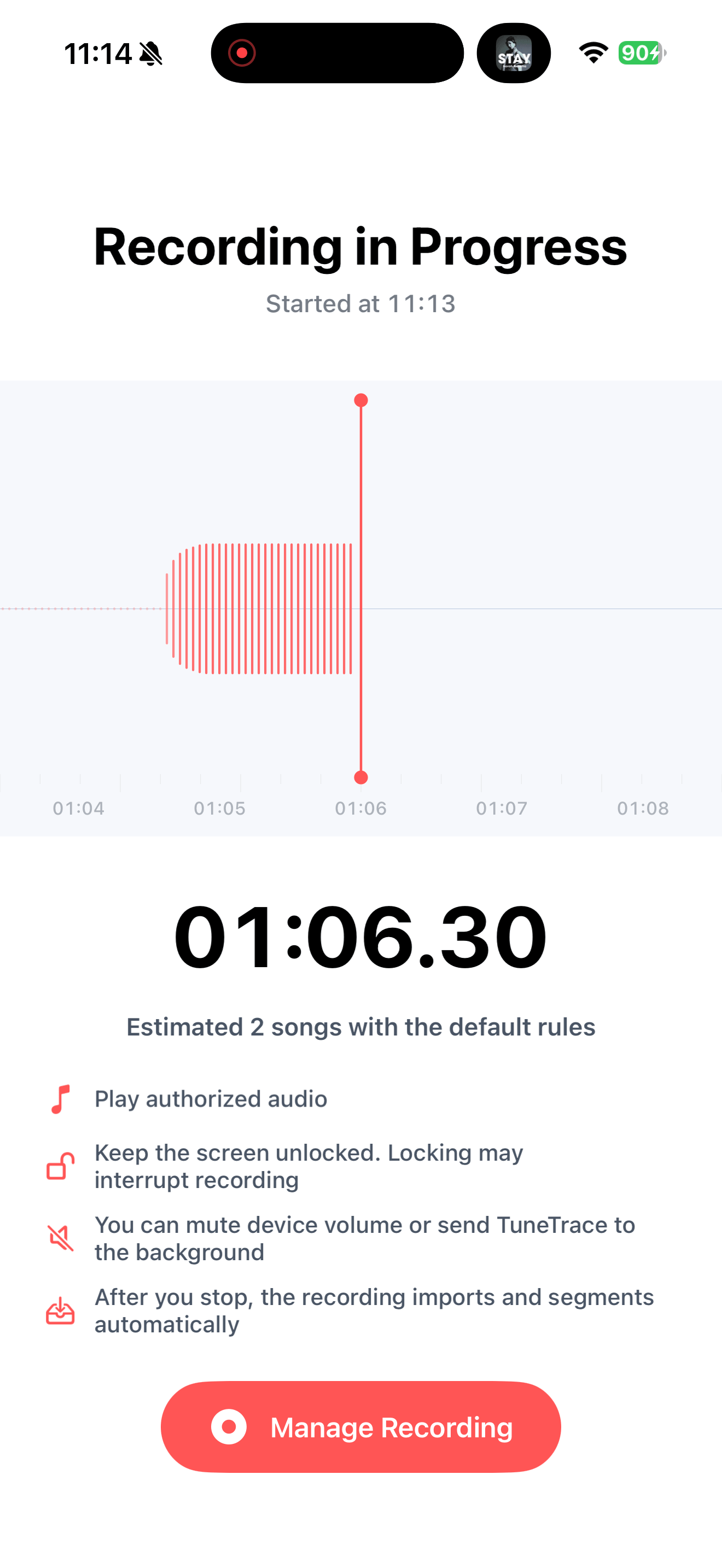
Make sure it plays with sound and keep the screen awake. Try a short recording before recording all the content you want.
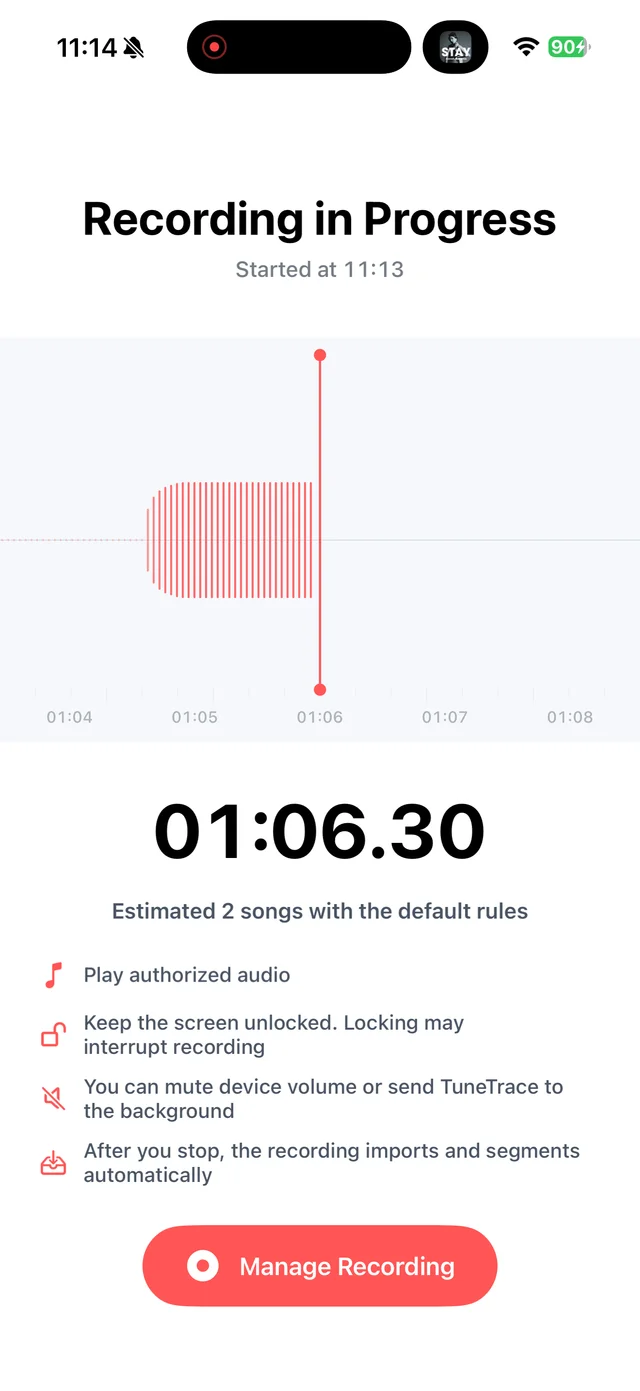
Check a short recording before continuing Stop and check the recording
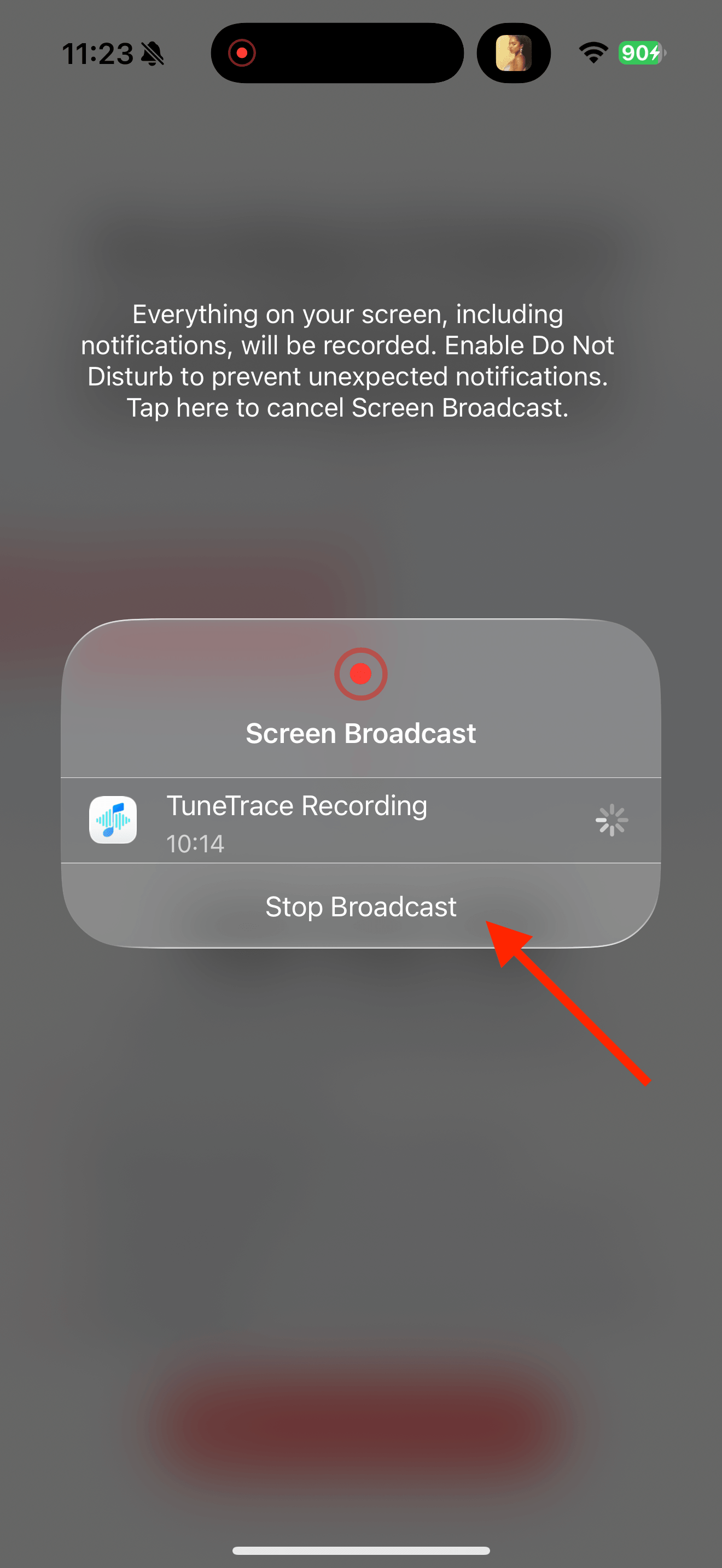
Return to TuneTrace and tap “Manage Recording → Stop Broadcast”. Wait for the audio to import, then listen back.
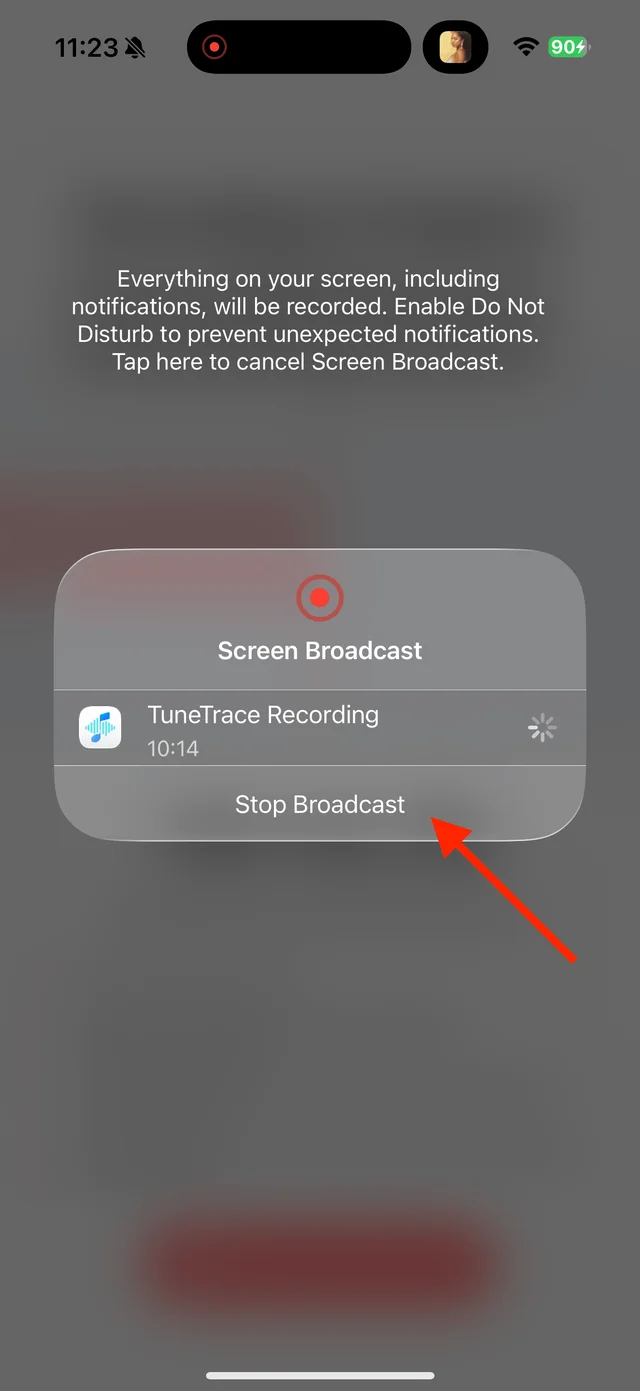
Stop the broadcast and wait for the recording to import Name and save the clip
Name spoken content yourself or try recognizing music. Save only the desired section so the next Reel is not included.

Select the tracks you want to keep and save them

Common questions
Can TuneTrace create audio for a silent video?
No. The source must play sound that can be recorded.
How can I find the clip again quickly?
Include its topic and creator in the name, add it to a dedicated playlist, or search for it in Library.
Only record audio you have permission to save. The source app or iOS may restrict recording.