
Quick answer
When a TikTok video plays and allows recording, capture it once with TuneTrace and save the part you want. Speed changes, spoken audio and effects remain as they sound in the video.
Step by step
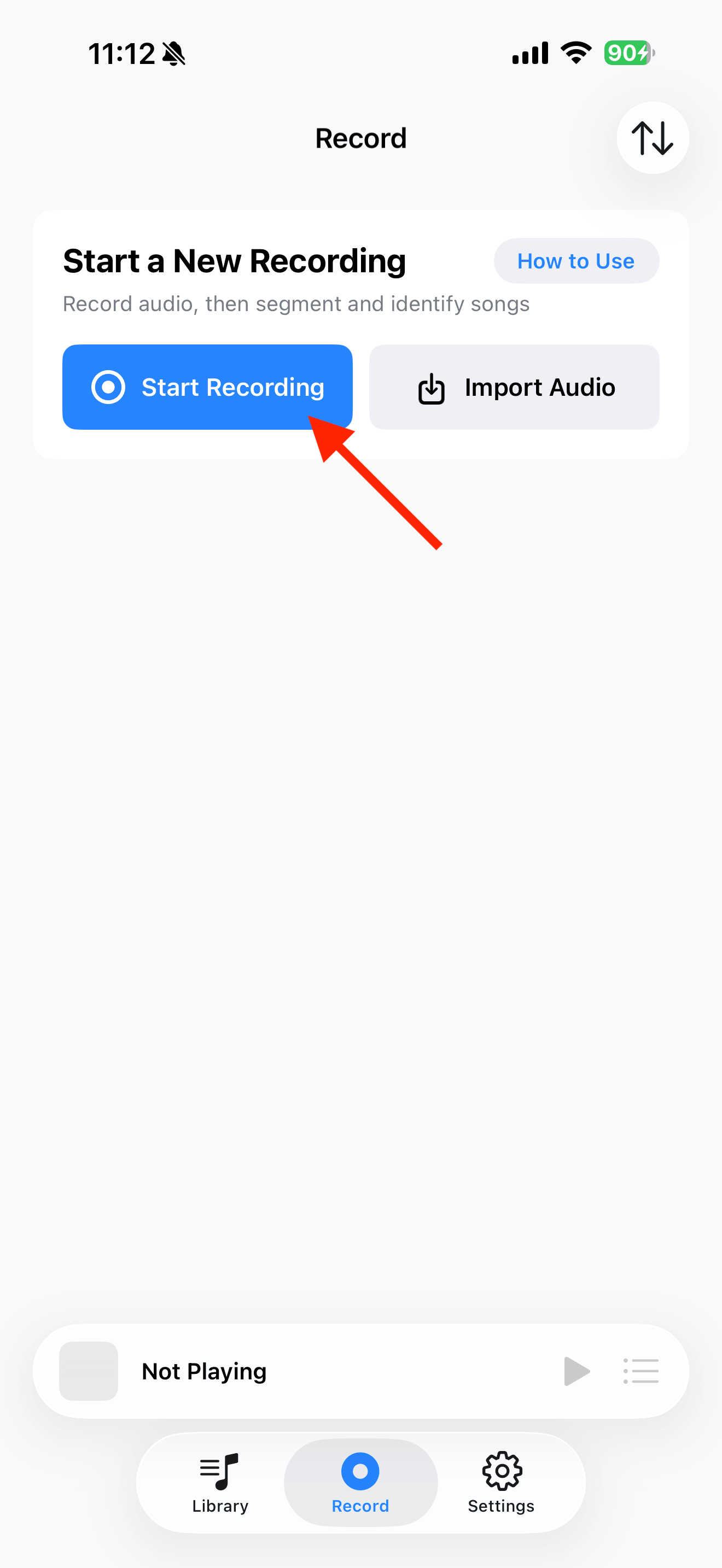
4 stepsStart recording in TuneTrace
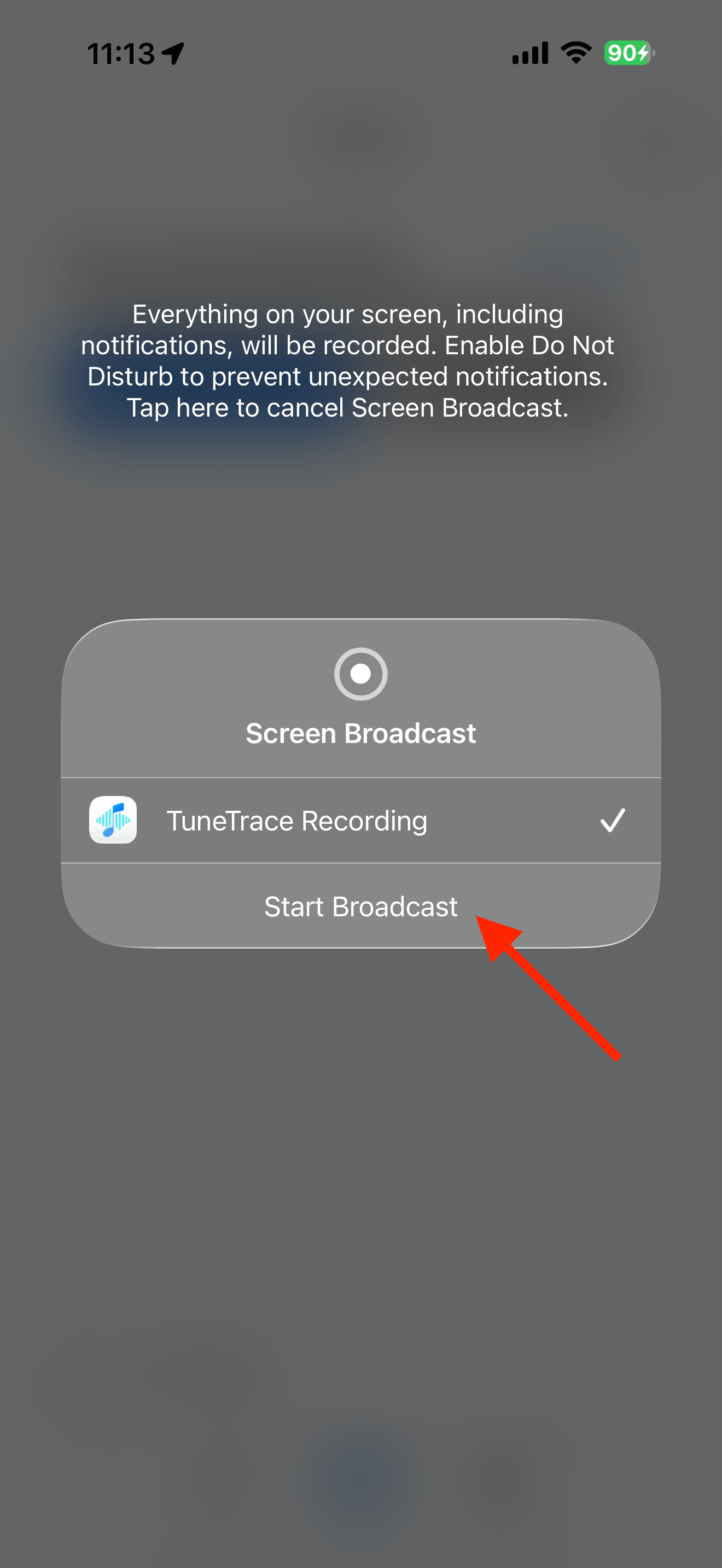
Tap “Start Recording”, then “Start Broadcast”. Once recording starts, close the dialog and return to the source app.
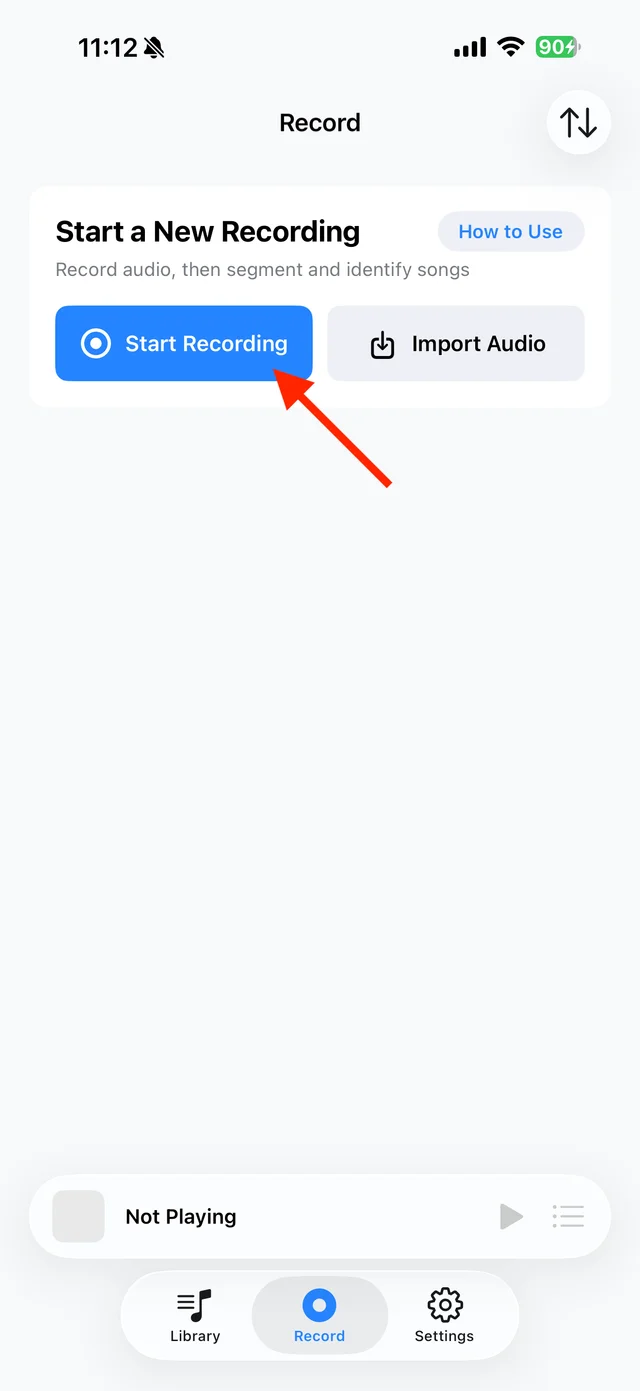
Open TuneTrace’s recording page 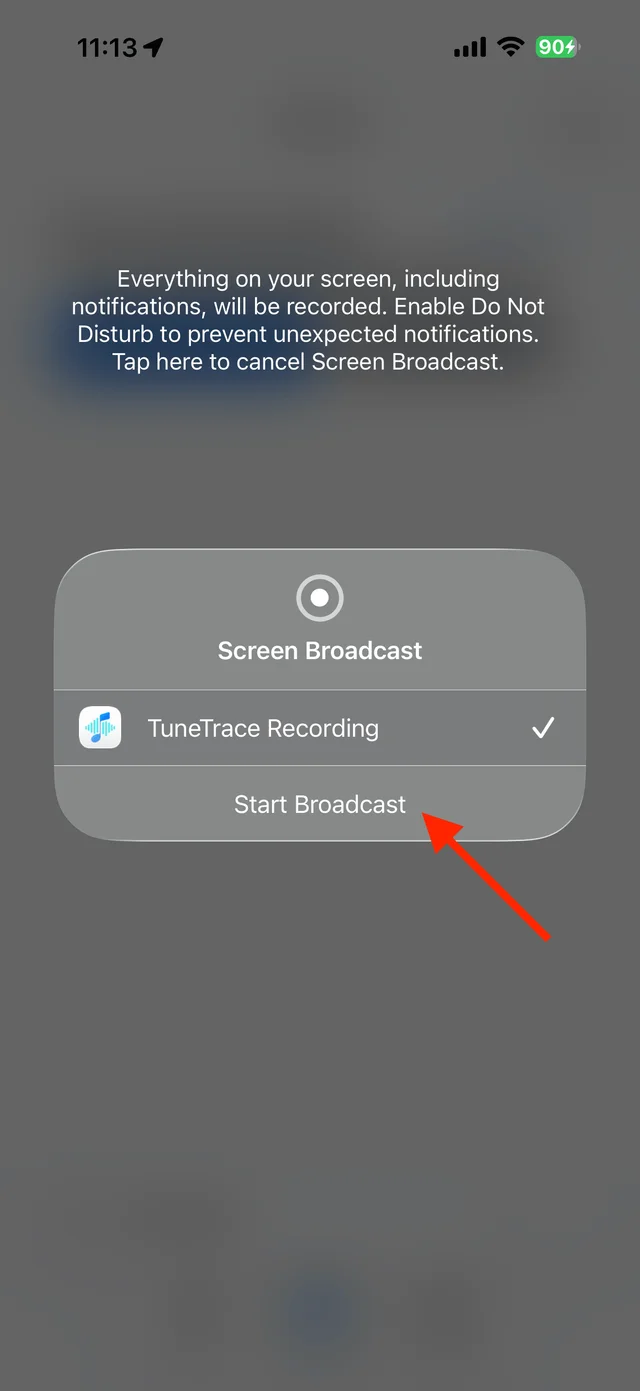
Start the broadcast in the system dialog Play the video without scrolling away
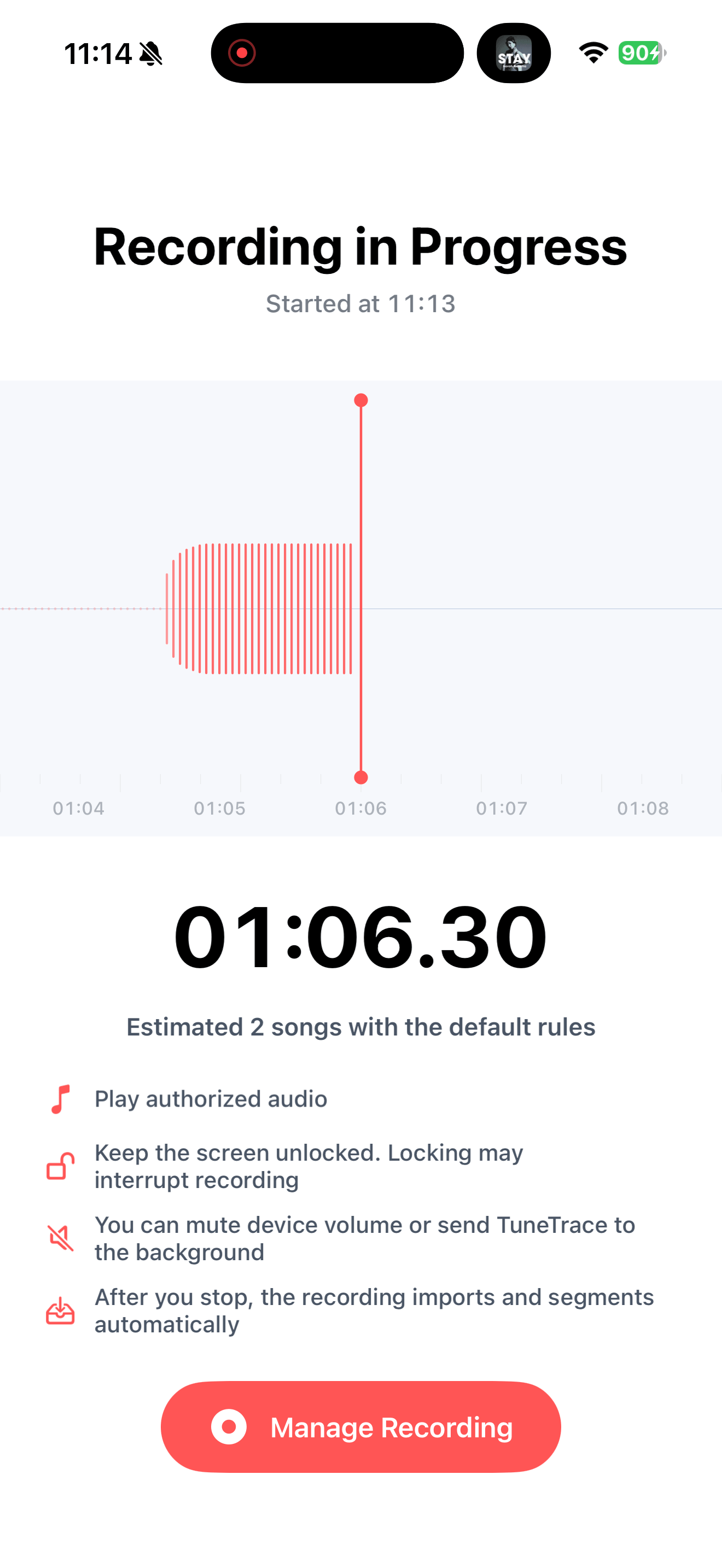
Start at the beginning and keep your screen awake. If the video loops, keep only one complete play when saving.
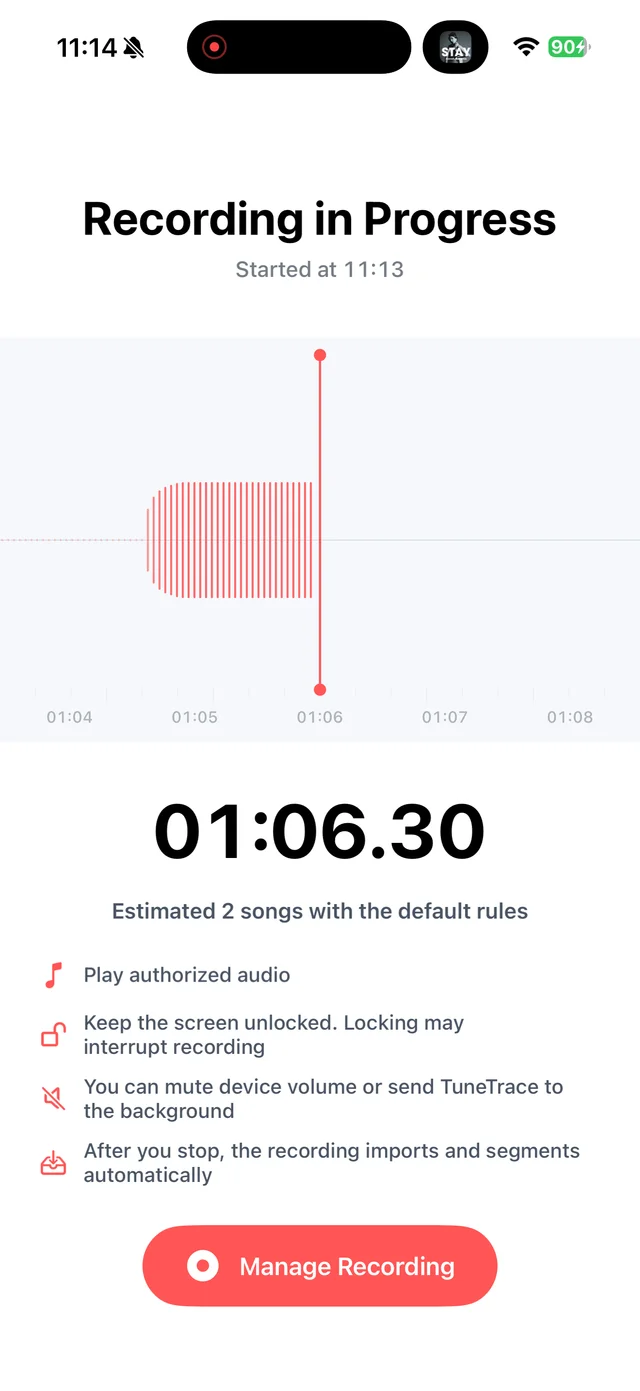
Confirm that recording is still active Stop and check the recording
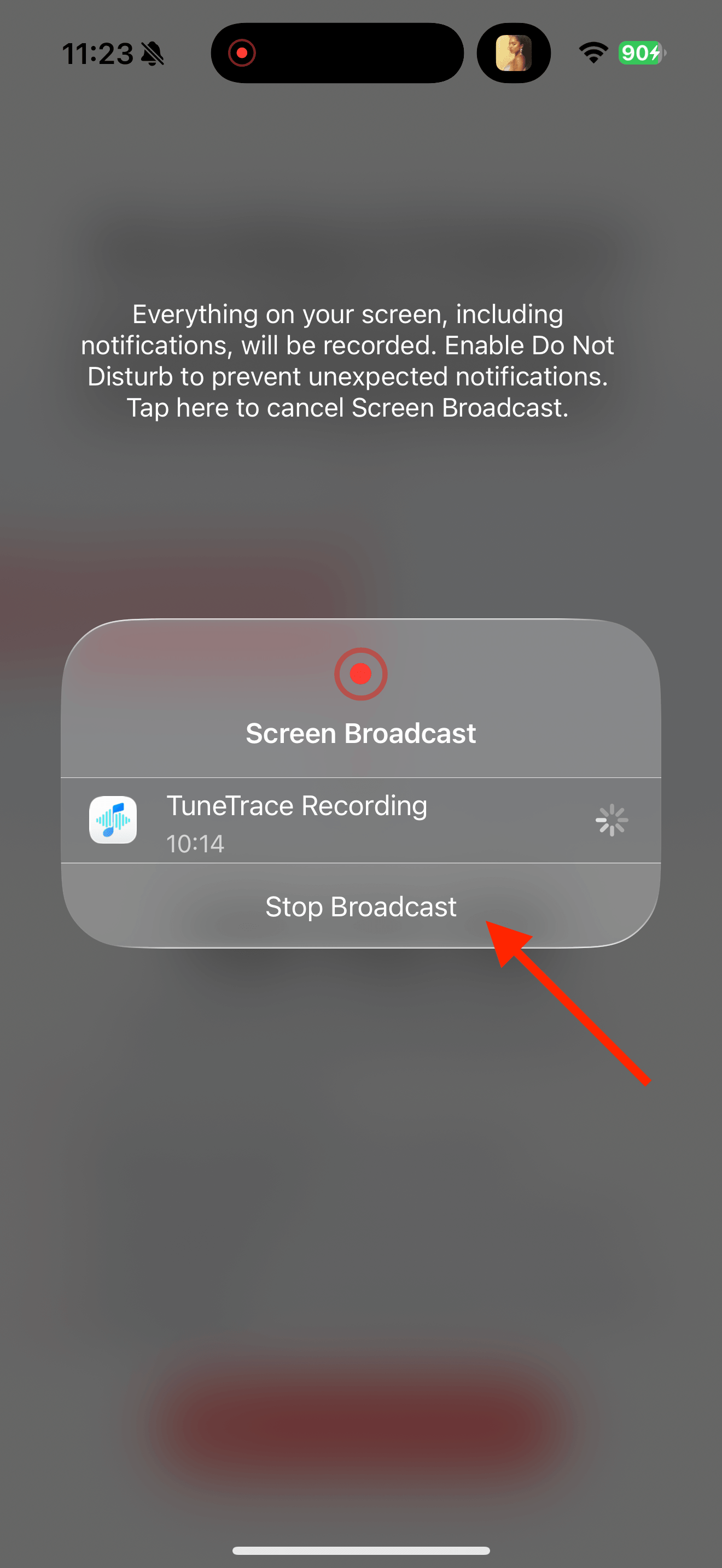
Return to TuneTrace and tap “Manage Recording → Stop Broadcast”. Wait for the audio to import, then listen back.
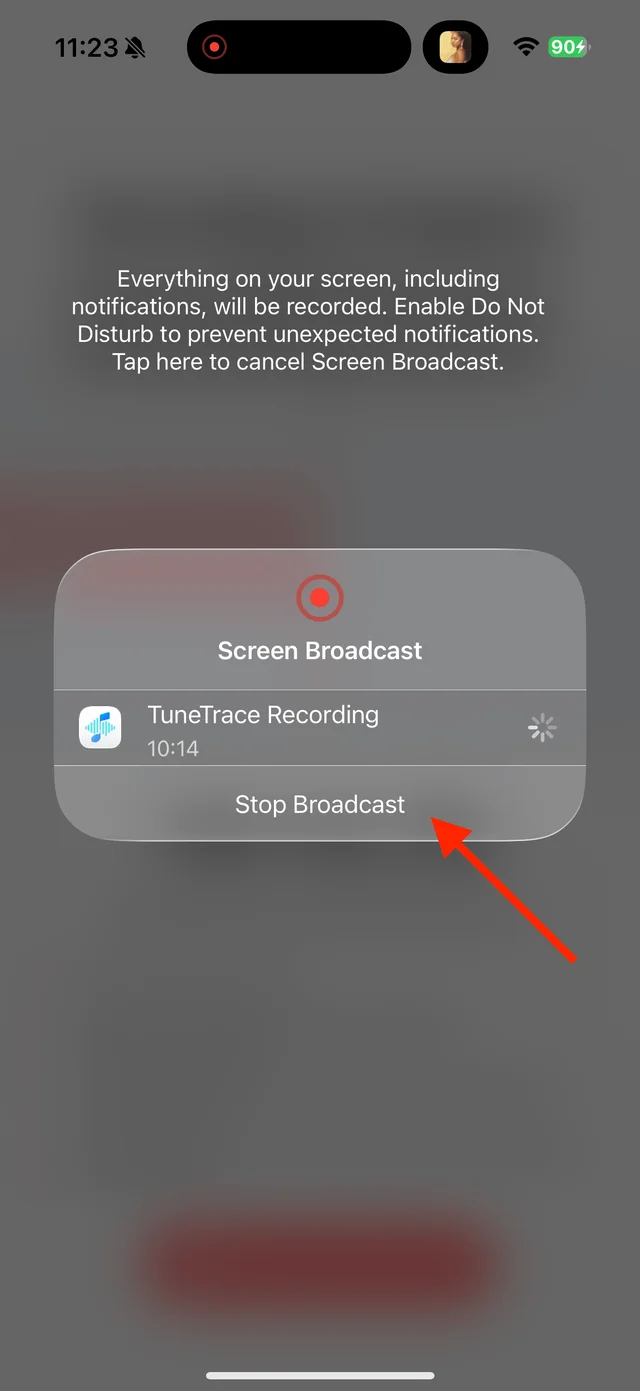
Stop the broadcast and wait for the recording to import Check the version and save
Try song recognition if useful. Sped-up or remixed versions may not match, so name the clip yourself if needed and save it to Library.

Select the tracks you want to keep and save them

Common questions
Will recognition replace my recording with the original song?
No. Your recording remains the version that played in the video.
Can sped-up music automatically return to its original speed?
No. You can adjust playback speed yourself, but the result depends on how the video’s audio was altered.
Only record audio you have permission to save. The source app or iOS may restrict recording.