
Quick answer
Try a short TuneTrace recording of WeChat Channels audio first. If it captures sound, record the full talk and save it locally. You can then listen offline with the screen locked.
Step by step
4 stepsStart recording in TuneTrace
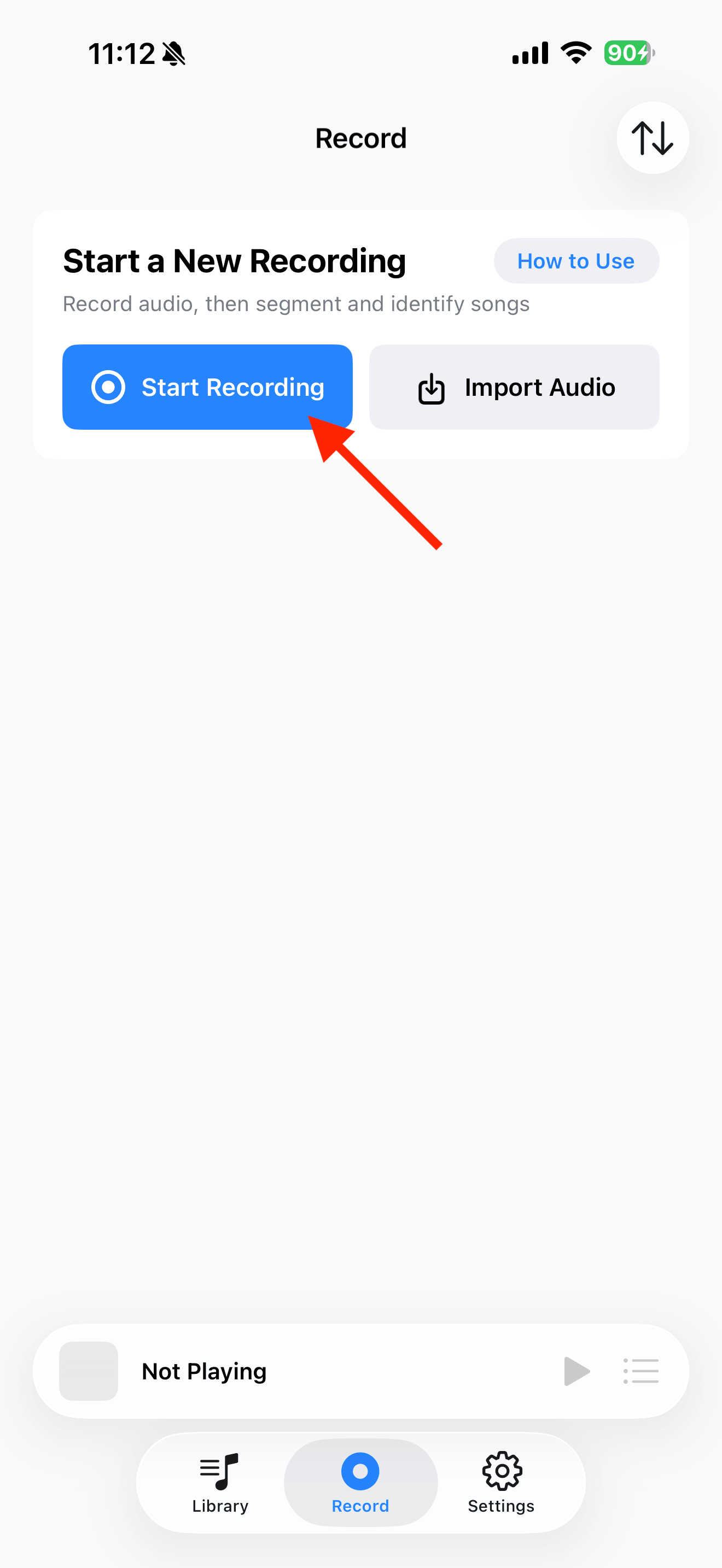
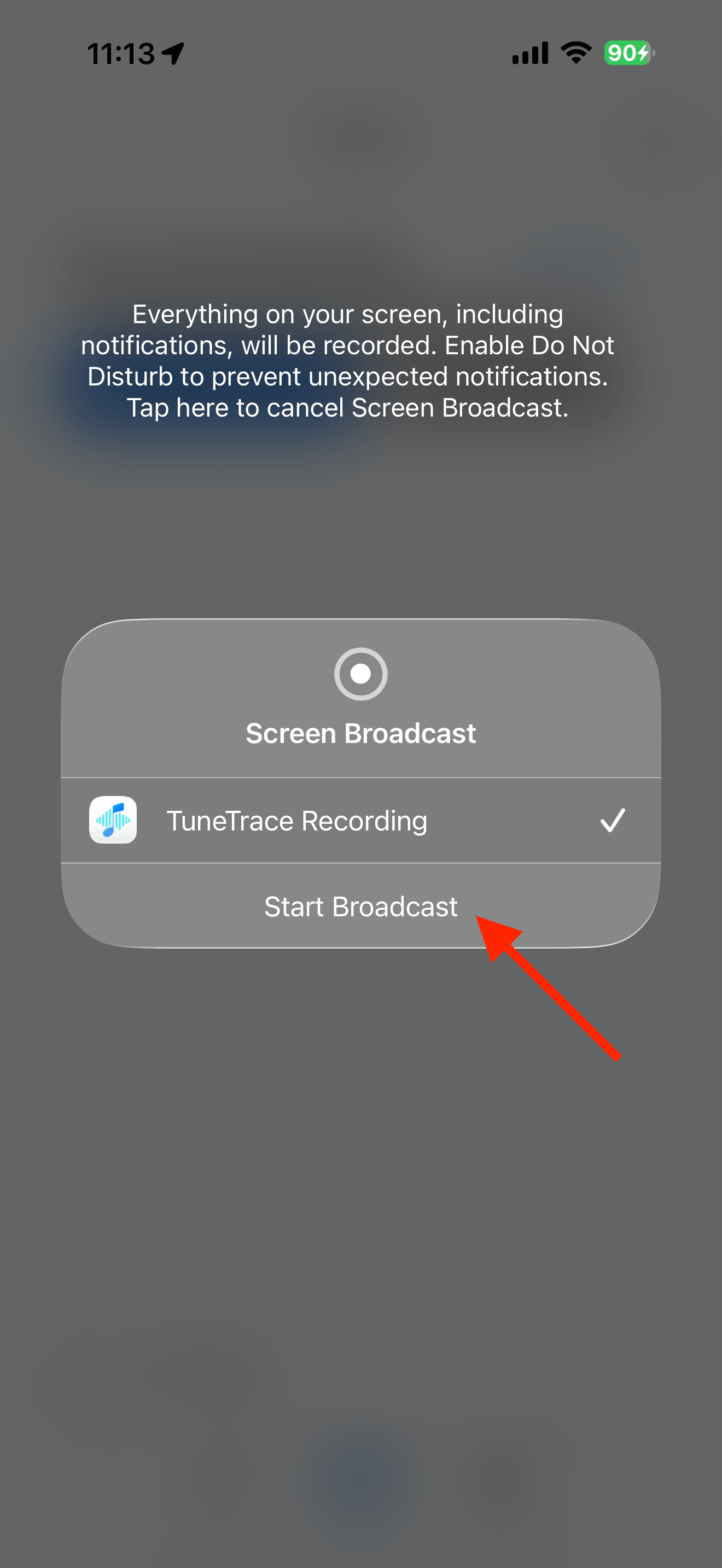
Tap “Start Recording”, then “Start Broadcast”. Once recording starts, close the dialog and return to the source app.
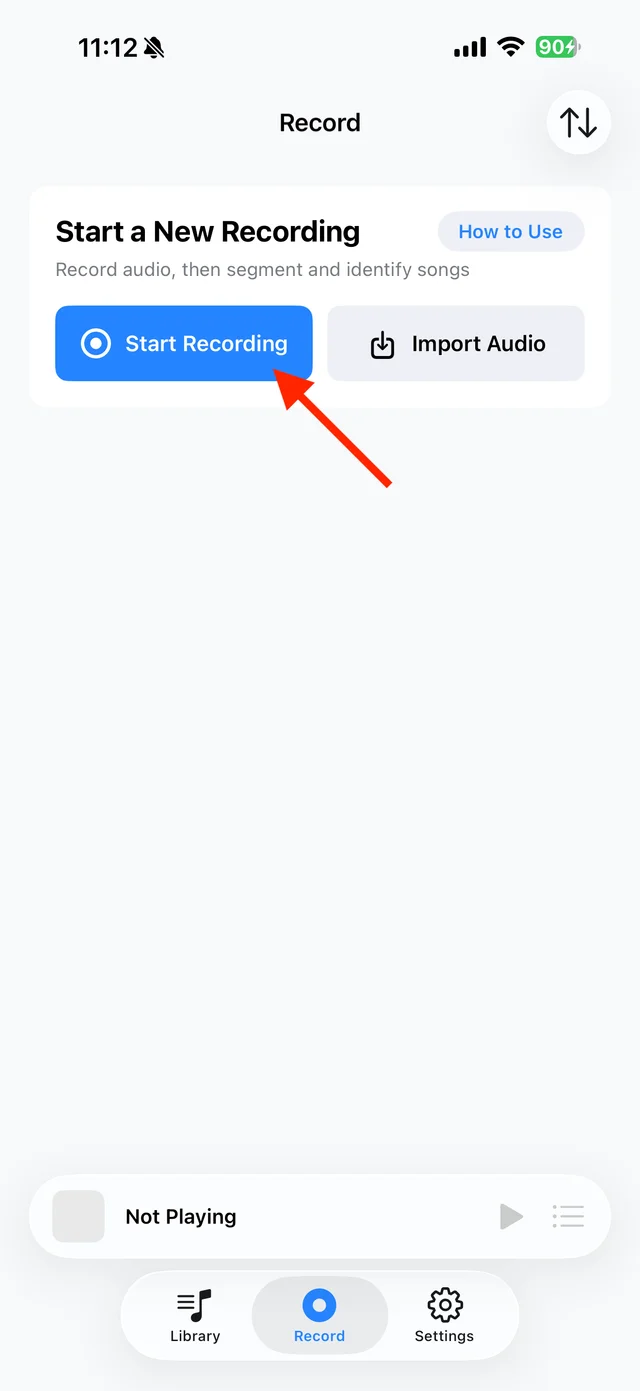
Open TuneTrace’s recording page 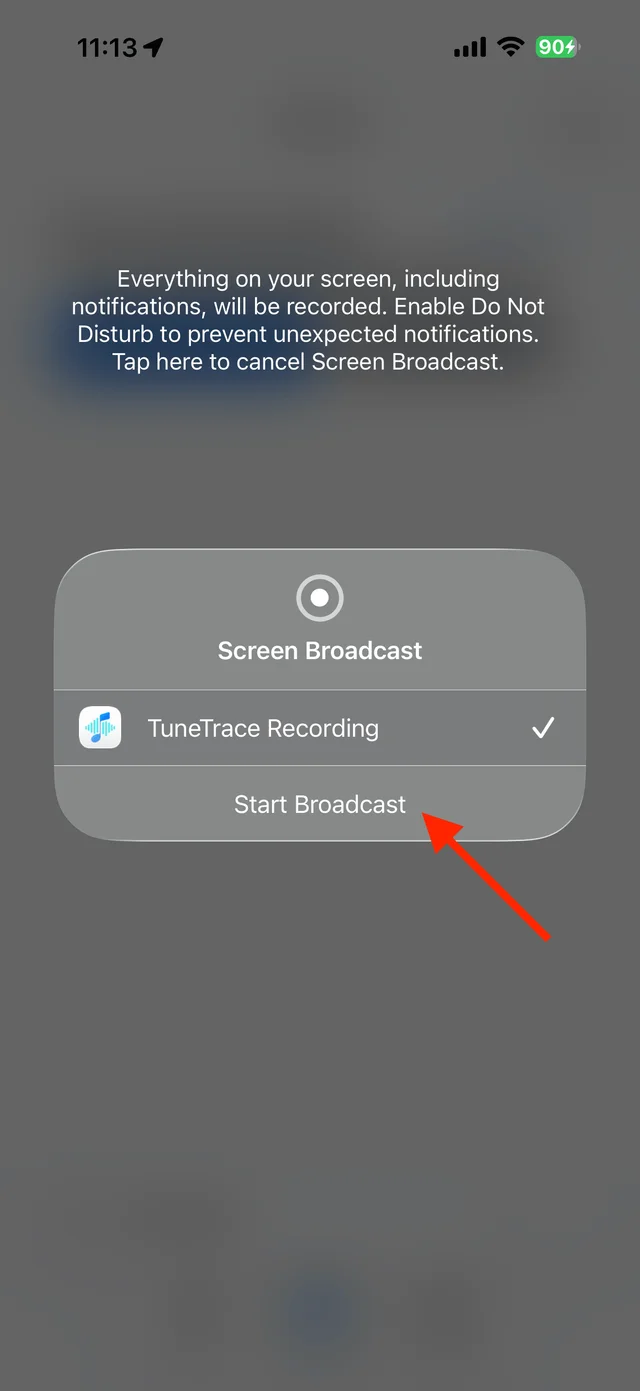
Start the broadcast in the system dialog Play the video in WeChat Channels
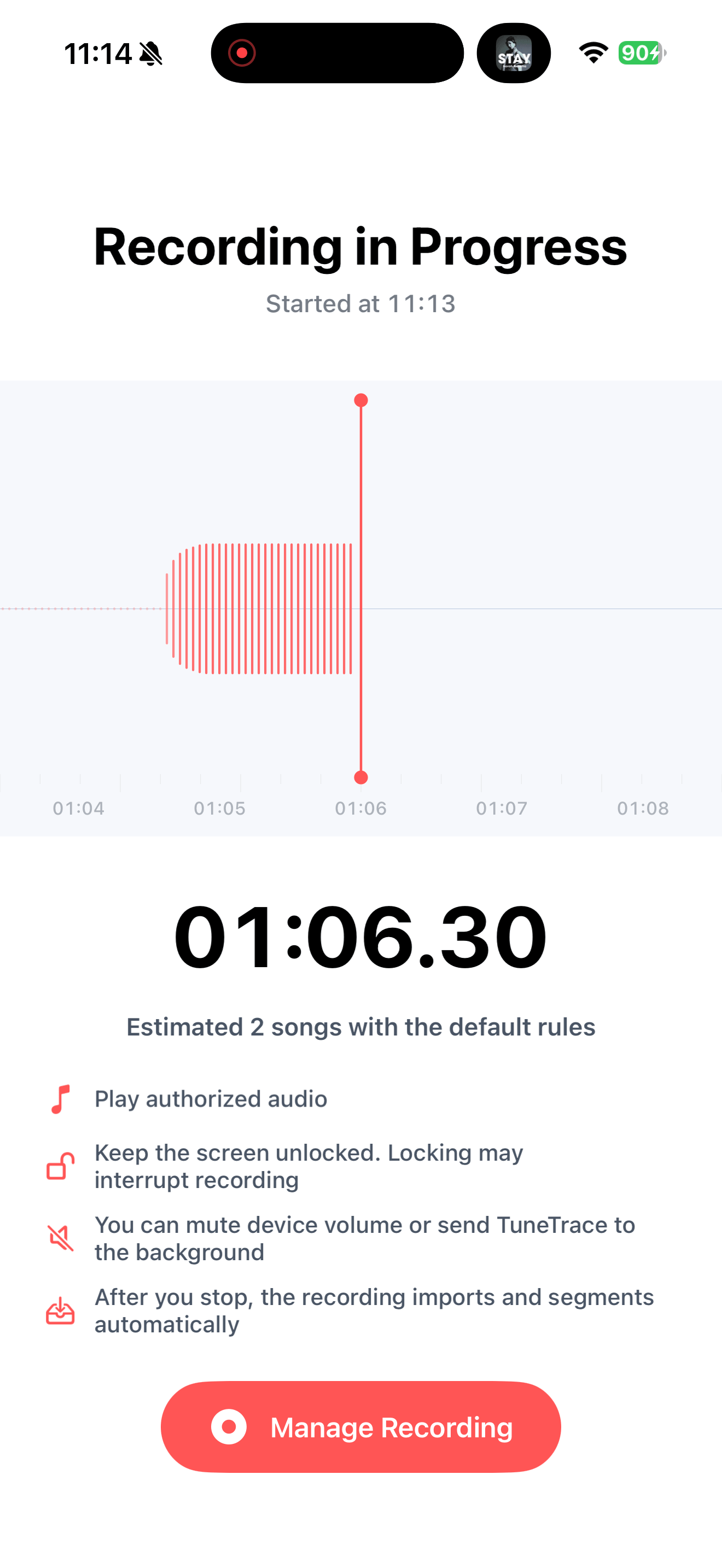
Play the section you want and keep your screen awake. Avoid voice or video calls. If interrupted, check how much was recorded before continuing.
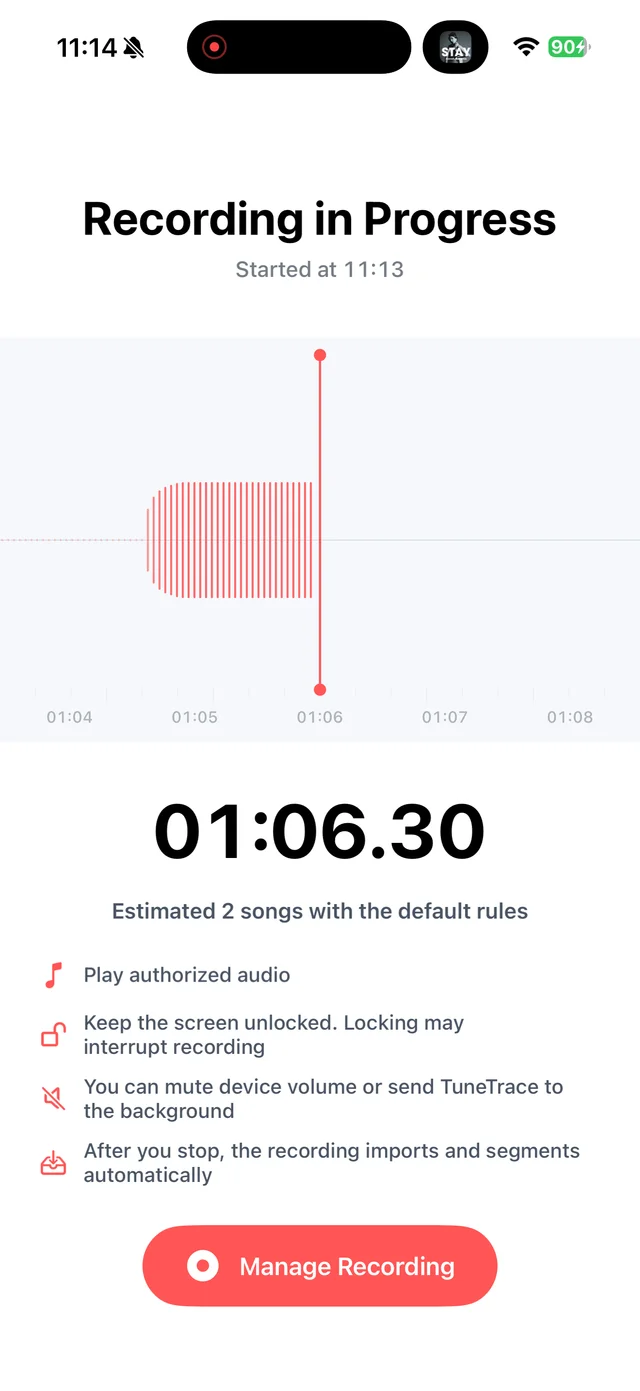
Check that a short sample captures the sound Stop and check the recording
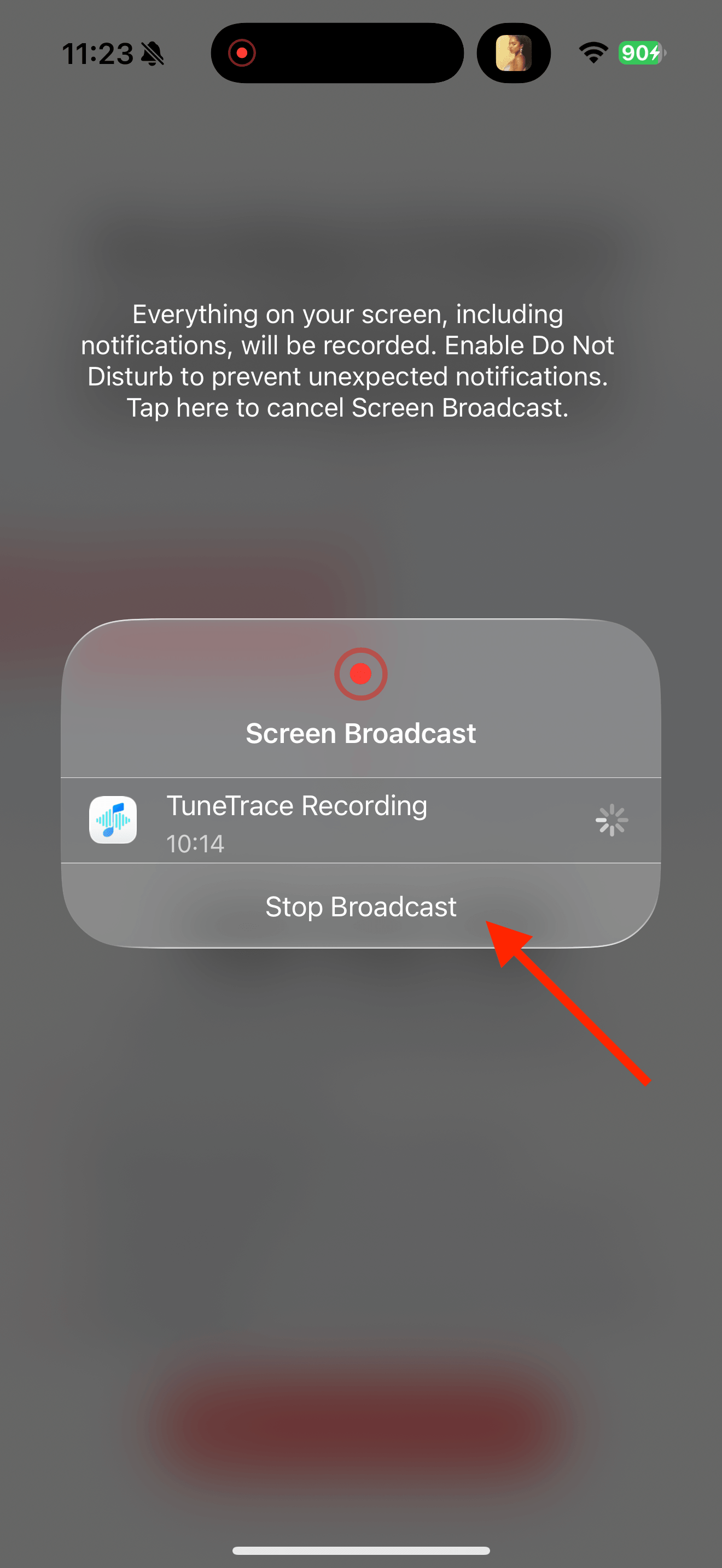
Return to TuneTrace and tap “Manage Recording → Stop Broadcast”. Wait for the audio to import, then listen back.
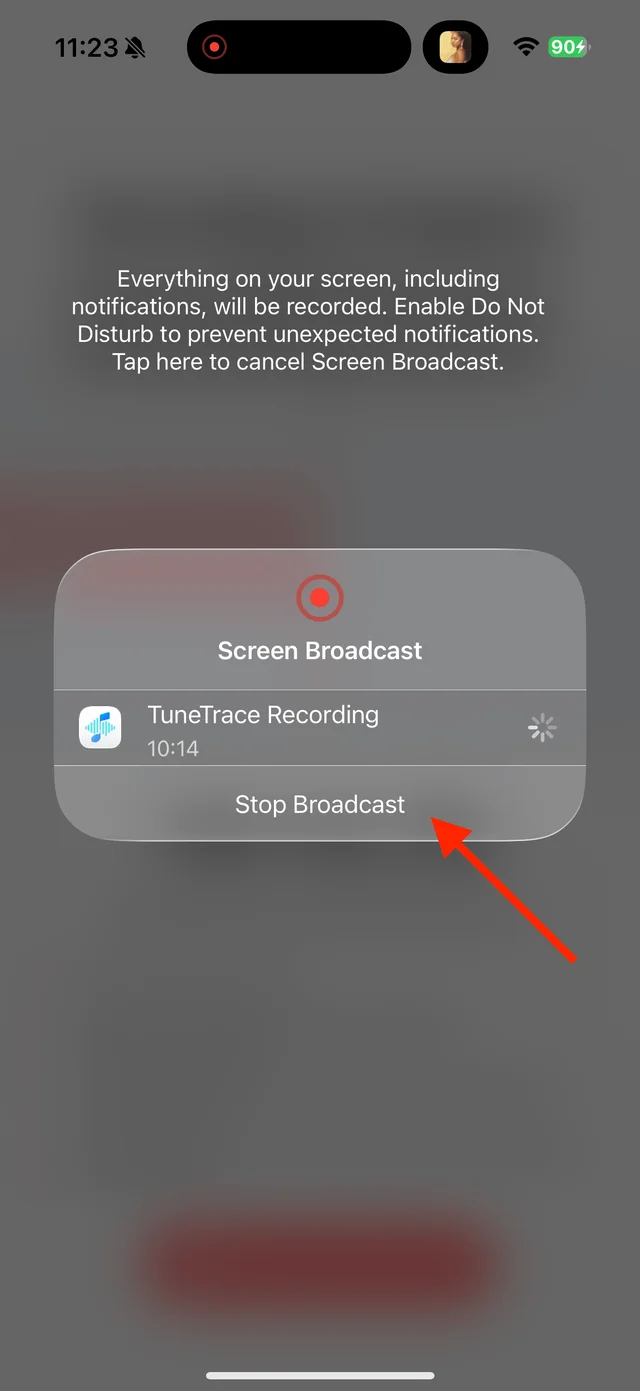
Stop the broadcast and wait for the recording to import Name the talk and enable resume playback
Spoken content does not need song recognition. Name and save it, then enable “More → Playback Settings → Resume Playback” for longer recordings.

Select the tracks you want to keep and save them

Common questions
Do I need to record WeChat audio attachments too?
No. Save MP3 or M4A attachments in Files, then import them from TuneTrace’s Library.
Can I extract audio from a WeChat Channels link?
Not directly. Play the video and record its sound instead.
Only record audio you have permission to save. The source app or iOS may restrict recording.