
Quick answer
Return to TuneTrace and check the recording status. Stop any active recording, review the imported audio, and listen to the ending before recording missing content again.
Step by step
3 stepsCheck the recording status
Return to TuneTrace. If recording is still active, stop it from “Manage Recording”. Open the imported recording and check its duration.
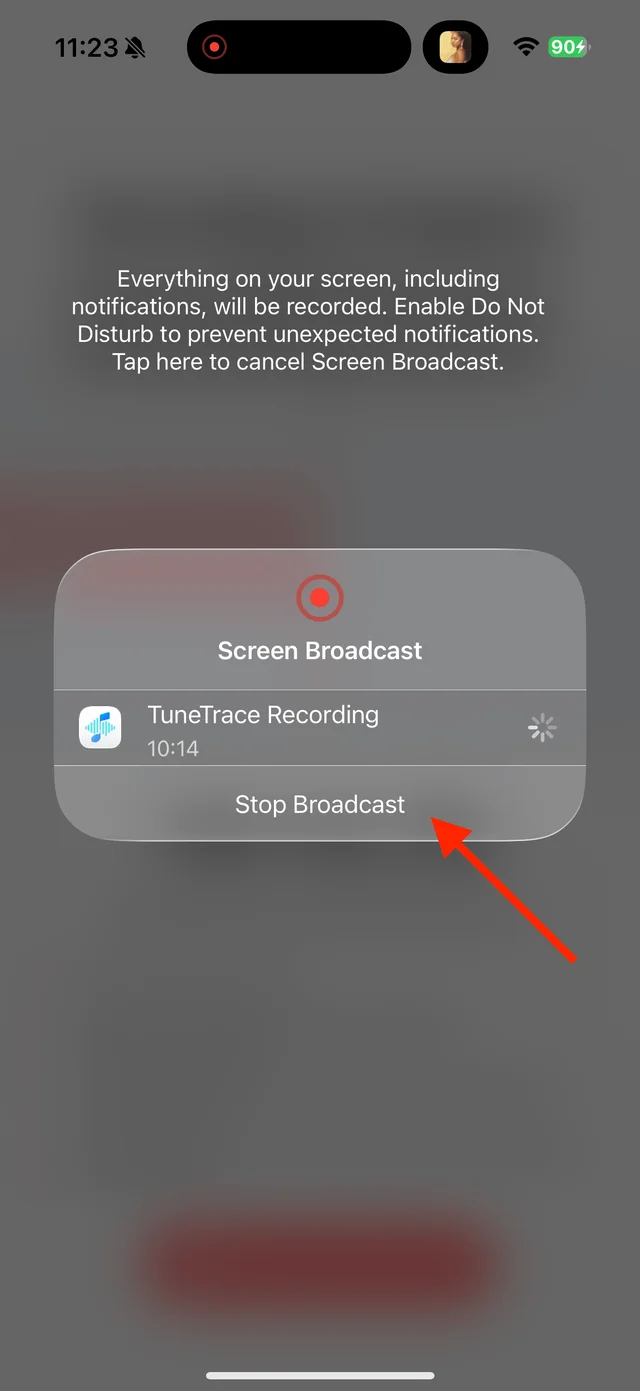
Stop any active broadcast first Find where it stopped
Listen to the end to locate the interruption. Save complete songs or usable passages.
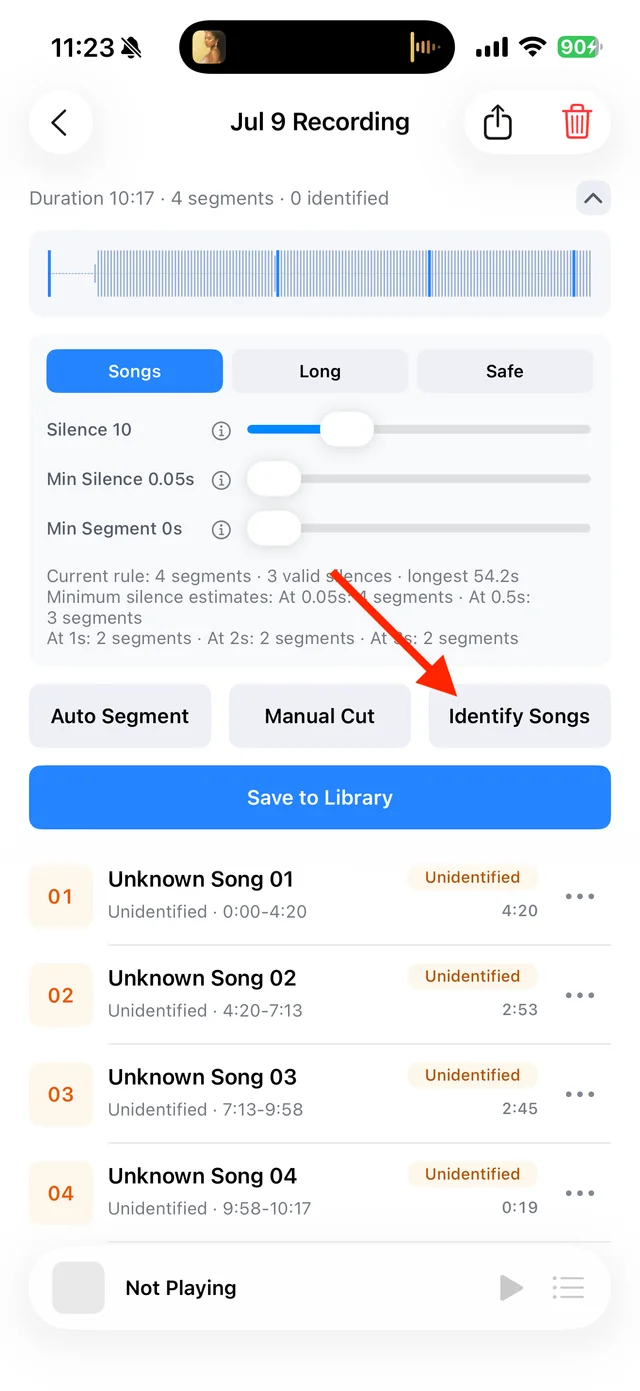
Split, identify, and save audio on the recording page Record the missing content
Return the source to the beginning of a complete song or sentence and record again. Keep the screen awake and reduce interruptions from calls, notifications, and frequent app switching.
Common questions
Is everything before the interruption recoverable?
Not always. Check whether the recording was imported, then listen to see what was saved.
How can I listen to the parts in order?
Save them separately and add them to a playlist in order. For a complete single song, recording it again from the beginning is usually easier.