
Quick answer
Keep the audio and listen on your own schedule.
Record permitted Bilibili video audio with TuneTrace and save it locally. Open TuneTrace on your commute, walk or at bedtime to listen offline, even with the screen locked.
Your first 30 saved songs play in full for free, forever. Unlock more with a one-time purchase.
Step by step
5 stepsStart recording in TuneTrace
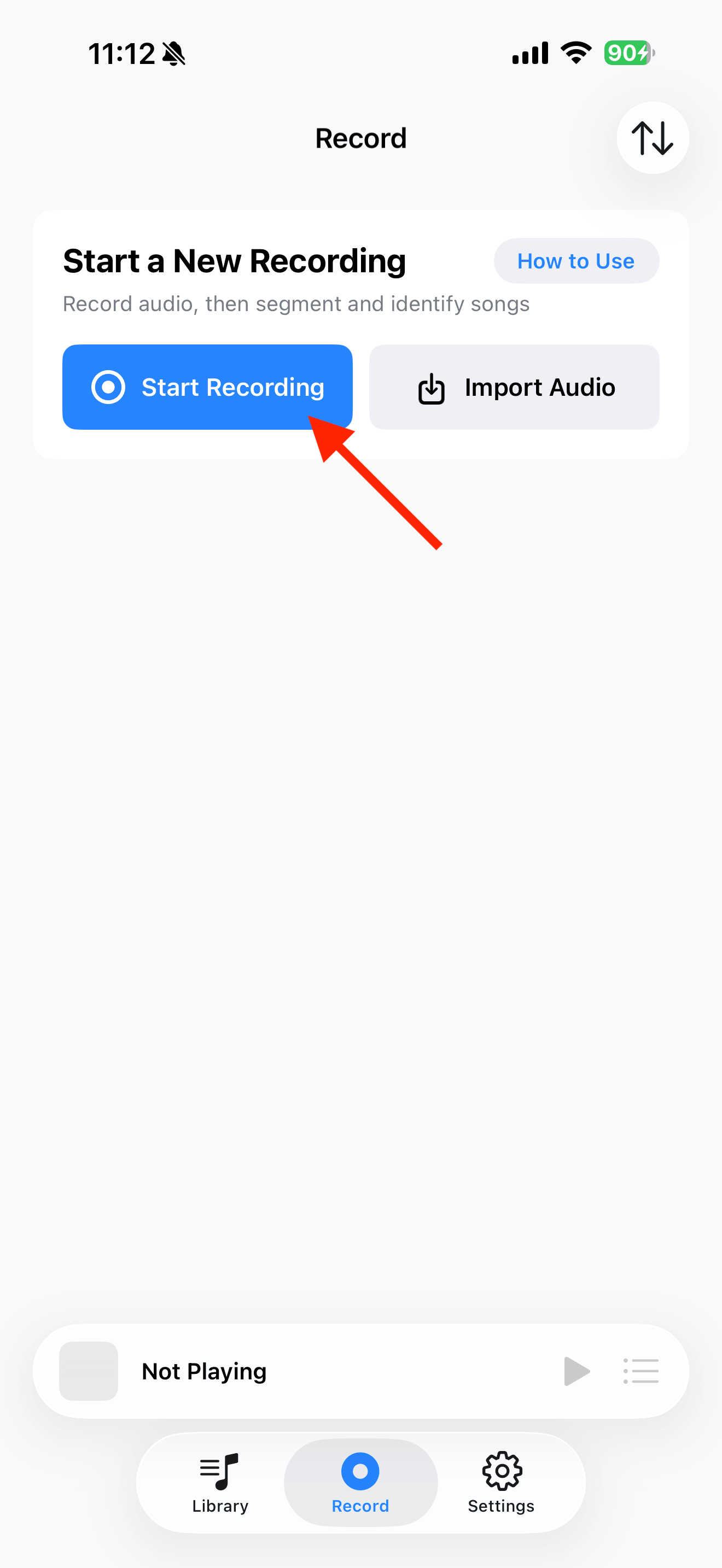
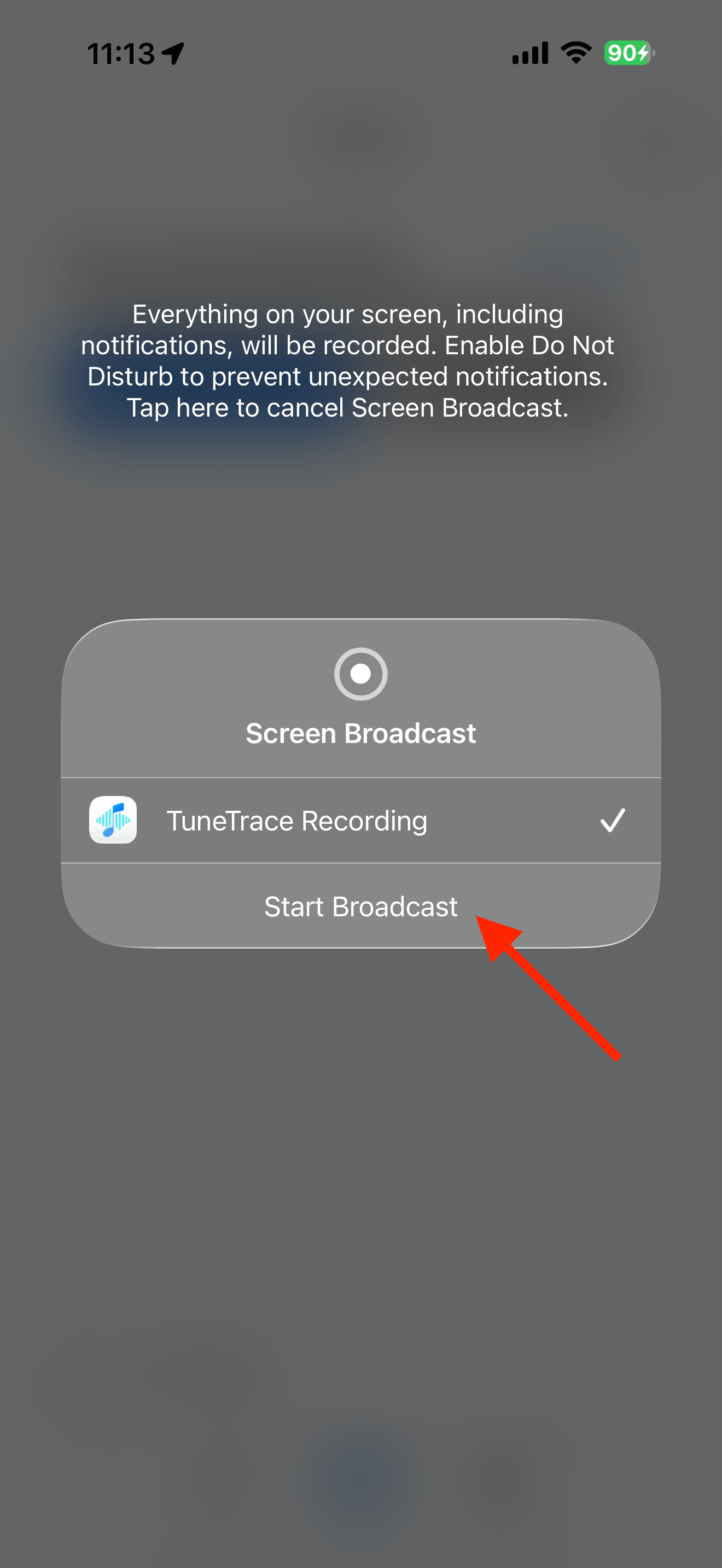
Tap “Start Recording”, then “Start Broadcast” in the system dialog. Once recording starts, tap outside the dialog to close it.
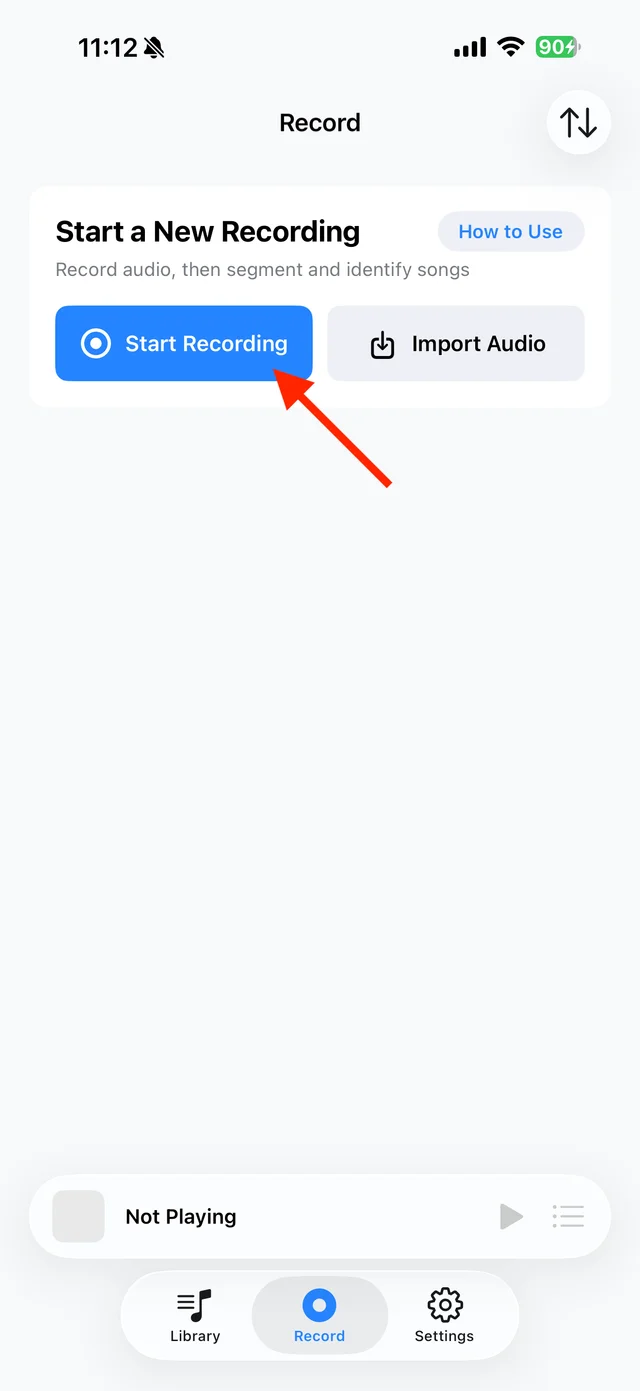
Tap “Start Recording” 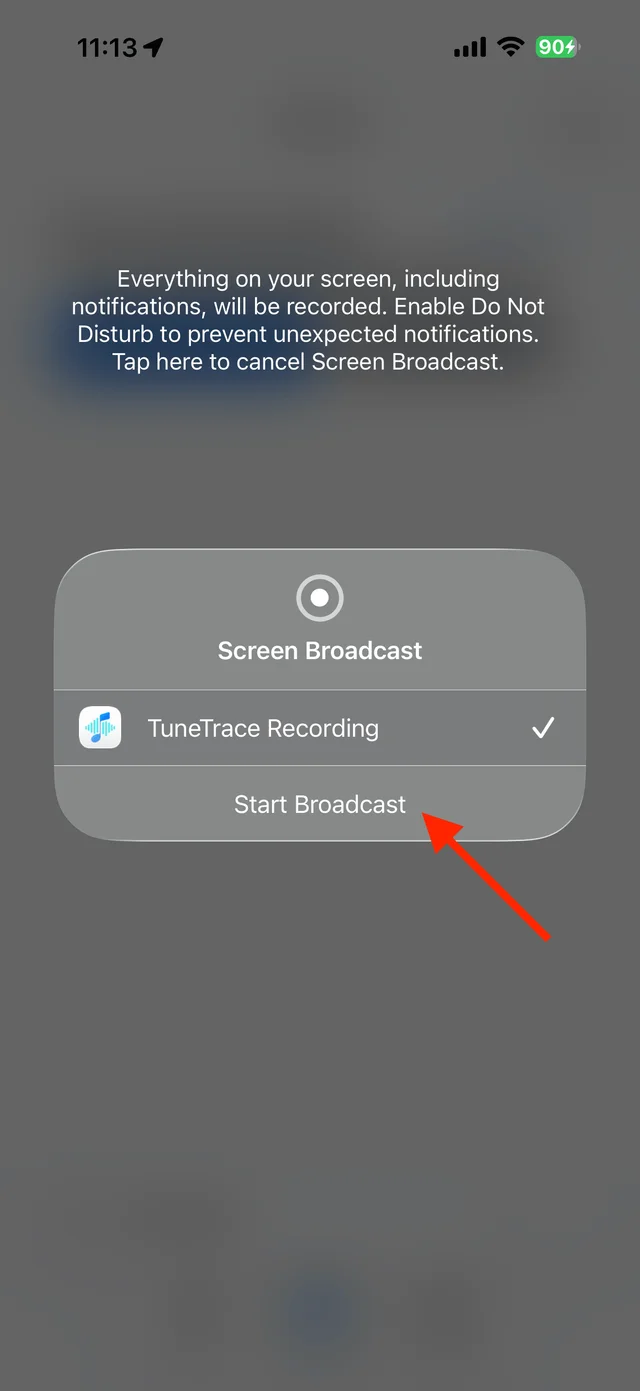
Confirm “Start Broadcast” Play the video in Bilibili
Start where you want to record and keep the screen awake. Play a music collection continuously, or record the interview or lesson you want.
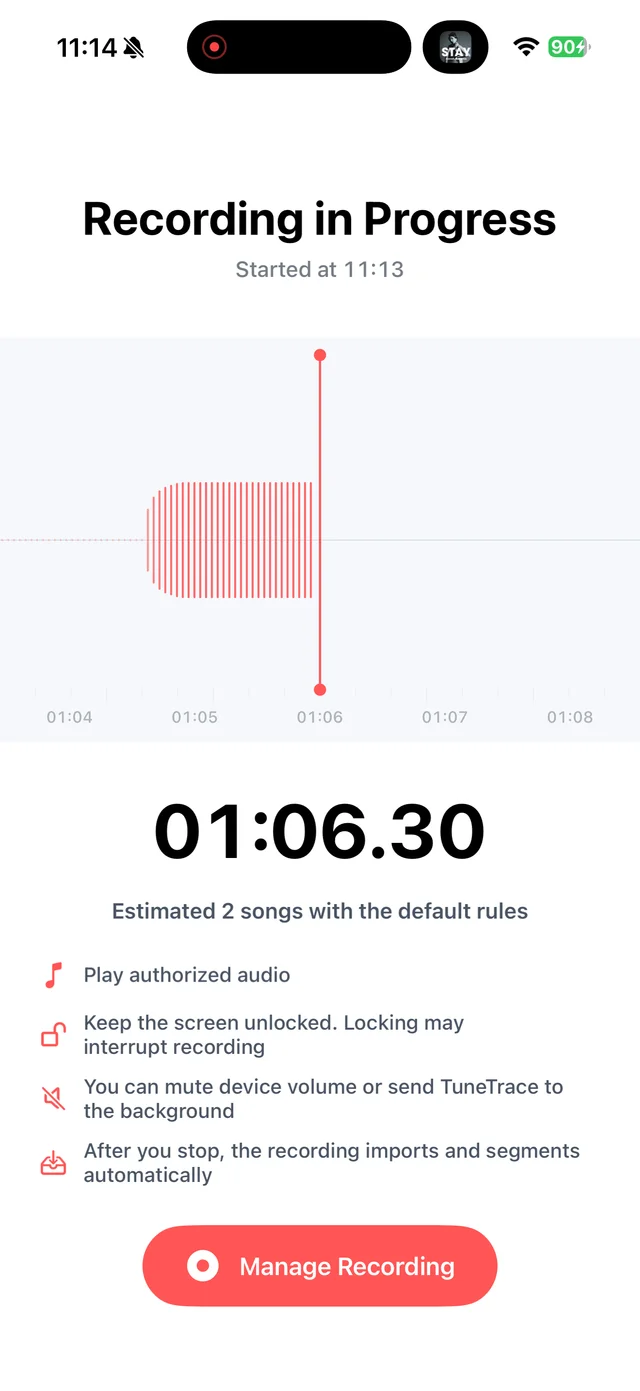
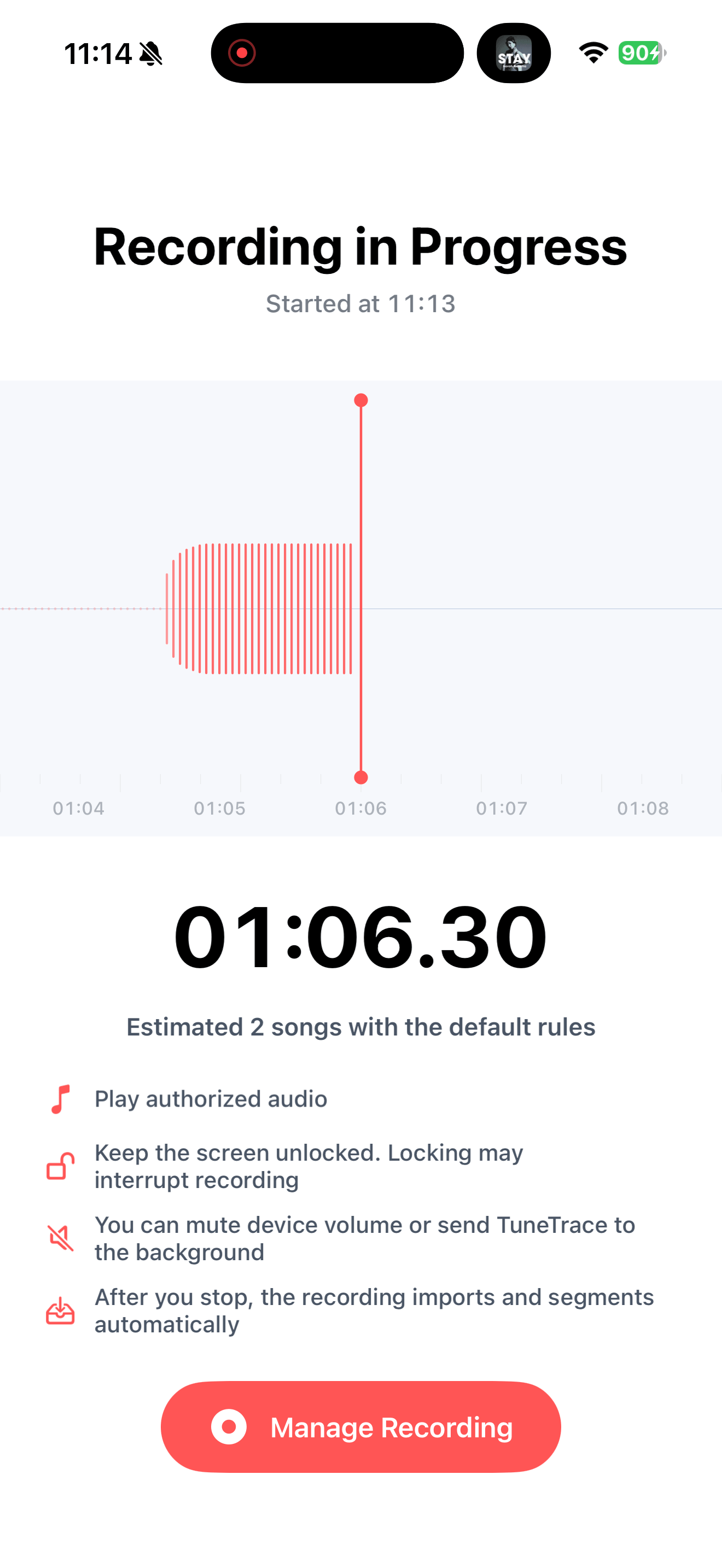
Check recording status in TuneTrace Stop after the content finishes
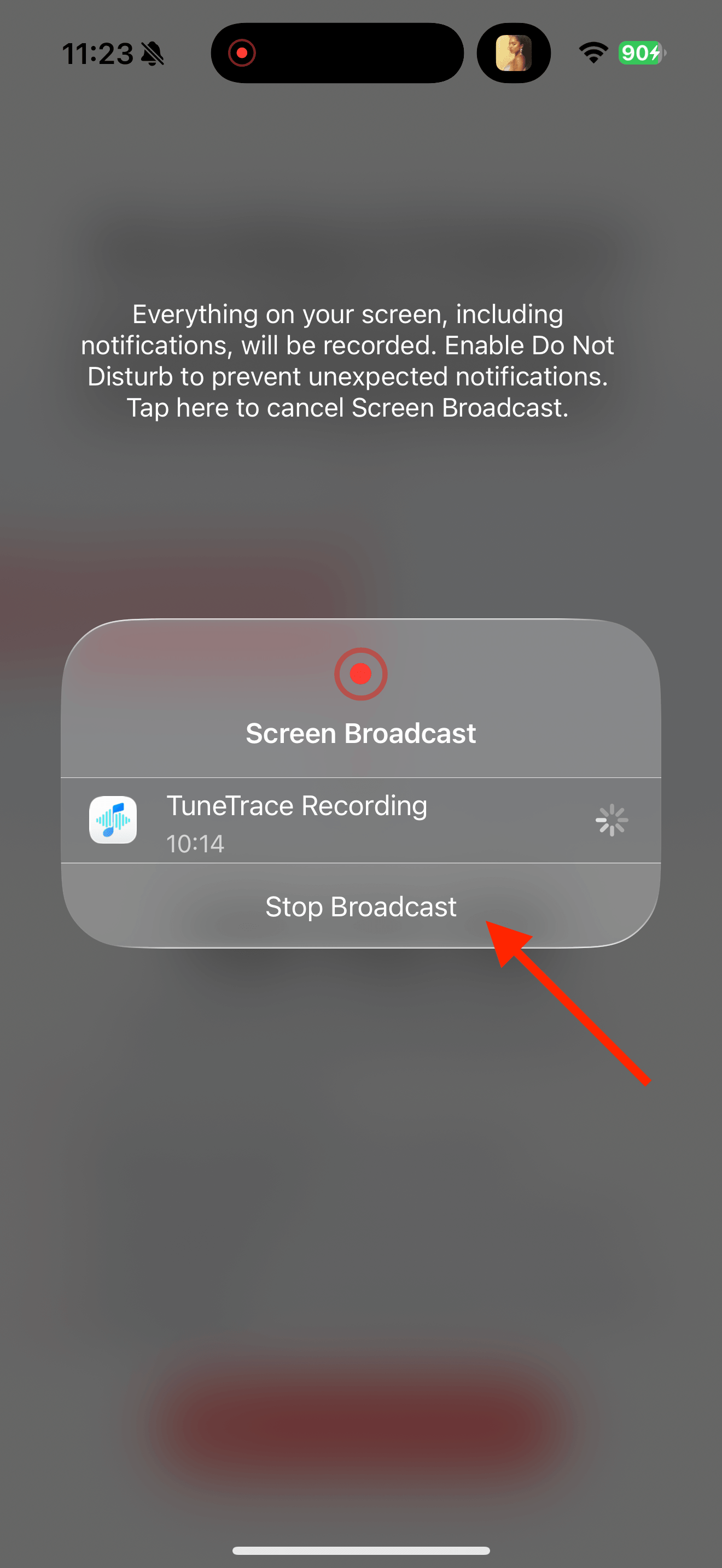
Return to TuneTrace and tap “Manage Recording → Stop Broadcast”. Your recording imports automatically, ready to organize.
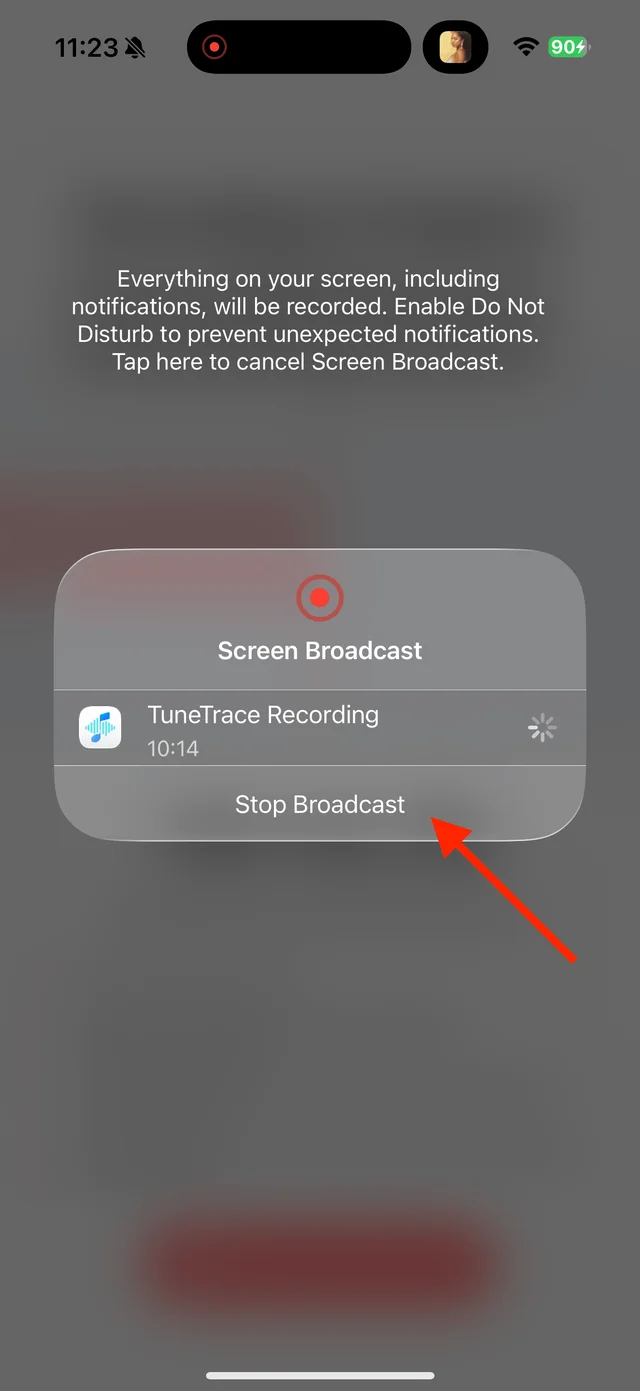
Tap “Stop Broadcast” to finish Organize and save the audio
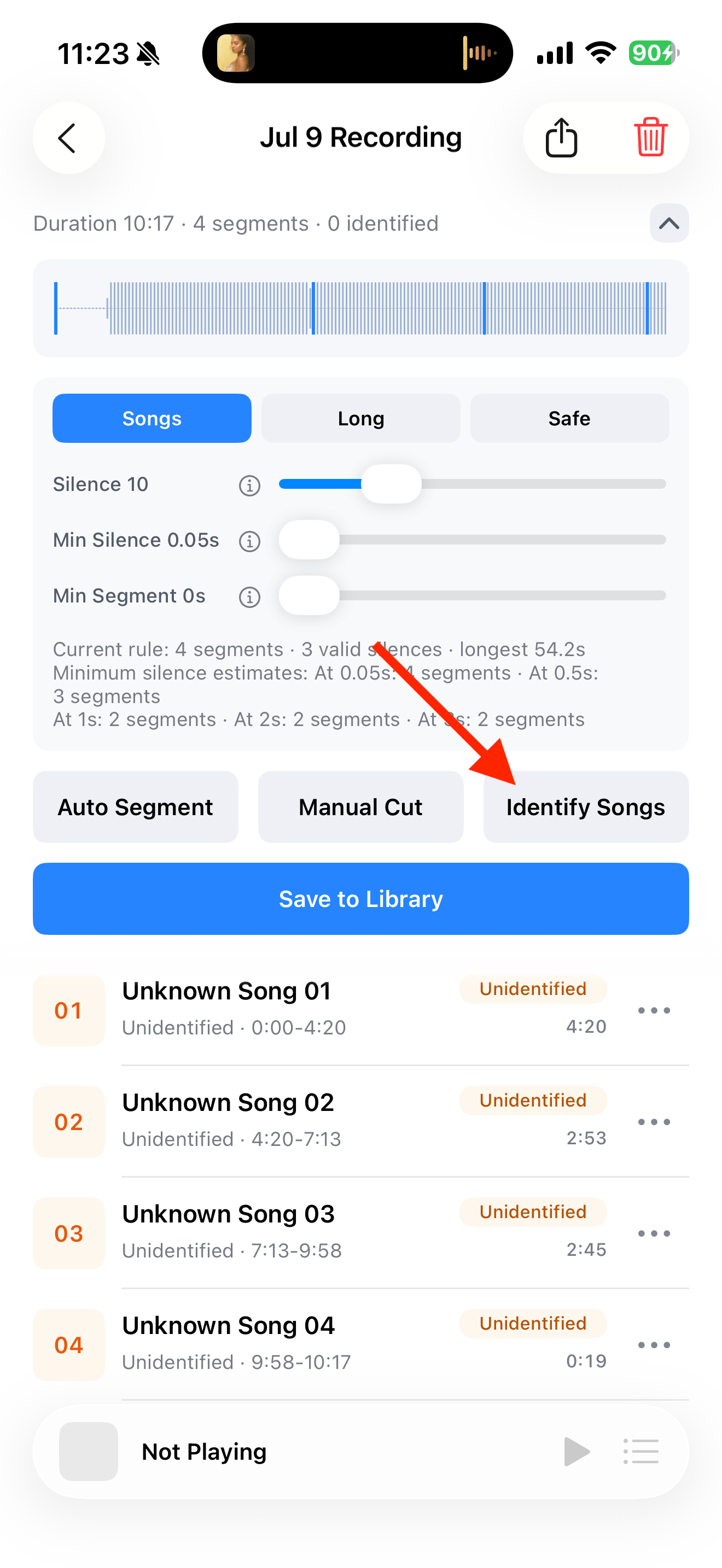
For music, tap “Identify Songs” and check the cuts. Keep interviews or lessons in longer clips, name them yourself and save to Library.
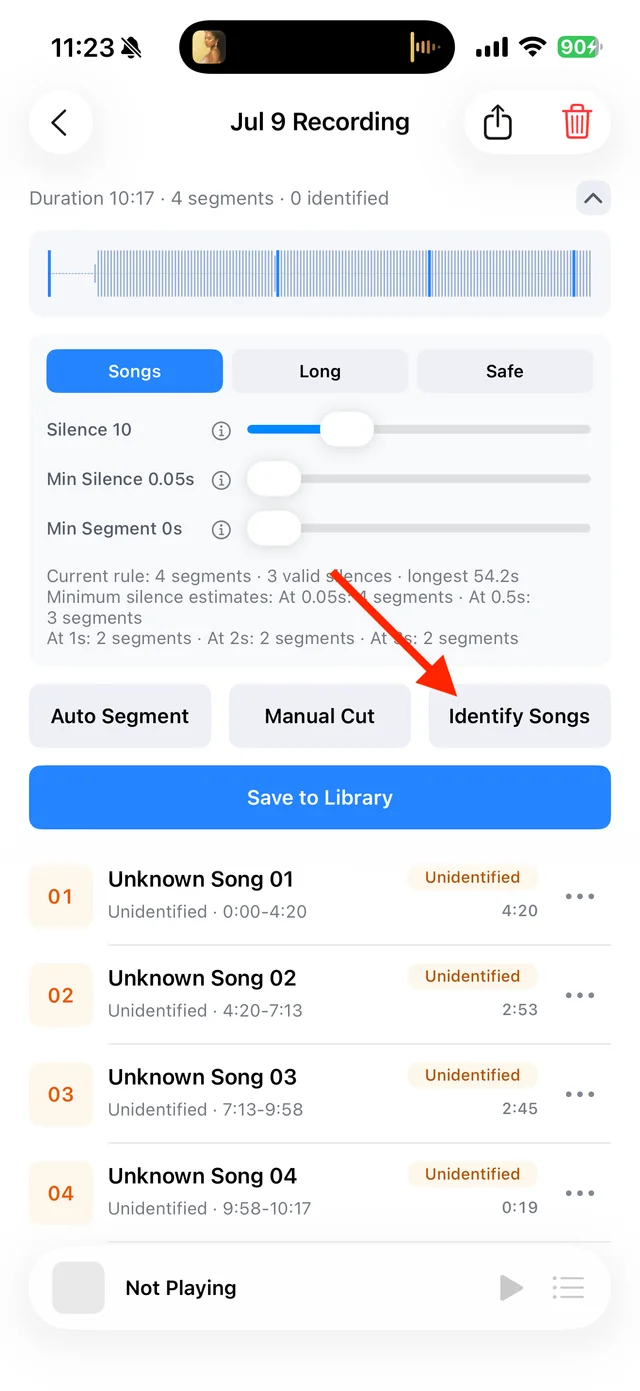
Split and identify songs 
Select tracks, then tap “Save Selected” Listen offline or with the screen locked
Play the saved audio from TuneTrace’s Library. You no longer need the video open. Adjust playback speed for longer content if you like.

Play saved tracks from your local Library


Common questions
Can I paste a Bilibili link to convert it directly?
No. The video must actually play during recording. A 30-minute video normally needs 30 minutes of recording.
Can I lock the screen while recording?
Keep it awake so the video keeps playing. After saving to TuneTrace, you can listen with the screen locked.
Is the saved audio an MP3?
TuneTrace normally saves recordings and clips as M4A. They play locally without converting to MP3.
Recording depends on iOS and the source app. Only save audio you have permission to record.