
Quick answer
Import the full recording, add chapter boundaries with “Manual Cut”, and name each chapter. Save them to a playlist in order and enable resume playback.
Step by step
5 stepsOpen the complete audio
Open a new recording or use “Import Audio” for an existing file. Note topic changes while listening. You can also keep the whole recording as one track.
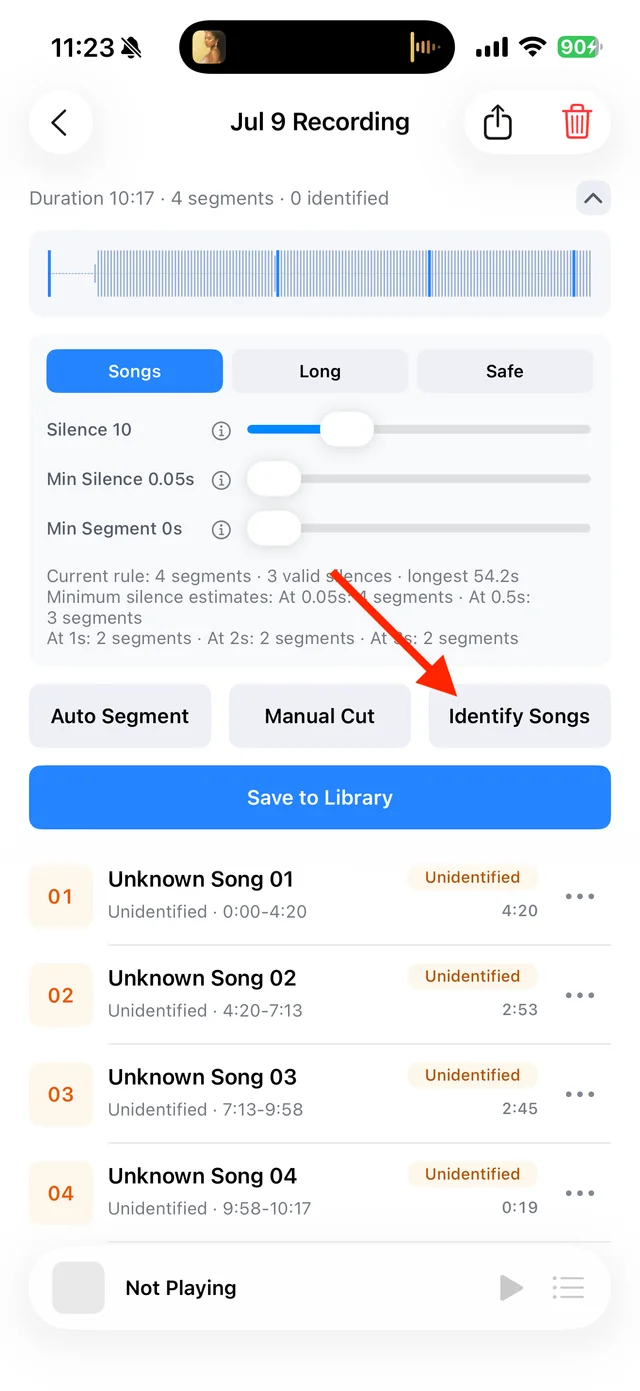
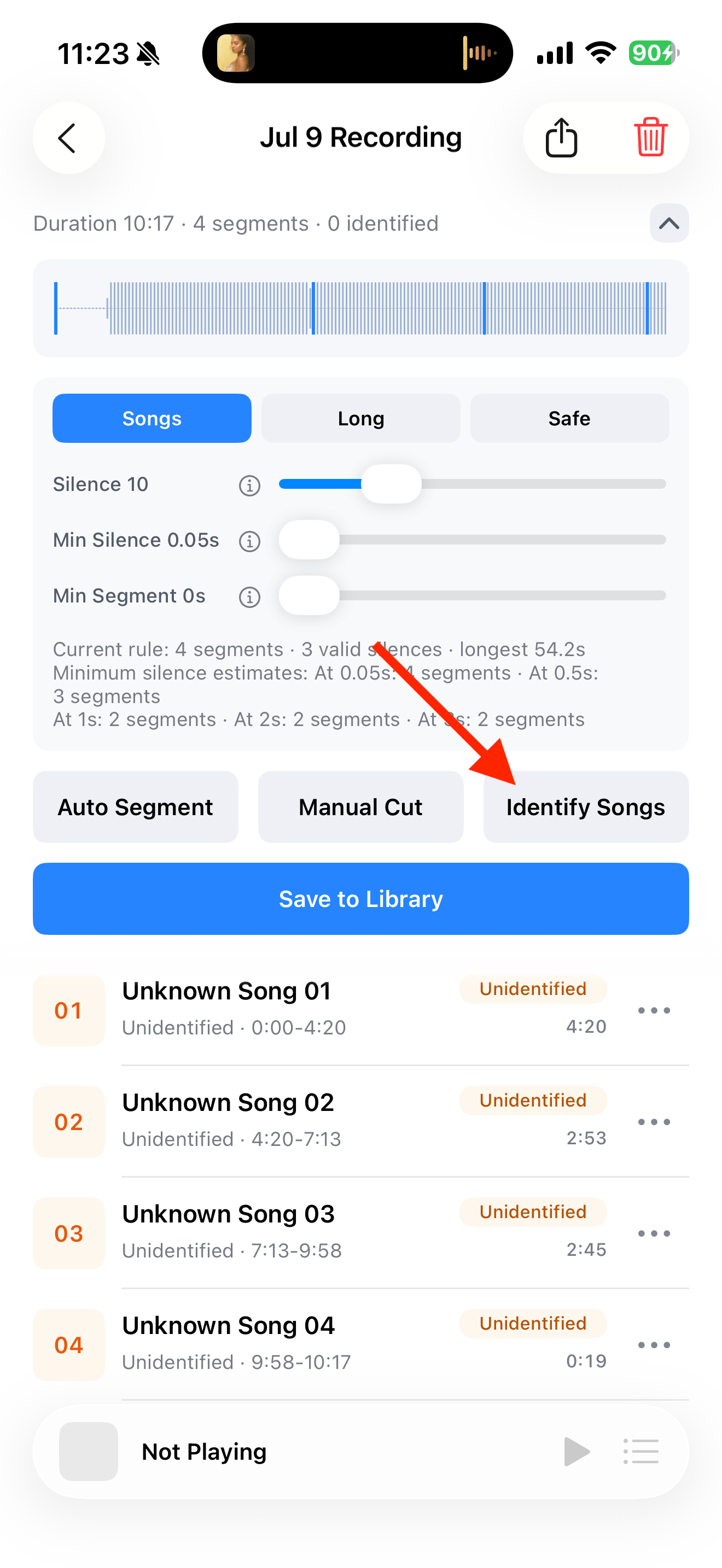
Split, identify, and save audio on the recording page Add chapter boundaries
In “Manual Cut”, listen around each transition and tap “Add Cut” between chapters. Keep sentences complete, then save from the top right.
Name and save the chapters
Use names such as “Episode 12 · 01 Introduction” from “⋯” → “Rename”. Song identification is unnecessary for spoken audio. Save your selected chapters to the Library.

Select the tracks you want to keep and save them Arrange the playlist
Create a playlist, use “Add Songs” to add the chapters, and use “Reorder” to arrange them by number.

Find songs, playlists, and recordings in the Library Listen over several sessions
Enable resume playback for the playlist and use sequential mode. Set a comfortable speed and reopen the unfinished chapter next time.

Playback progress, volume, and the player menu



Common questions
Does TuneTrace automatically name the chapters by topic?
No. Choose chapter boundaries and names from the content. Song identification does not divide a course into topics.
Can I subscribe to a program and download new episodes automatically?
No. TuneTrace organizes audio you already have; it does not subscribe to feeds or automatically download new episodes.