
Quick answer
Record permitted Kuaishou video audio with TuneTrace, then select and save the clip. Label live or cover versions yourself to make them easier to find later.
Step by step
4 stepsStart recording in TuneTrace
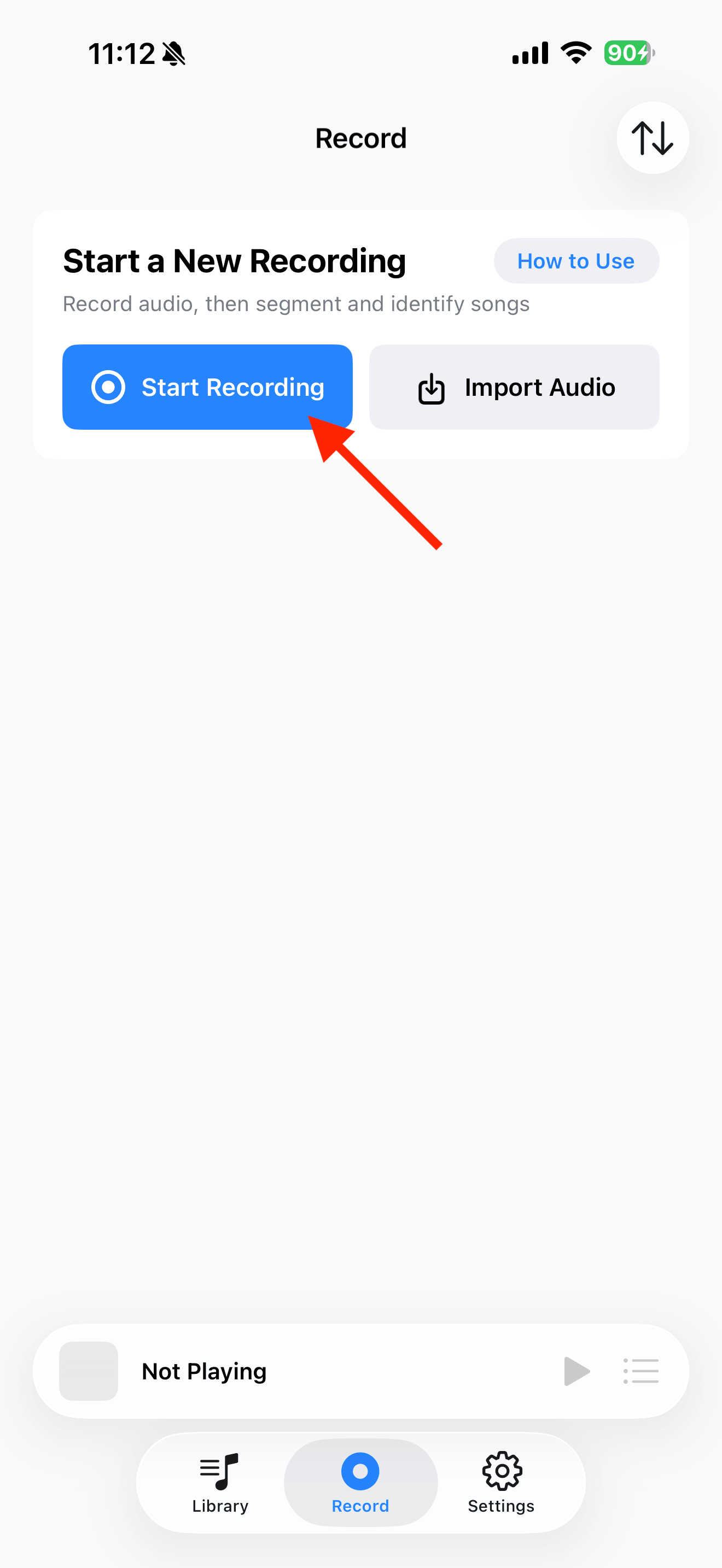
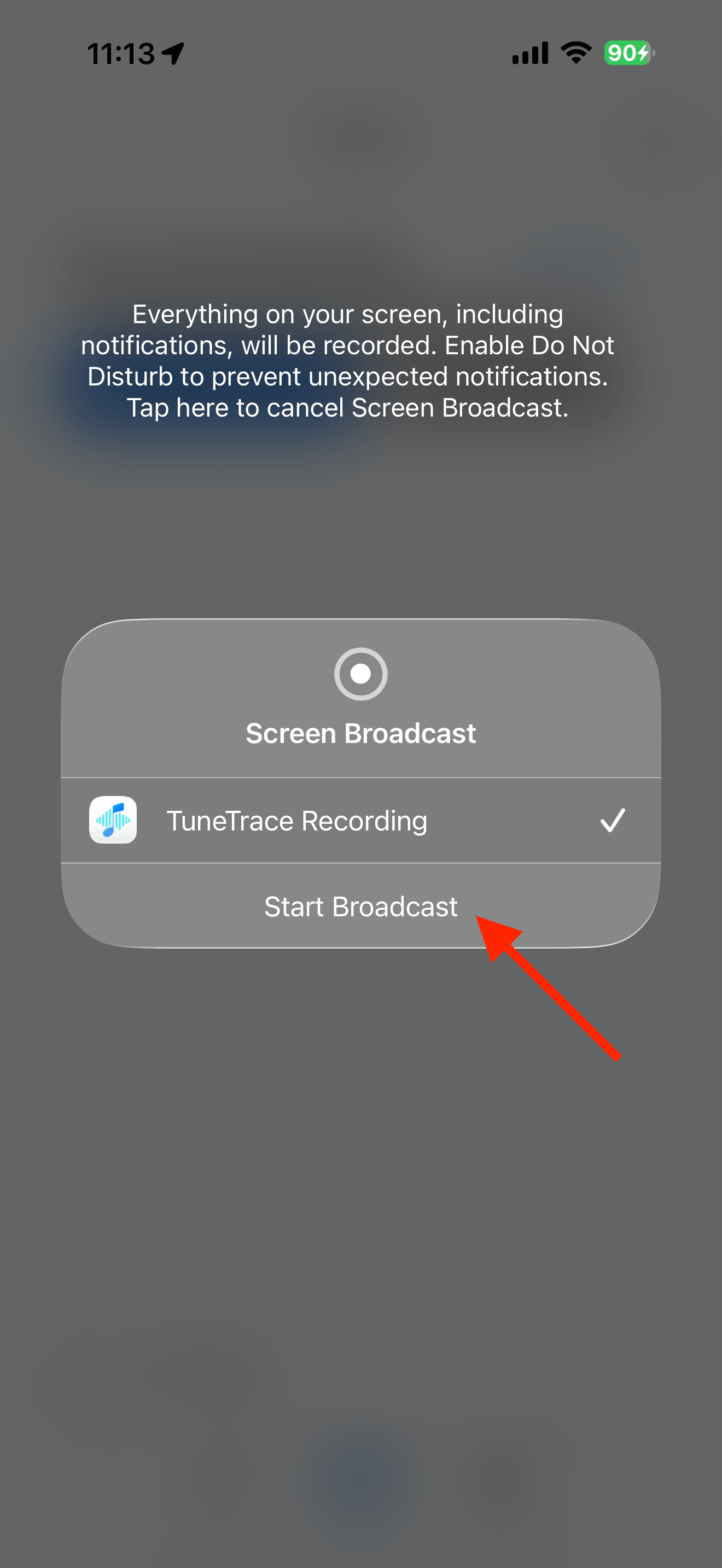
Tap “Start Recording”, then “Start Broadcast”. Once recording starts, close the dialog and return to the source app.
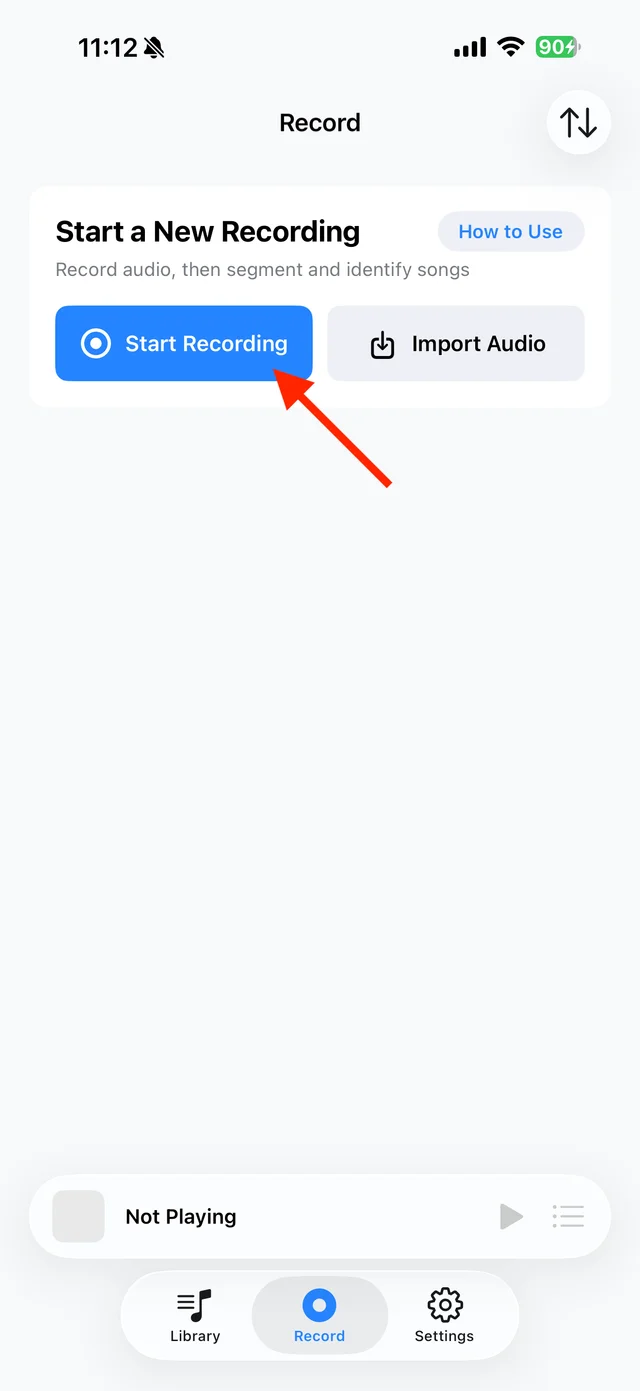
Open TuneTrace’s recording page 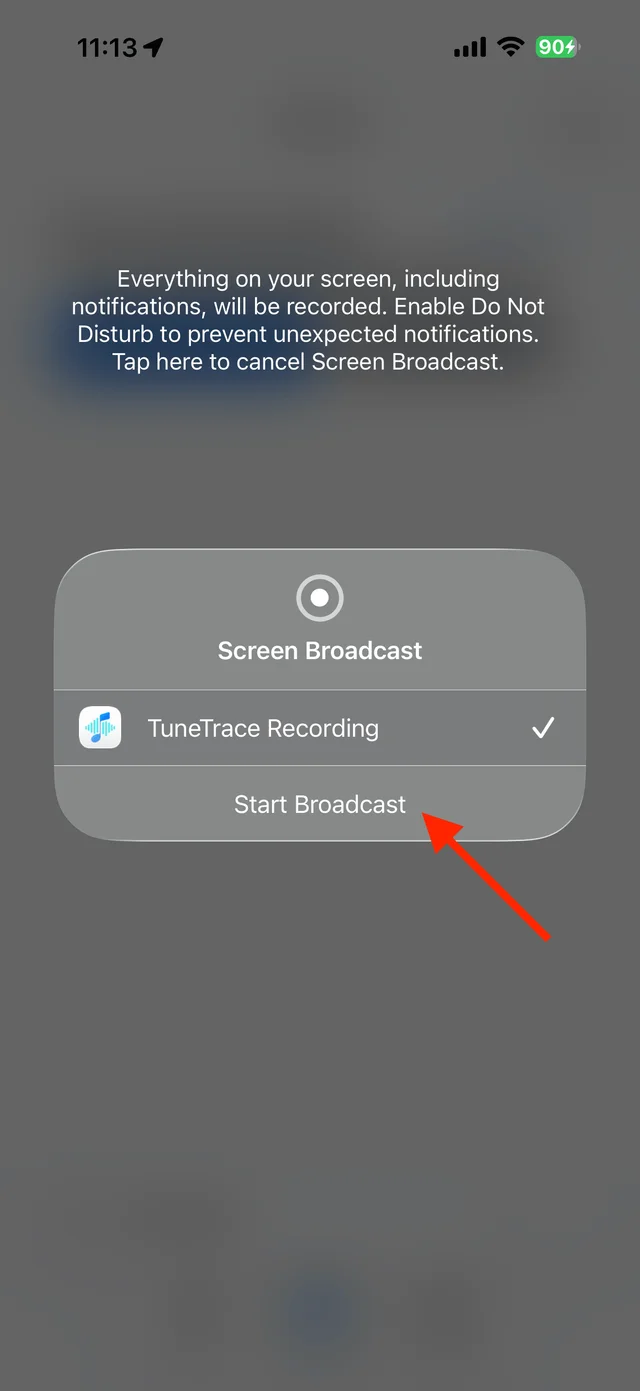
Start the broadcast in the system dialog Play the whole video once
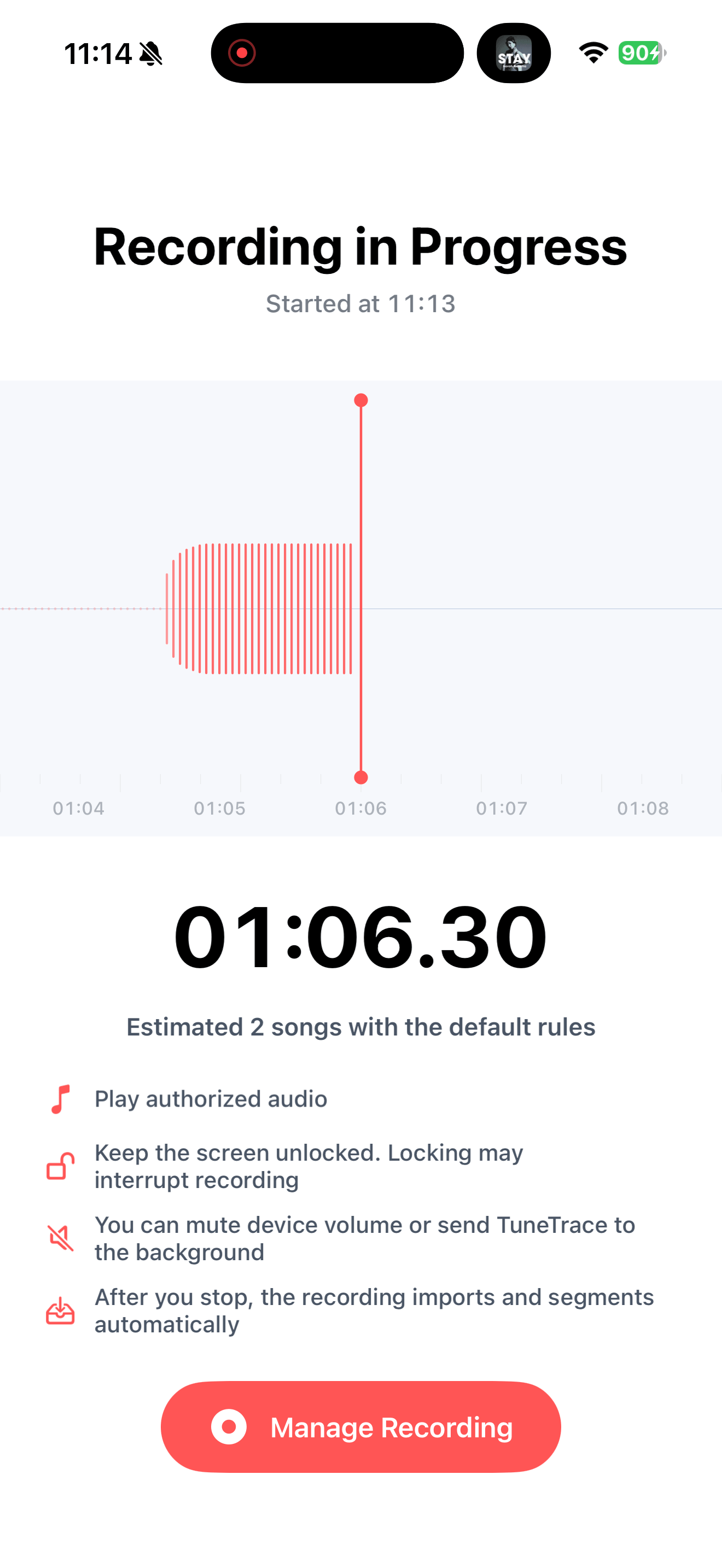
Keep your screen awake. For short clips, stop promptly after one play so automatic looping does not create repeated copies.
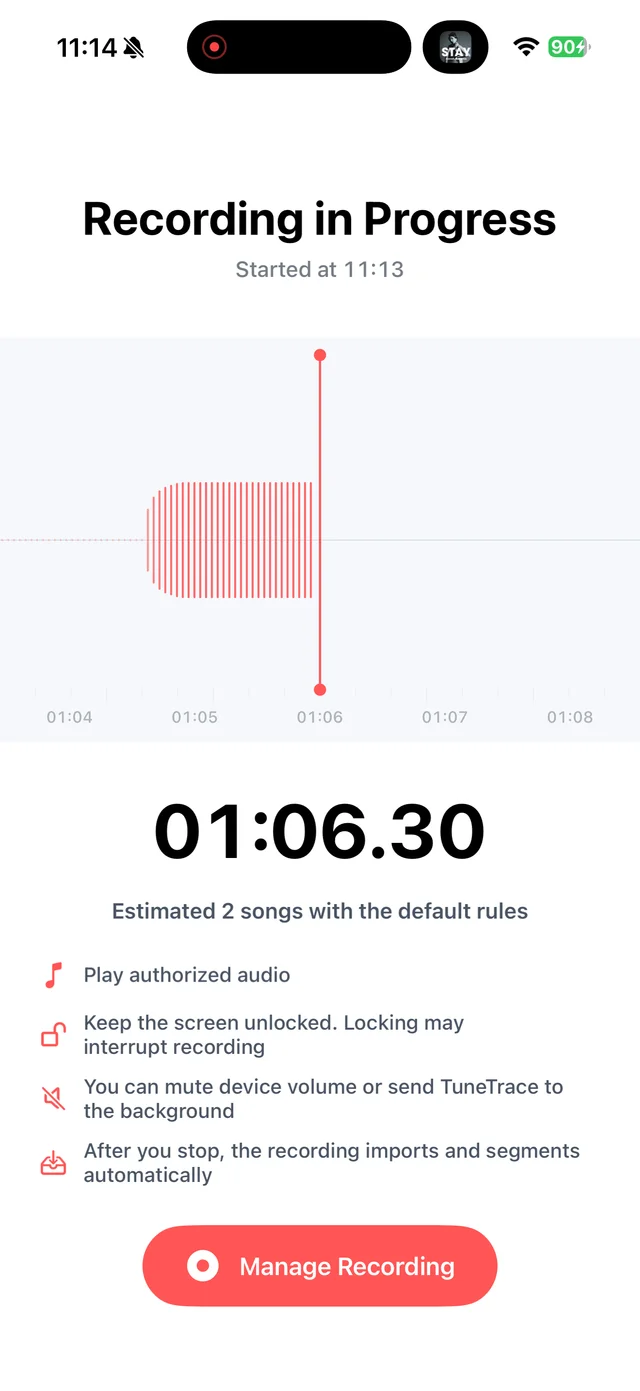
View the waveform and elapsed recording time Stop and check the recording
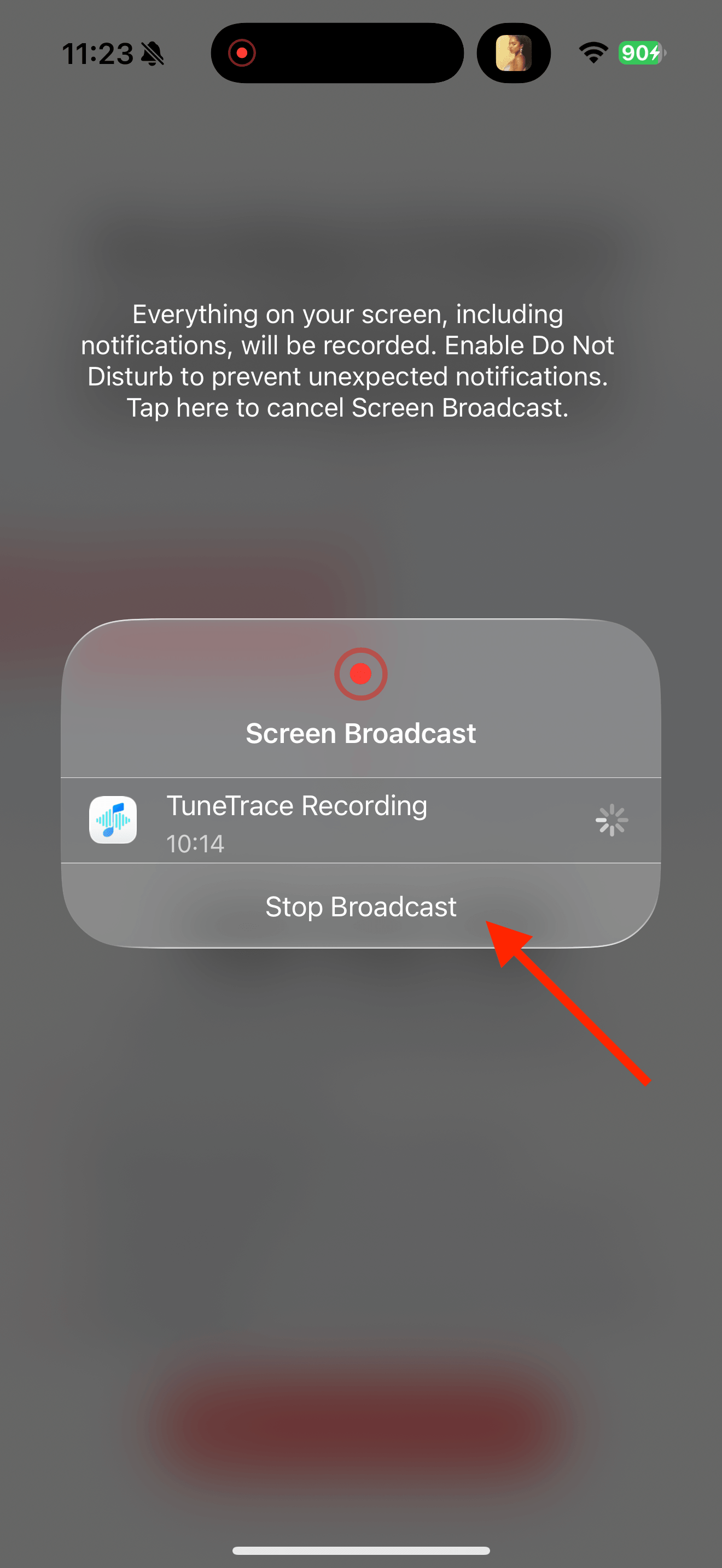
Return to TuneTrace and tap “Manage Recording → Stop Broadcast”. Wait for the audio to import, then listen back.
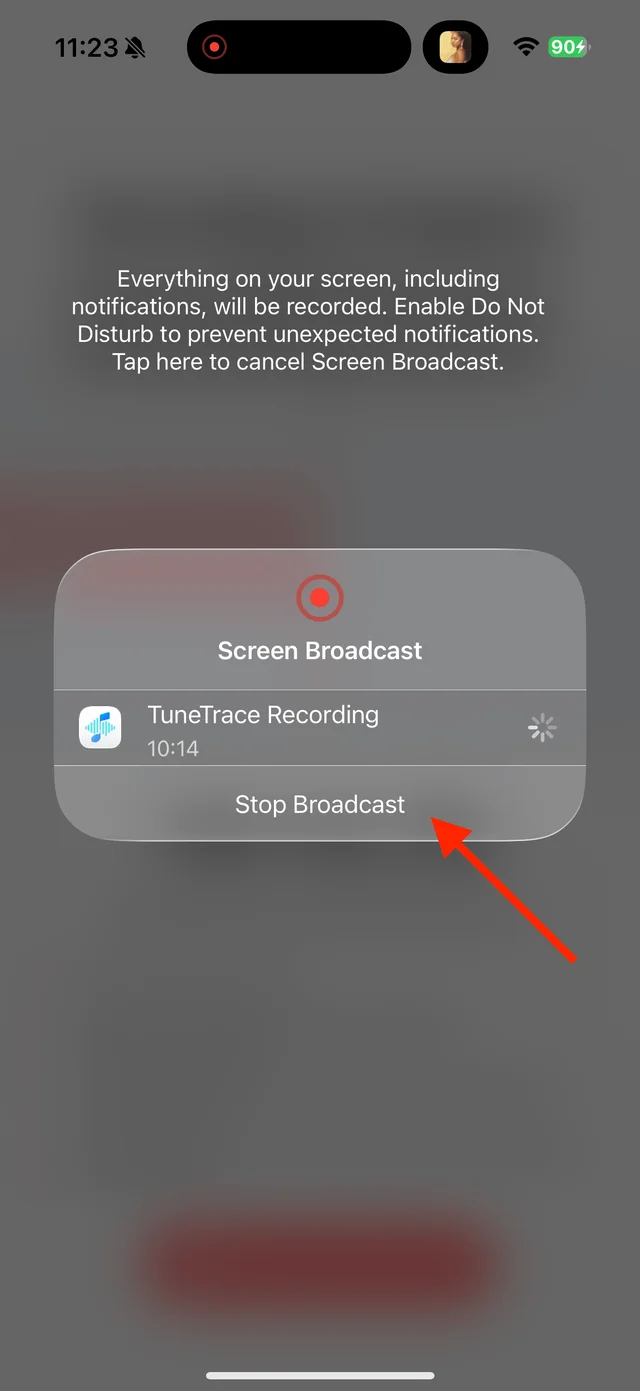
Stop the broadcast and wait for the recording to import Check, name and save
Listen to the beginning and end, adjusting cuts if needed. If recognition is wrong, name the performer or version yourself, then save to Library.

Select the tracks you want to keep and save them

Common questions
Does recognizing a song get me the complete original?
No. Recognition finds song information; it does not download or fill in audio you did not record.
What if I recorded another video too?
Split the recording, then select only the clips from the video you wanted.
Only record audio you have permission to save. The source app or iOS may restrict recording.