
Quick answer
Save the songs you love and play them again.
Record permitted songs playing in KuGou Music with TuneTrace and save them to your local library. Replay your favorites offline and reduce recurring subscription costs.
Your first 30 saved songs play in full for free, forever. Unlock more with a one-time purchase.
Step by step
5 stepsStart recording in TuneTrace
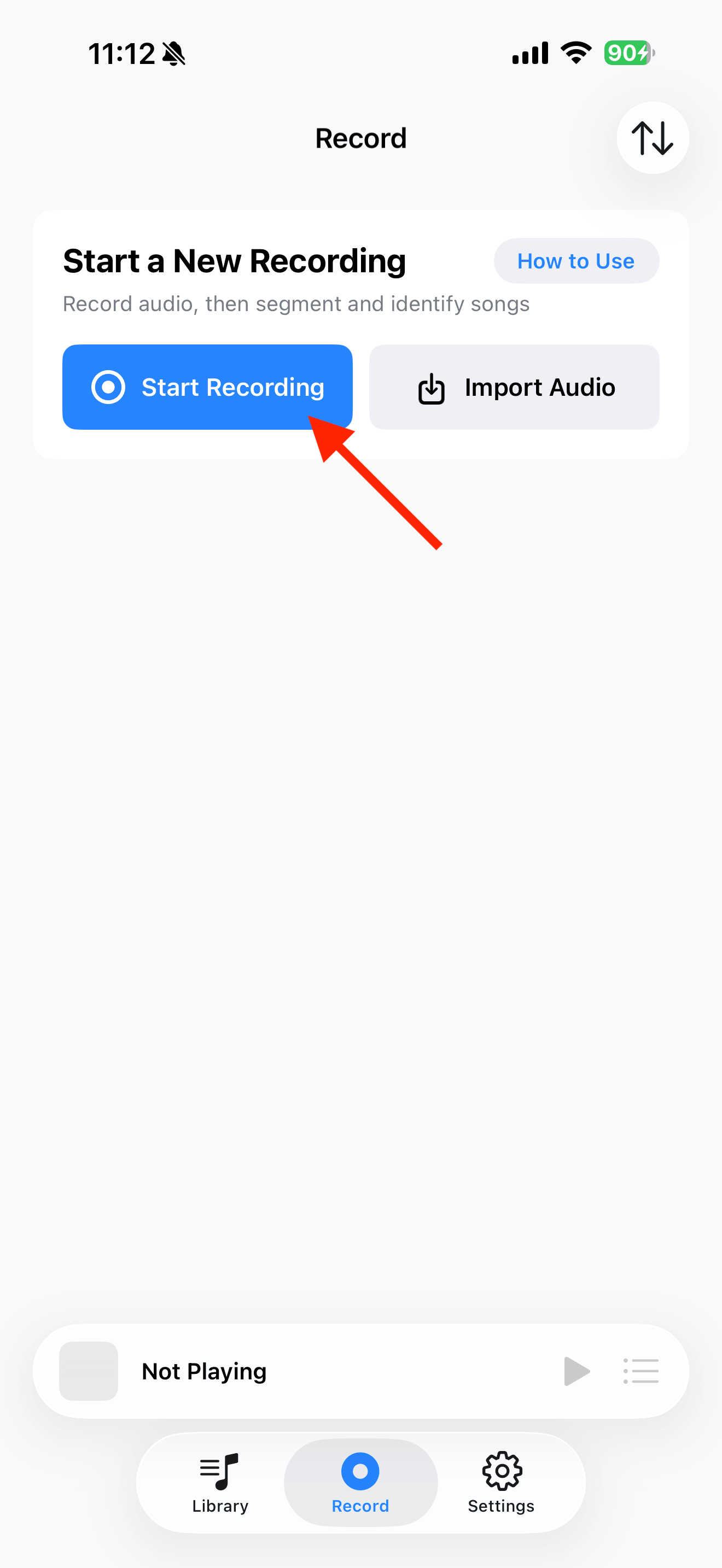
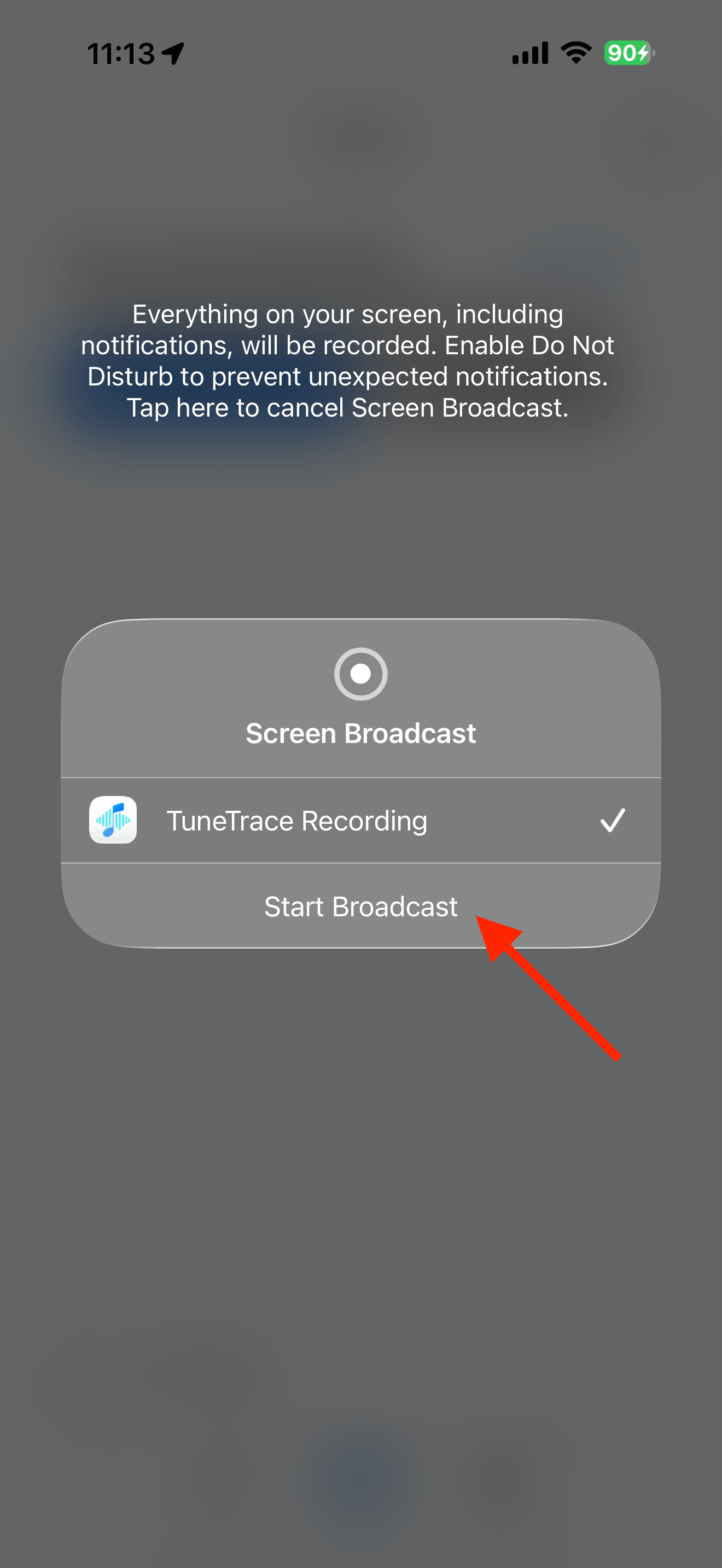
Tap “Start Recording”, then “Start Broadcast” in the system dialog. Once recording starts, tap outside the dialog to close it.
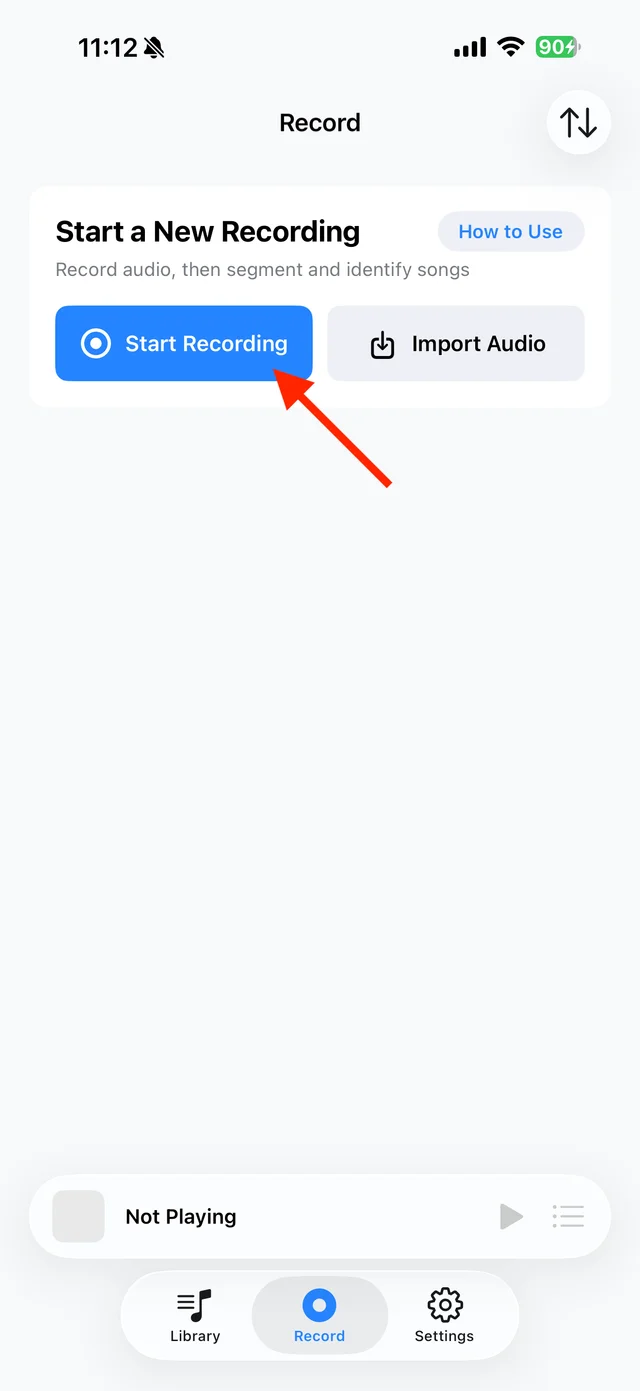
Tap “Start Recording” 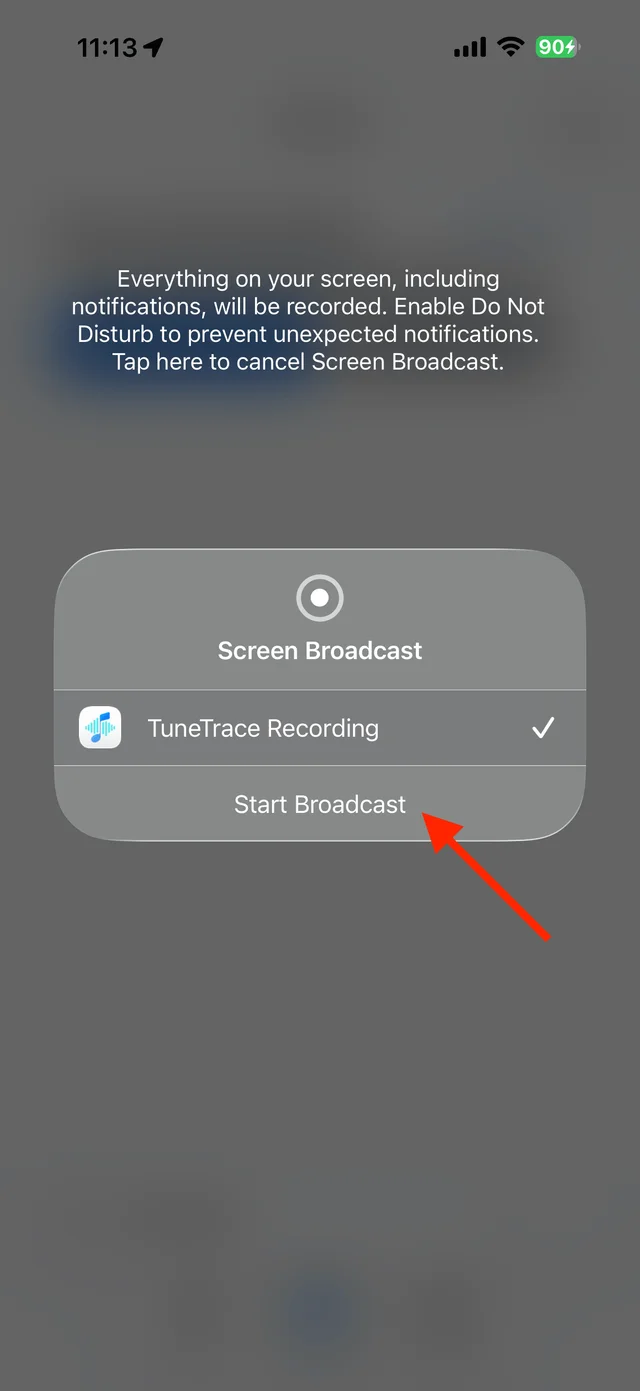
Confirm “Start Broadcast” Play your songs in KuGou Music
Start from the beginning and let the playlist play in order. Turn off repeat-one to avoid duplicate recordings, and keep your screen awake.
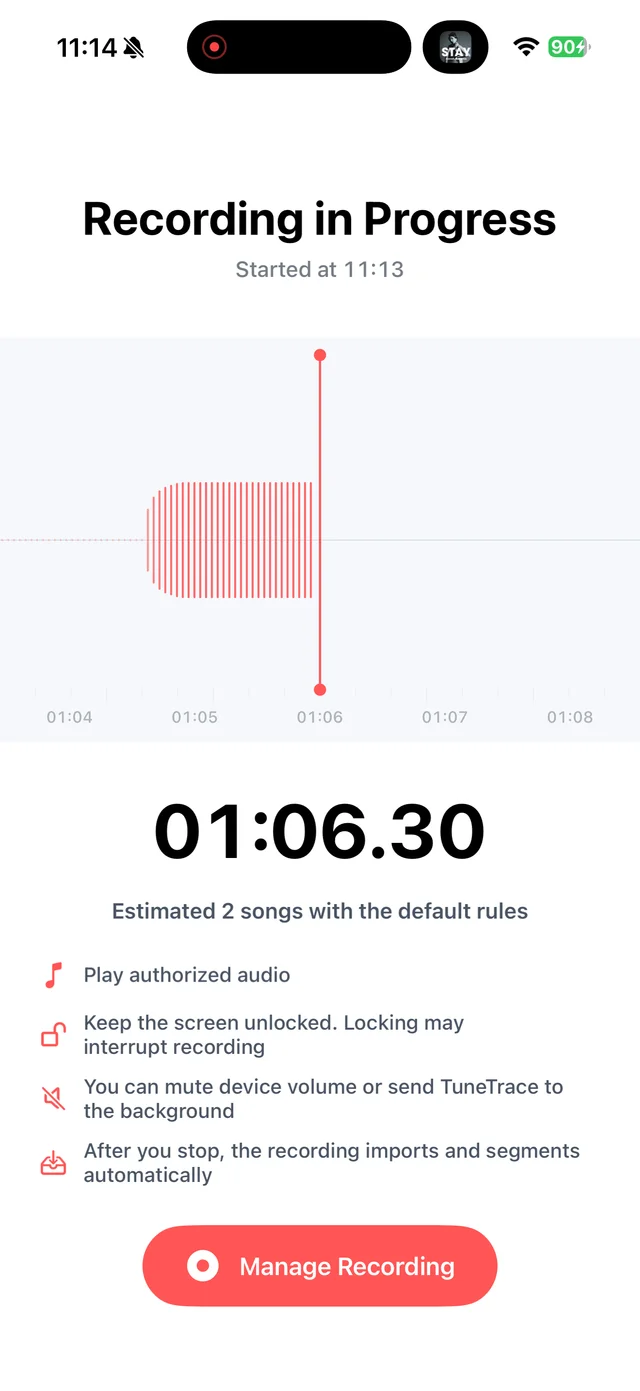
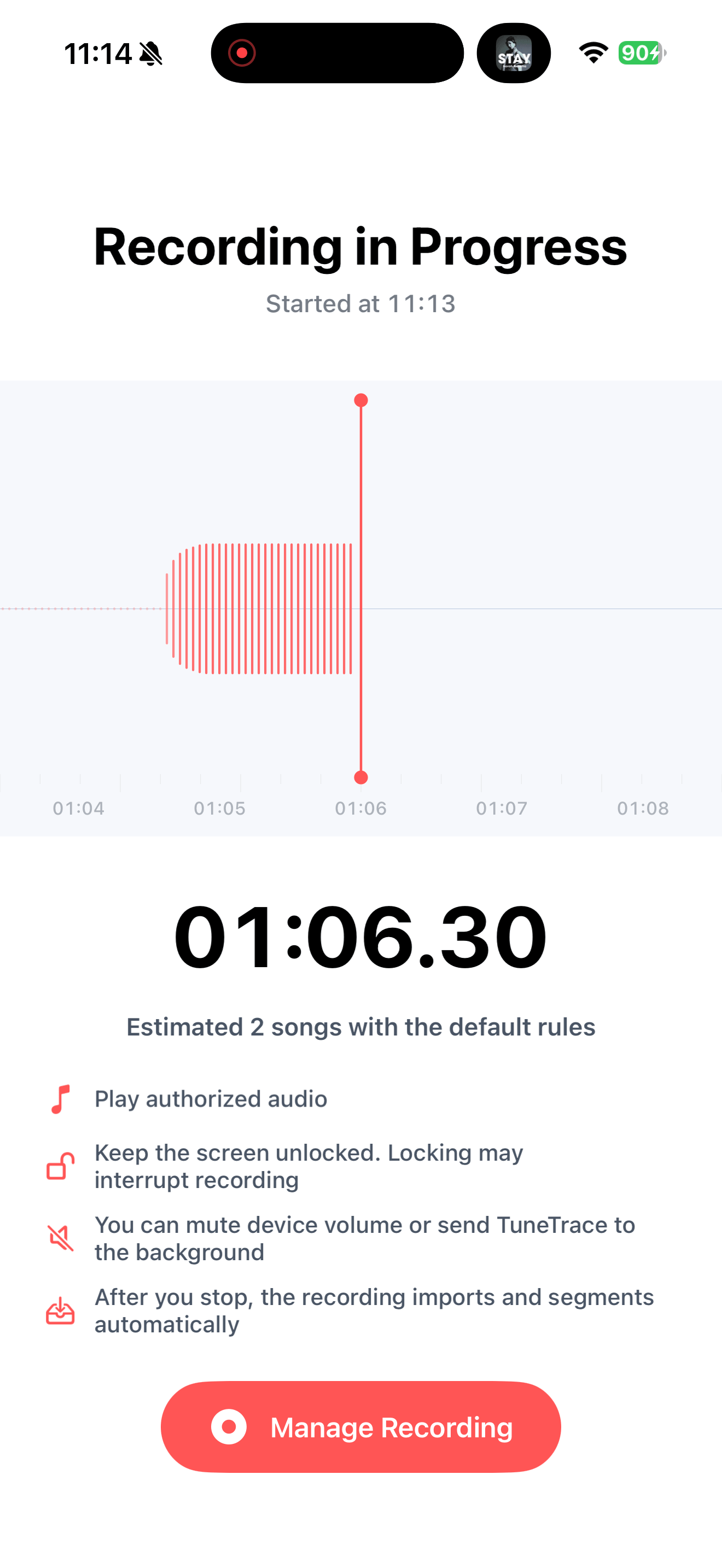
Check recording status in TuneTrace Stop when you have finished
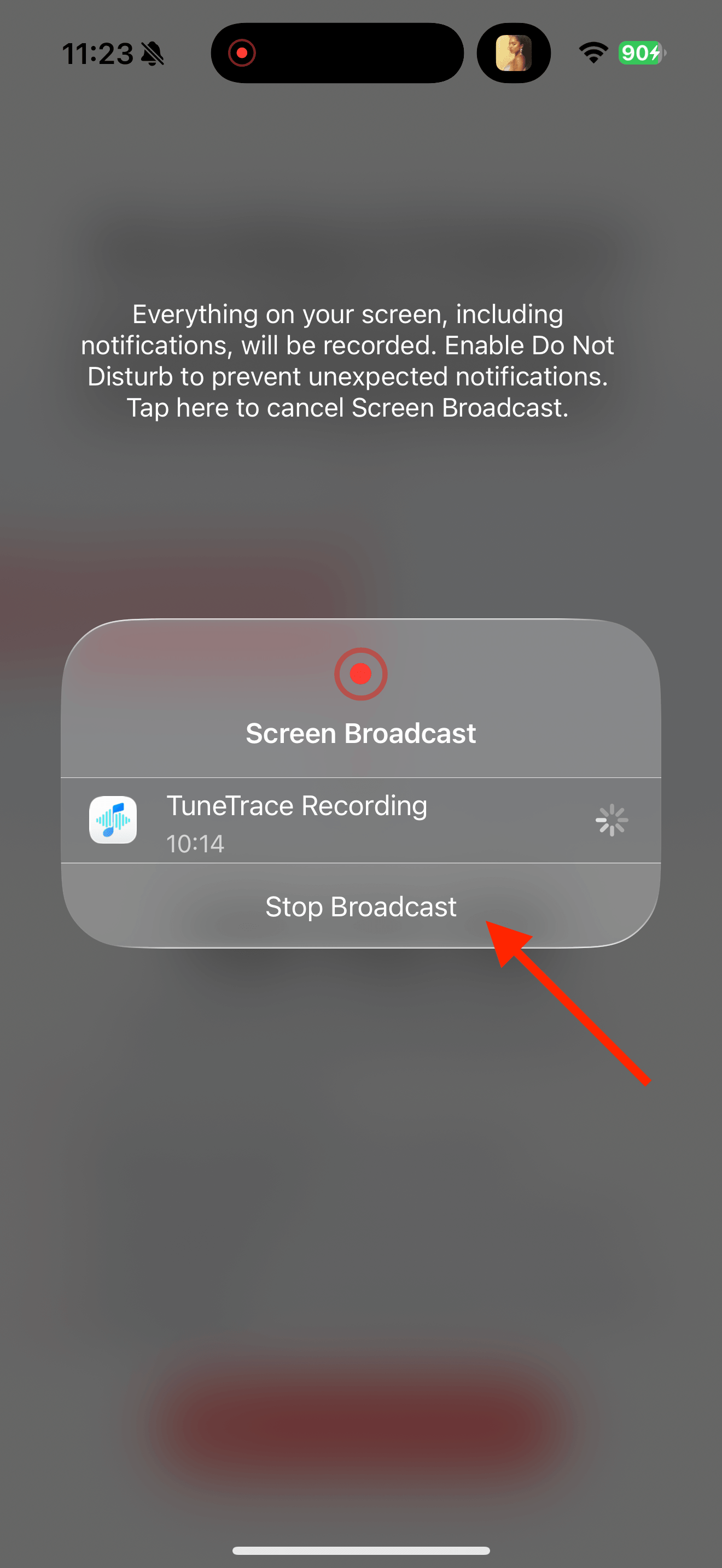
Return to TuneTrace and tap “Manage Recording → Stop Broadcast”. Your recording imports automatically, ready to organize.
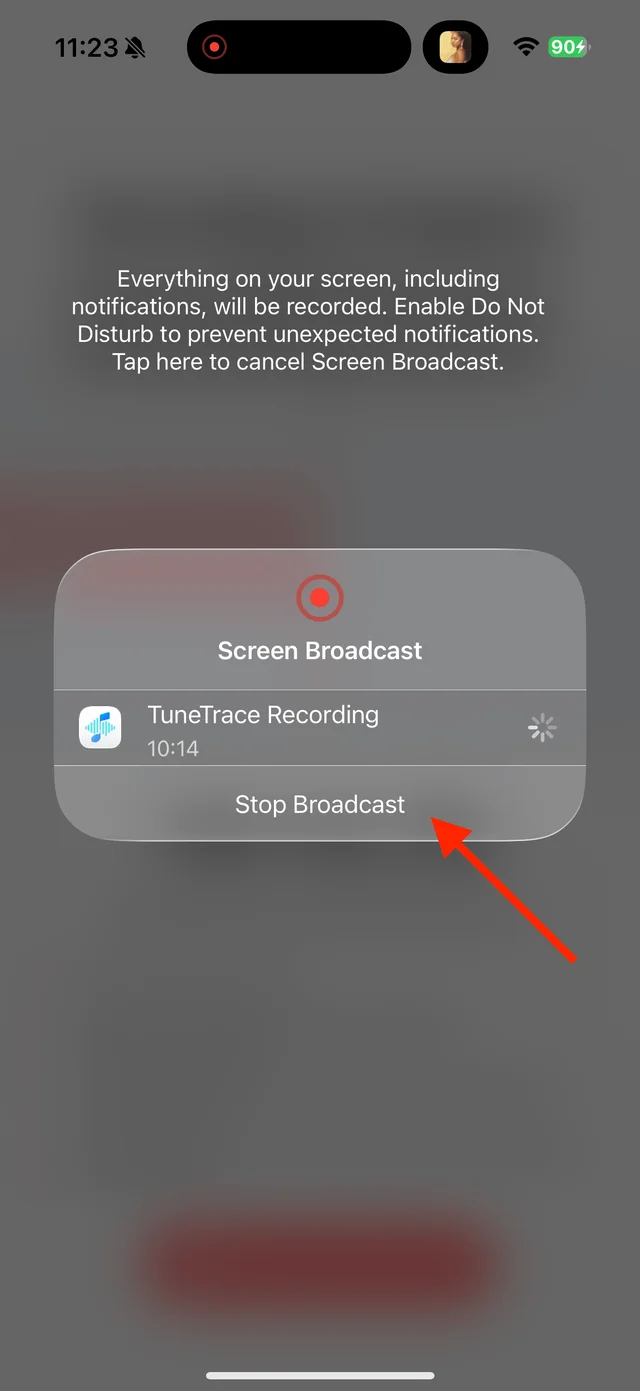
Tap “Stop Broadcast” to finish Check the cuts before saving
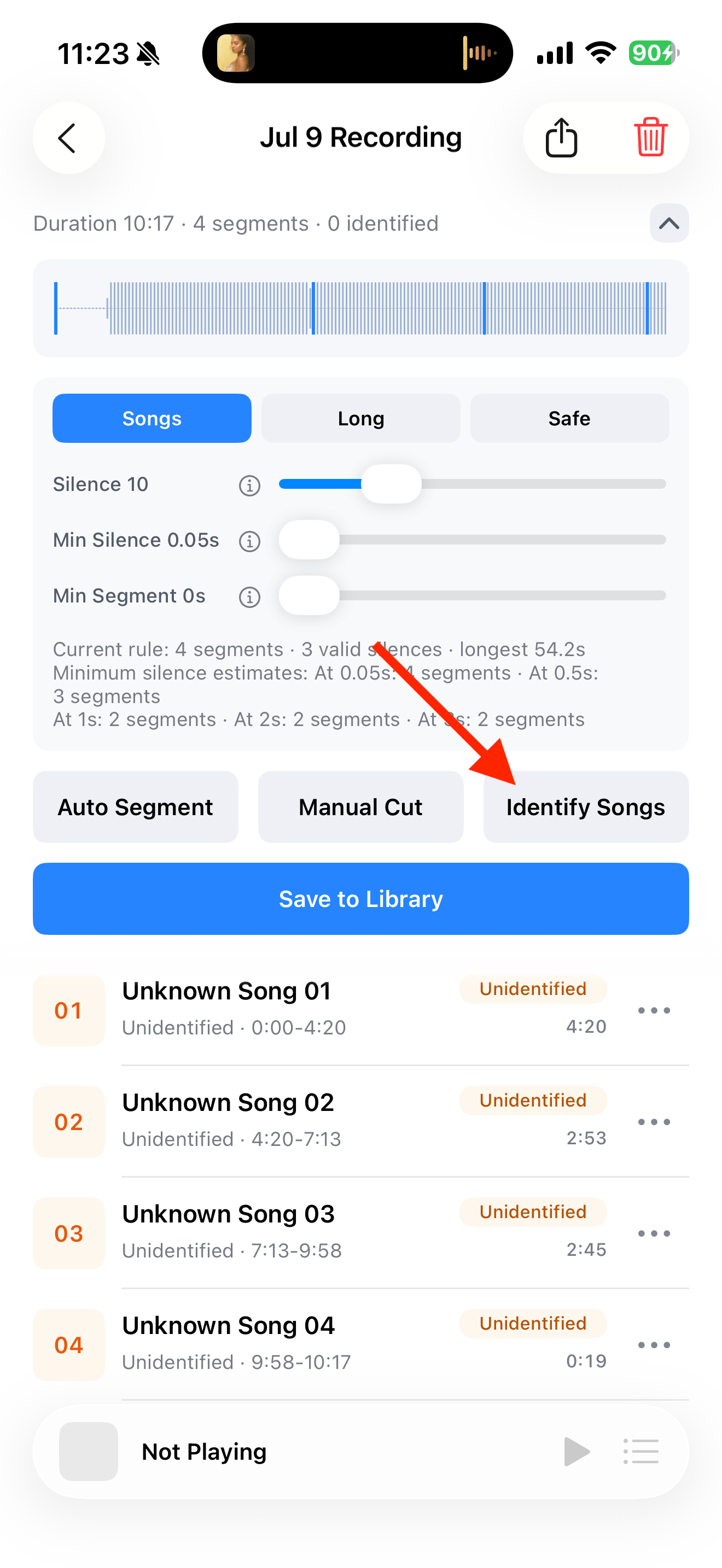
Tap “Identify Songs” and listen to each track’s beginning and end. For seamless mixes, adjust boundaries with “Manual Cut”, then save to your library.
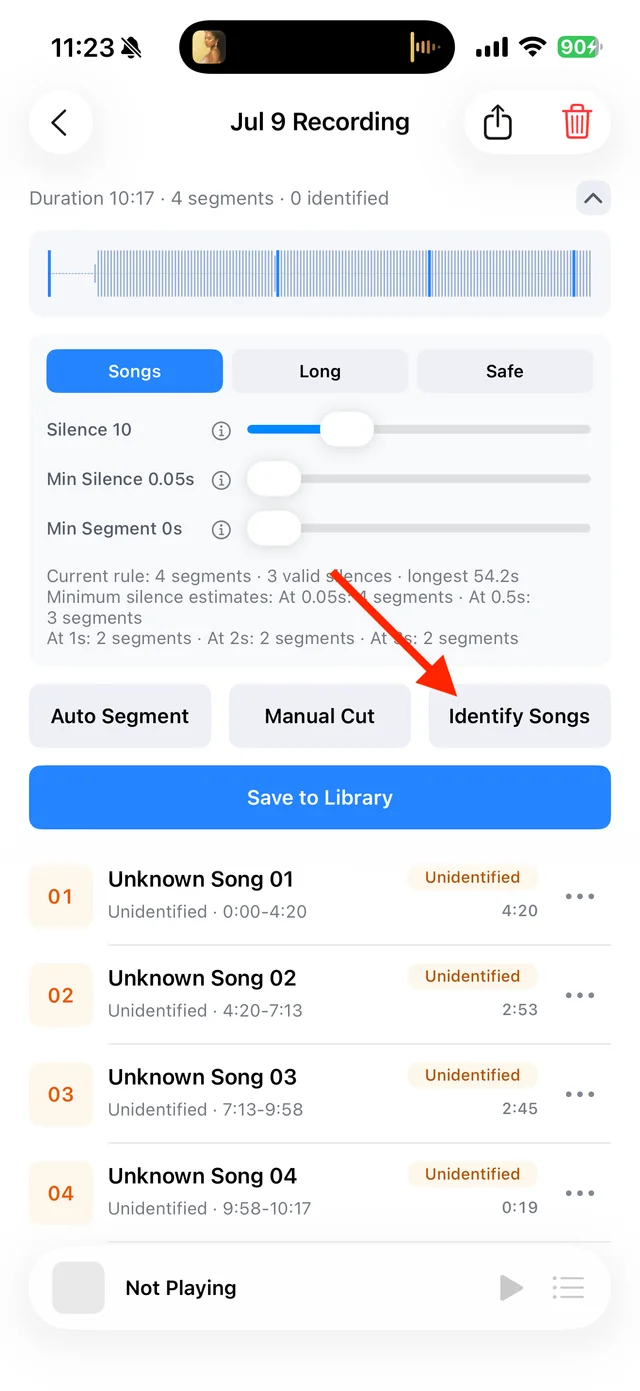
Split and identify songs 
Select tracks, then tap “Save Selected” Play locally, online or offline
Open the saved tracks in TuneTrace. Listen with the screen locked or add them to a playlist for continuous playback.

Play saved tracks from your local Library


Common questions
Do I have to split a continuous mix?
No. Keep it as one long track for uninterrupted listening, or add cuts manually to choose individual songs.
Can I save a song that is not recognized?
Yes. Enter a name yourself and save it. Recognition is not required to save or play a recording.
Do I need to keep duplicate recordings?
No. Select only the complete version you want when saving.
Recording depends on iOS and the source app. Only save audio you have permission to record.