
Quick answer
If a Kuwo Music song can play and allows recording, record it with TuneTrace and save it locally. For live sets or mixes, check the cuts so applause and transitions do not create unwanted tracks.
Your first 30 saved songs play in full for free, forever. Unlock more with a one-time purchase.
Step by step
4 stepsStart recording in TuneTrace
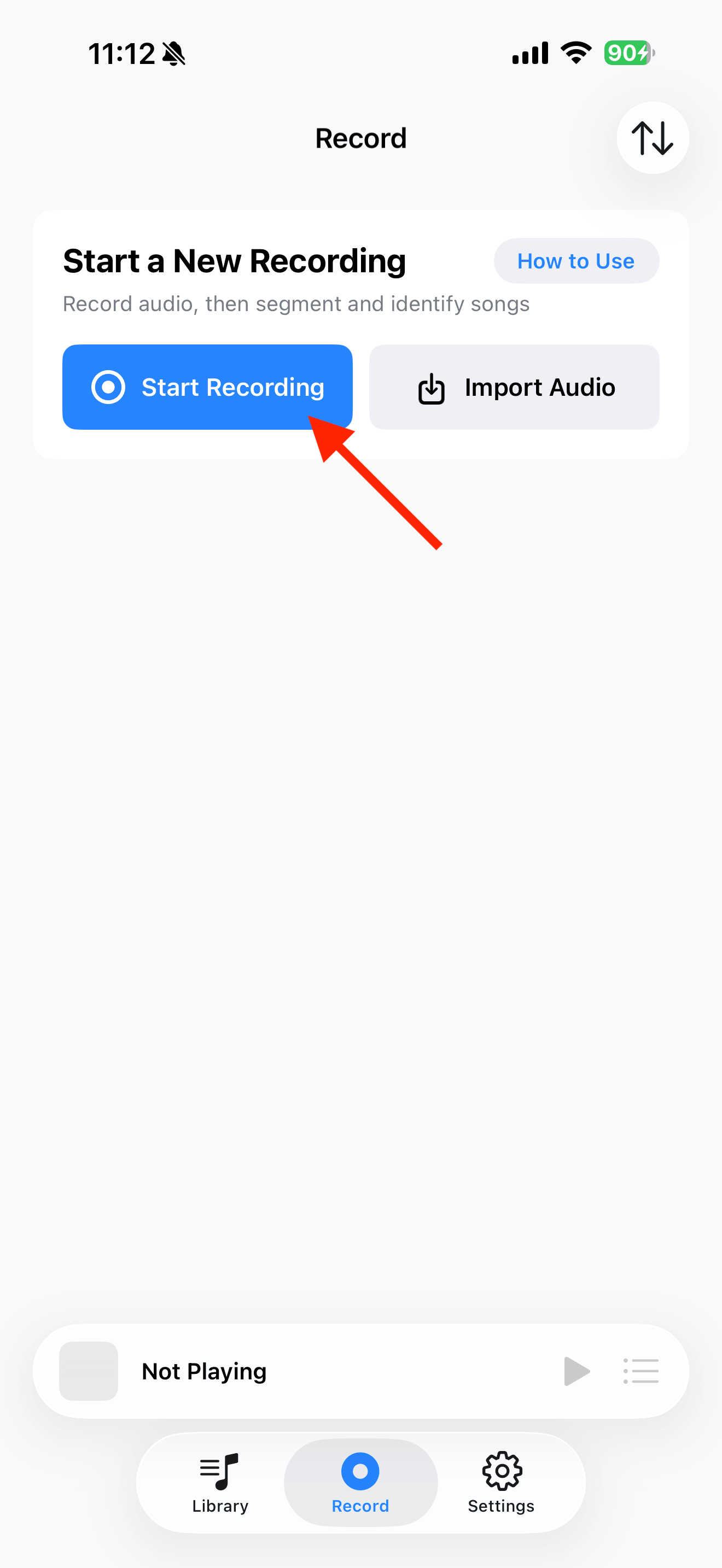
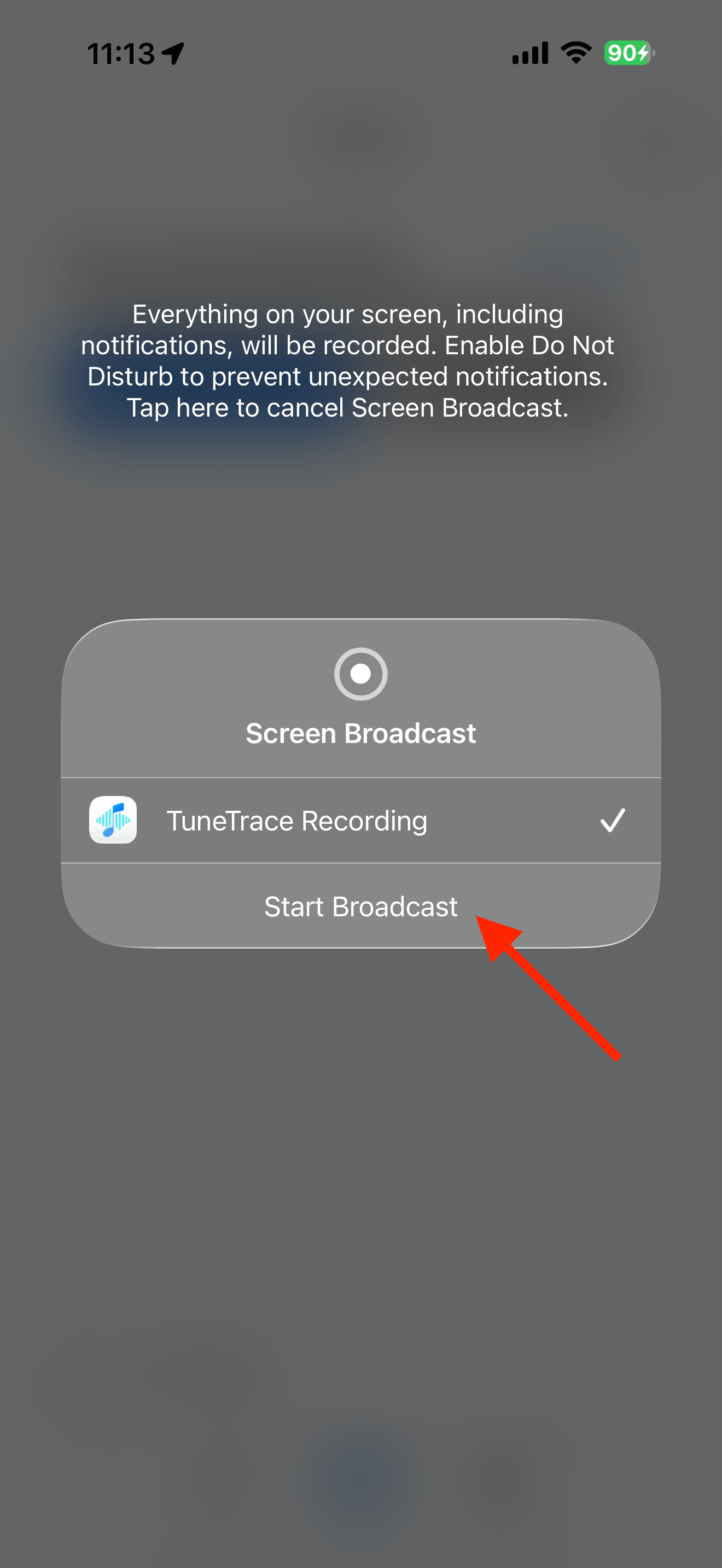
Tap “Start Recording”, then “Start Broadcast”. Once recording starts, close the dialog and return to the source app.
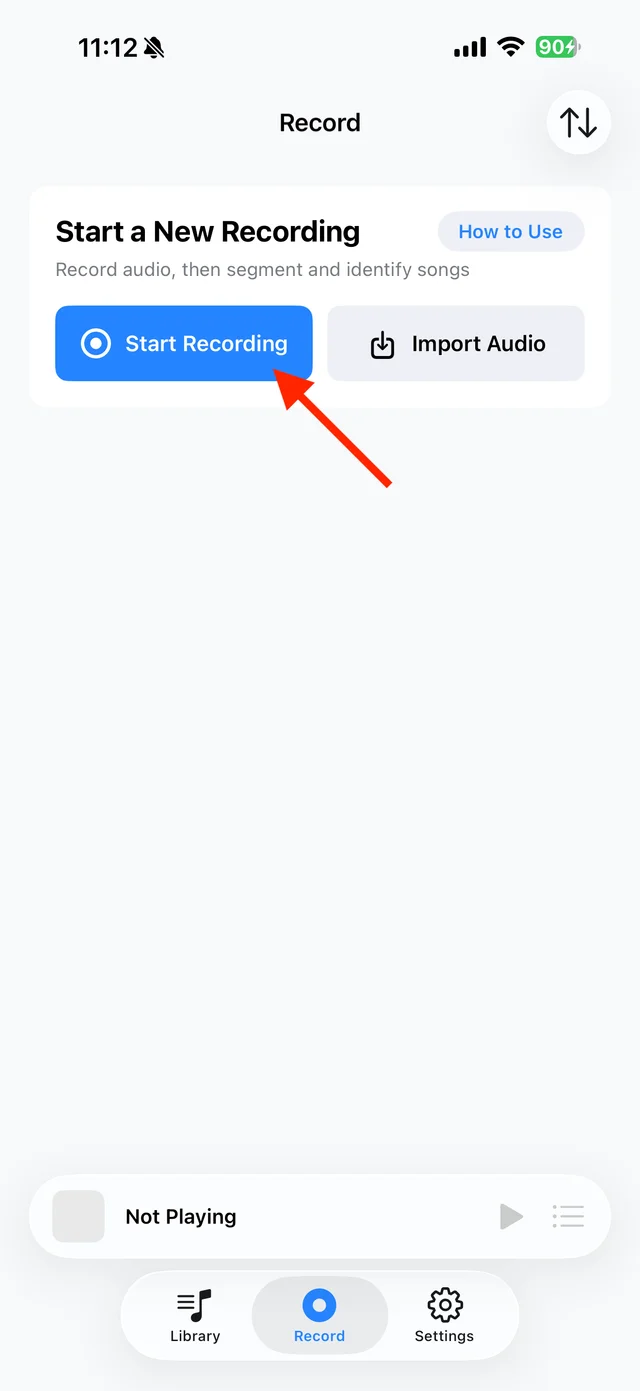
Open TuneTrace’s recording page 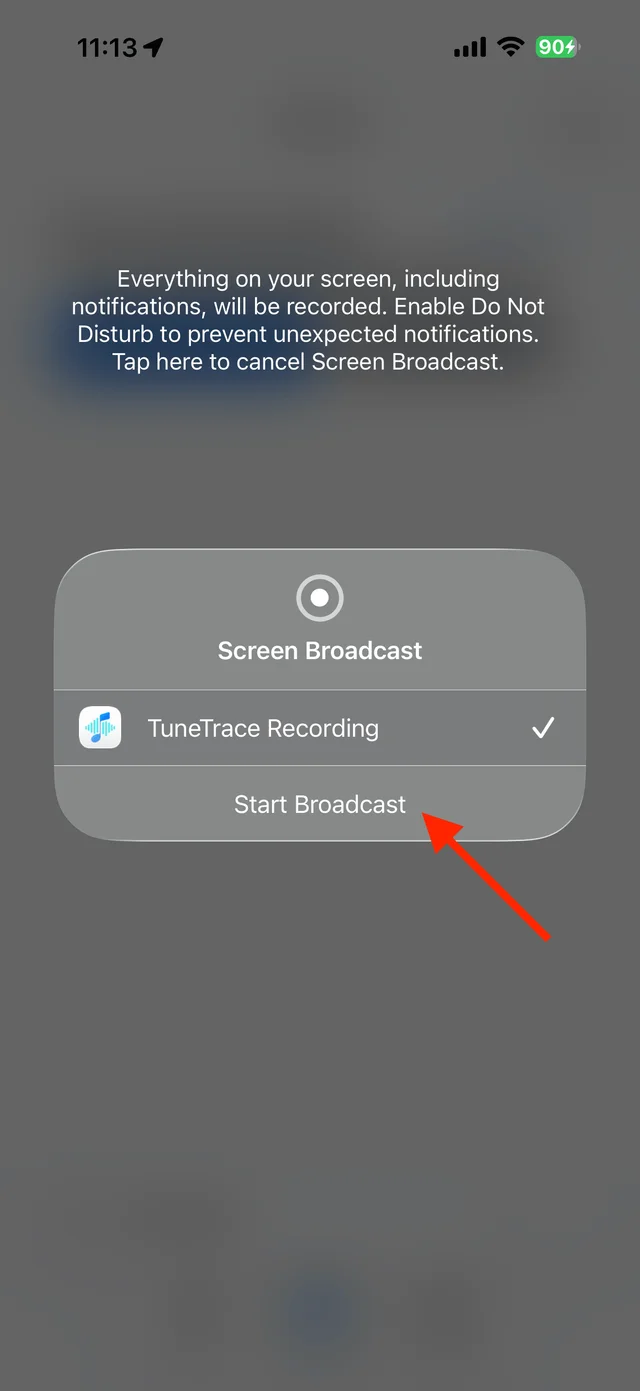
Start the broadcast in the system dialog Play the version you want
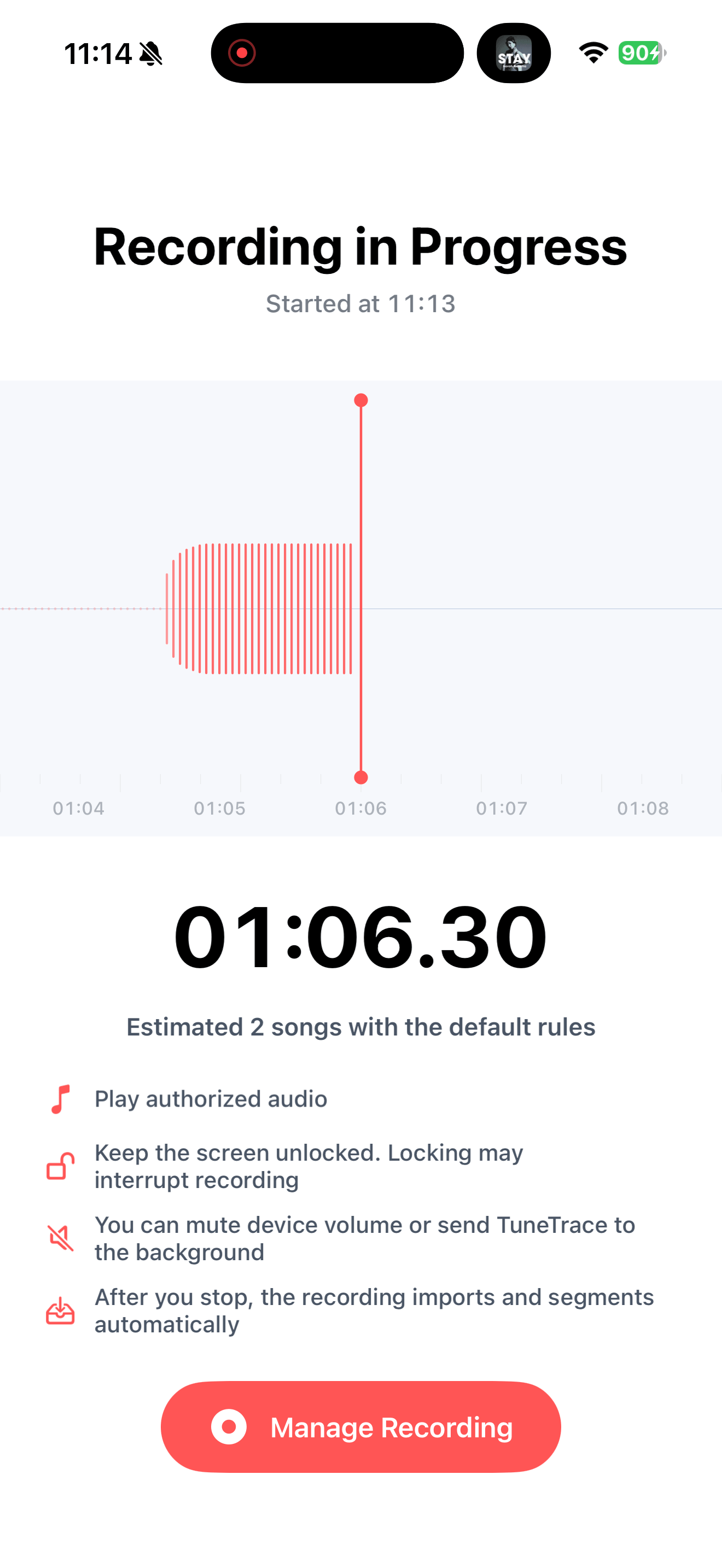
Start your chosen version from the beginning and keep the screen awake. Try a short recording first. If it works, record the whole song; check repeat-one is off for playlists.
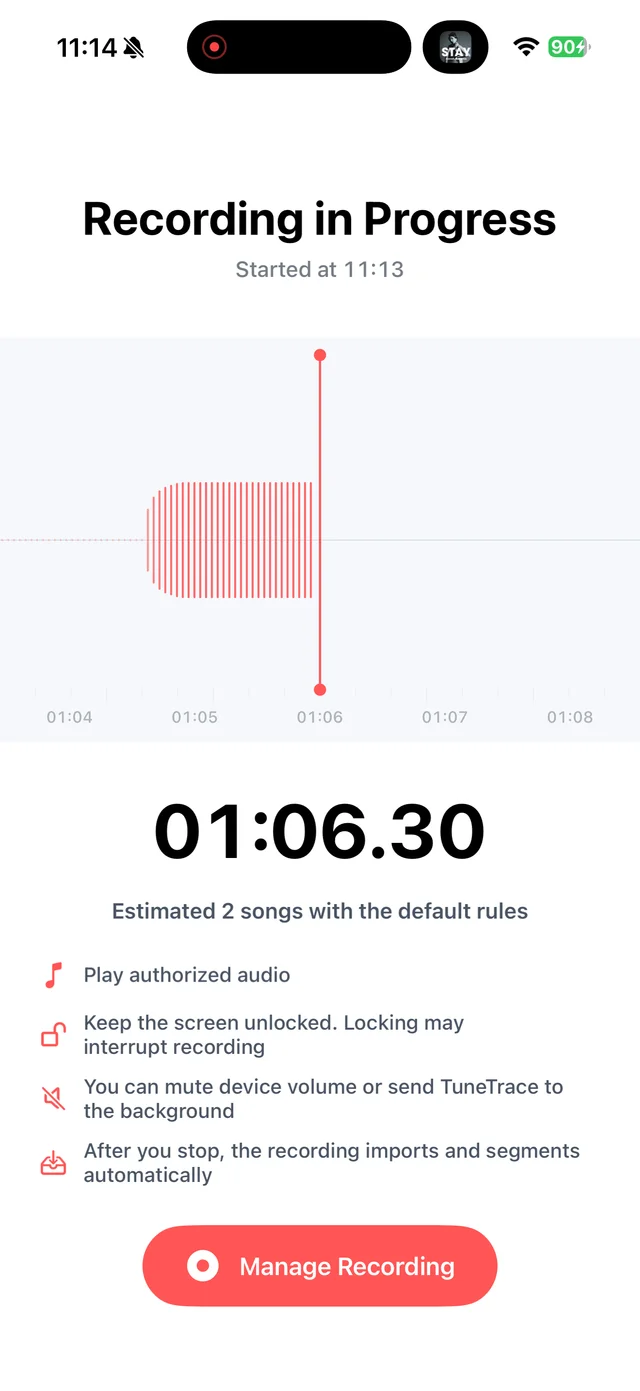
Return to TuneTrace to check recording status Stop and check the recording
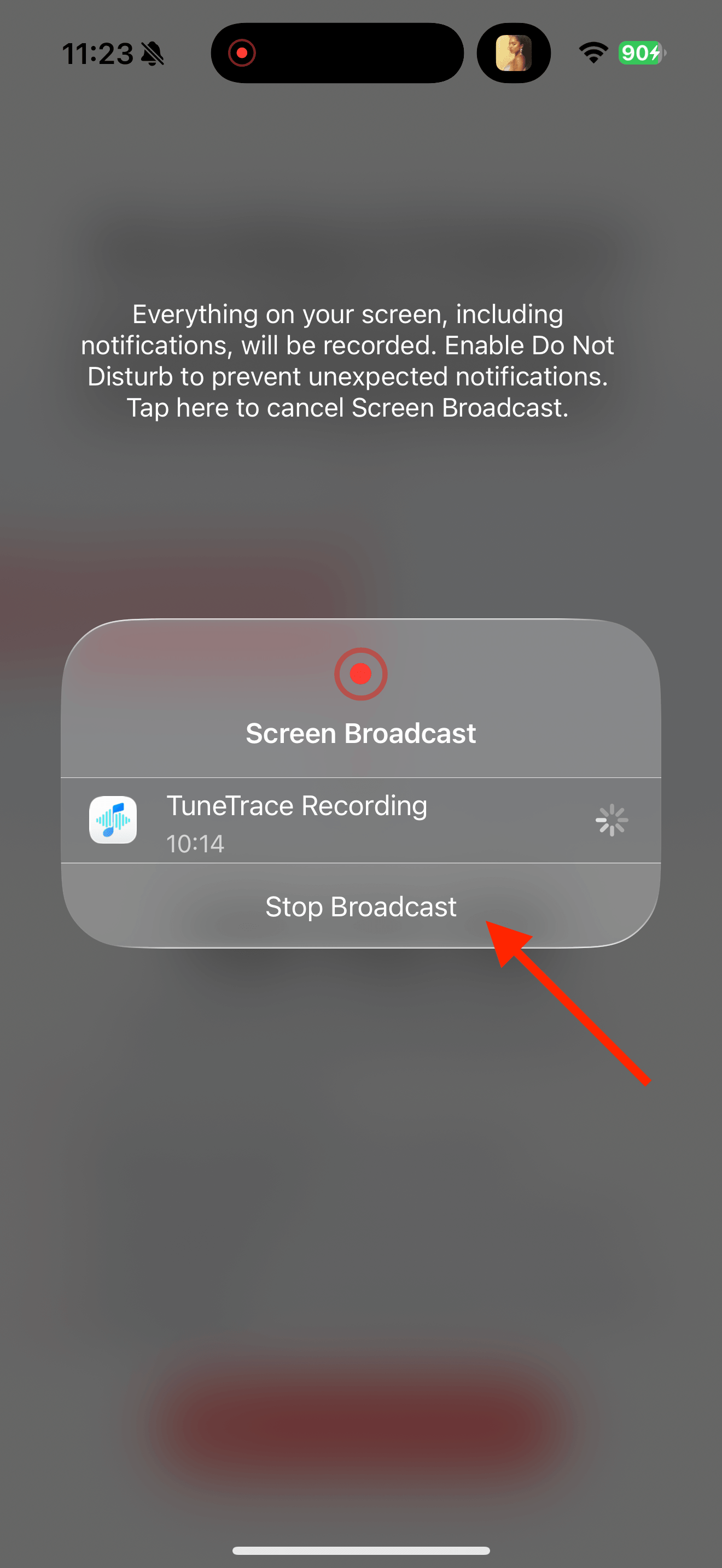
Return to TuneTrace and tap “Manage Recording → Stop Broadcast”. Wait for the audio to import, then listen back.
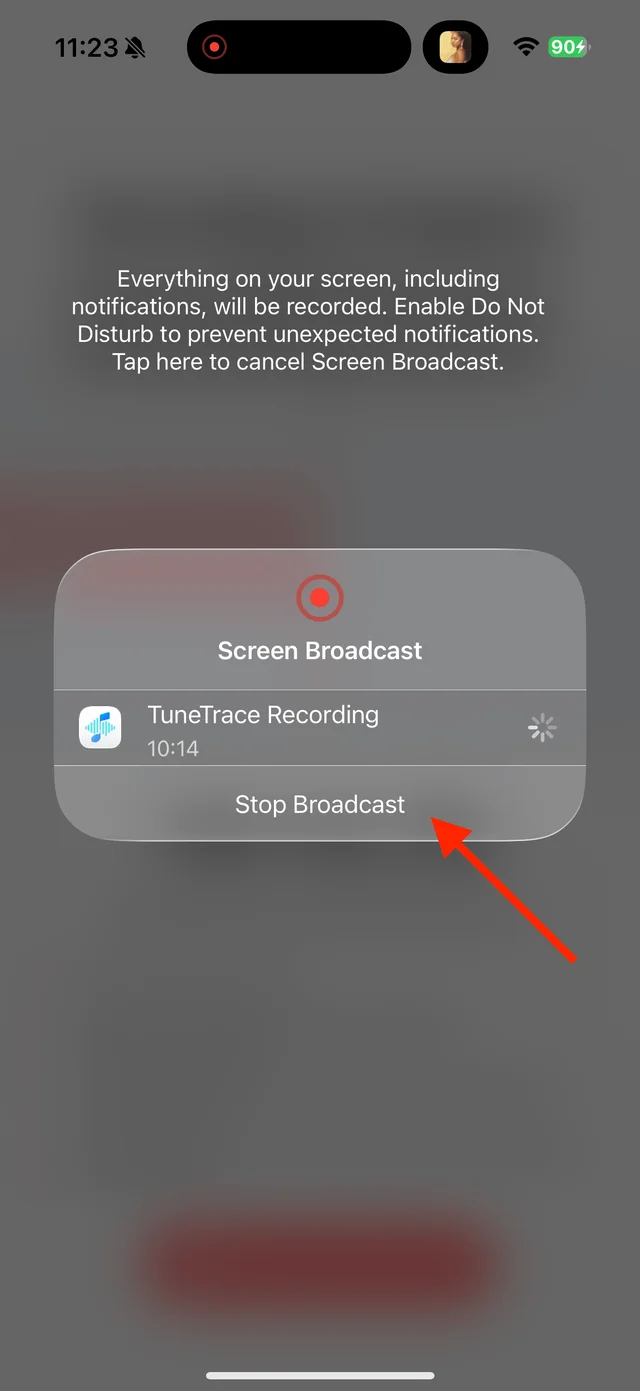
Stop the broadcast and wait for the recording to import Check the version and save
Identify the songs, check the titles and boundaries, and label live or cover versions if needed. Save the selected tracks to your library.

Select the tracks you want to keep and save them

Common questions
Can I keep a continuous mix in one piece?
Yes. Keep it as a single track if you prefer uninterrupted transitions. You do not have to split it into songs.
What if recognition finds the studio version?
Edit the name to match the version you actually recorded. Recognition does not change the audio.
Only record audio you have permission to save. The source app or iOS may restrict recording.