
Quick answer
Use TuneTrace to record permitted audio playing in Migu Music. Save separate songs or keep a whole performance together. Vocals, applause and stage announcements remain part of the recording.
Your first 30 saved songs play in full for free, forever. Unlock more with a one-time purchase.
Step by step
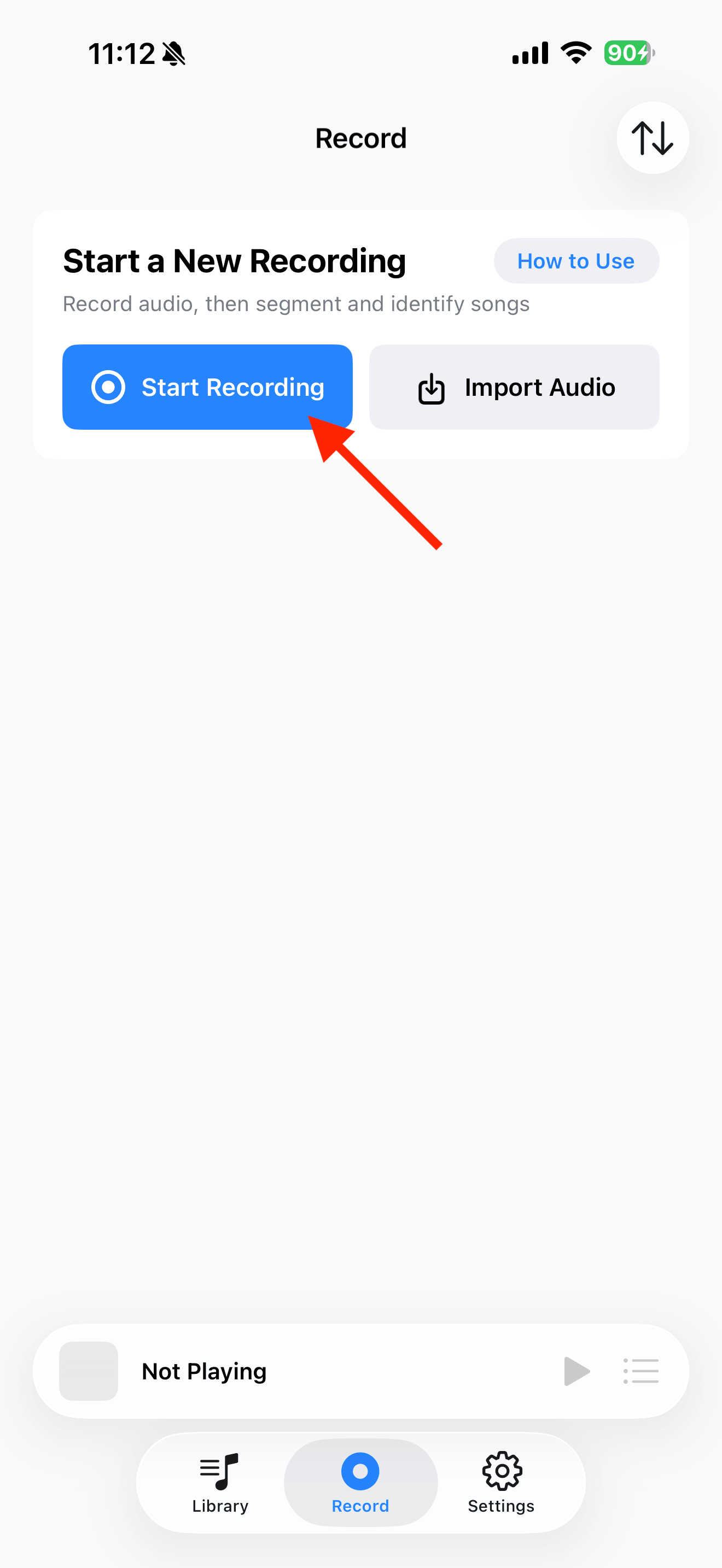
4 stepsStart recording in TuneTrace
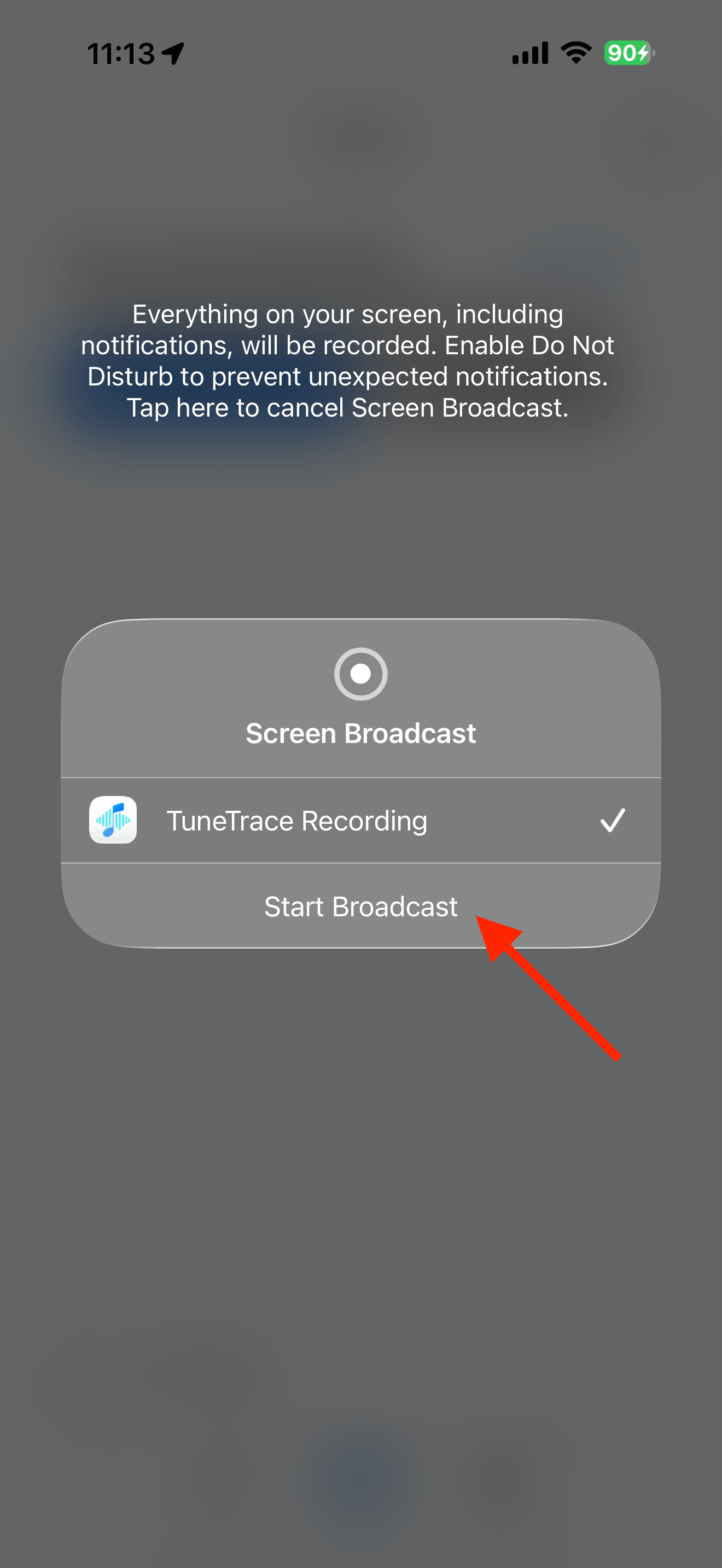
Tap “Start Recording”, then “Start Broadcast”. Once recording starts, close the dialog and return to the source app.
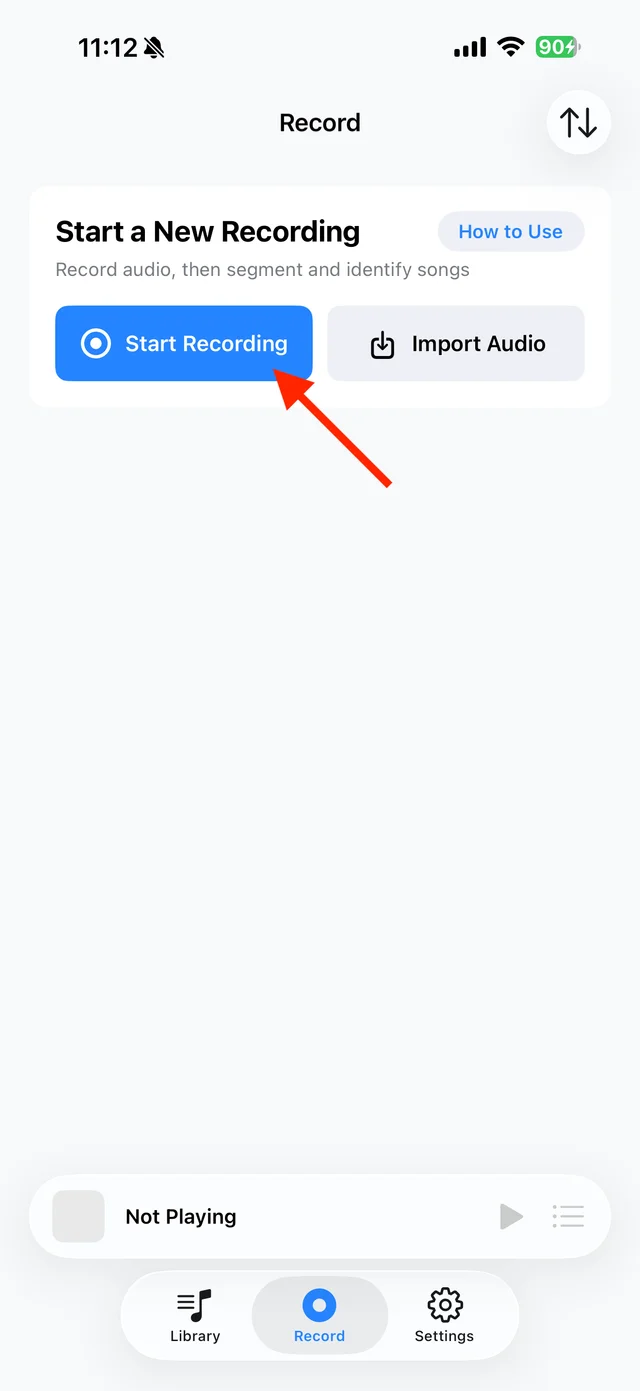
Open TuneTrace’s recording page 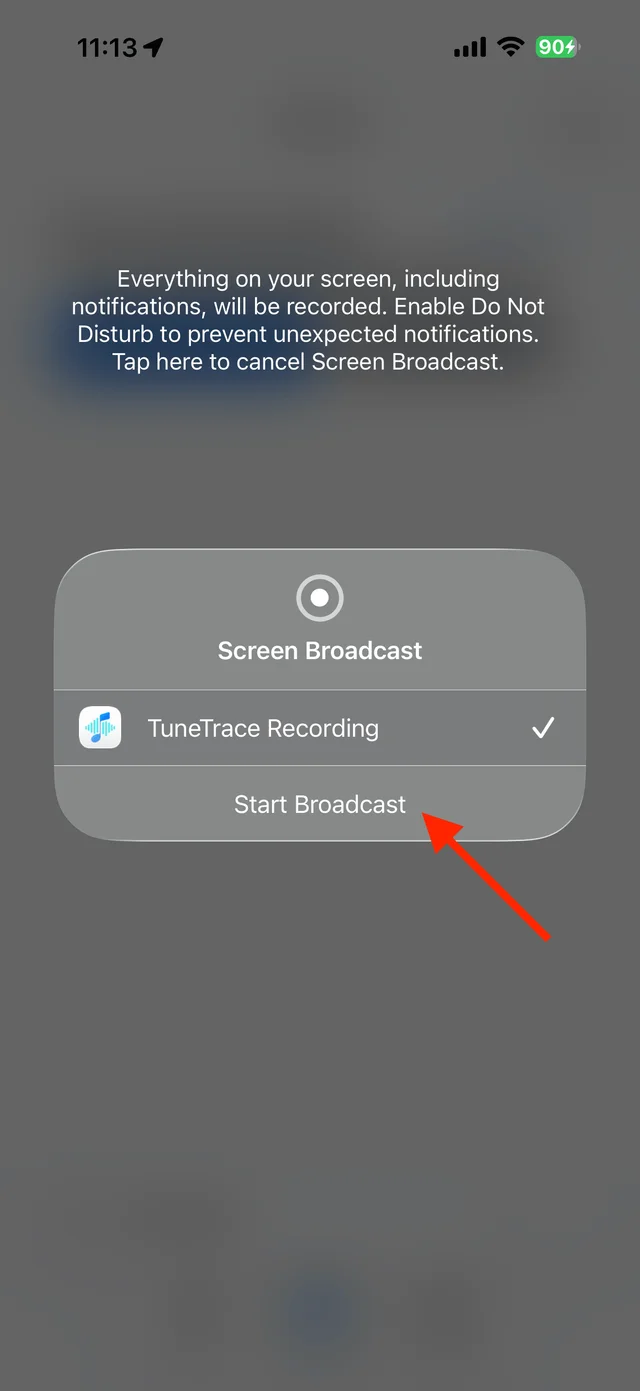
Start the broadcast in the system dialog Play the song or performance
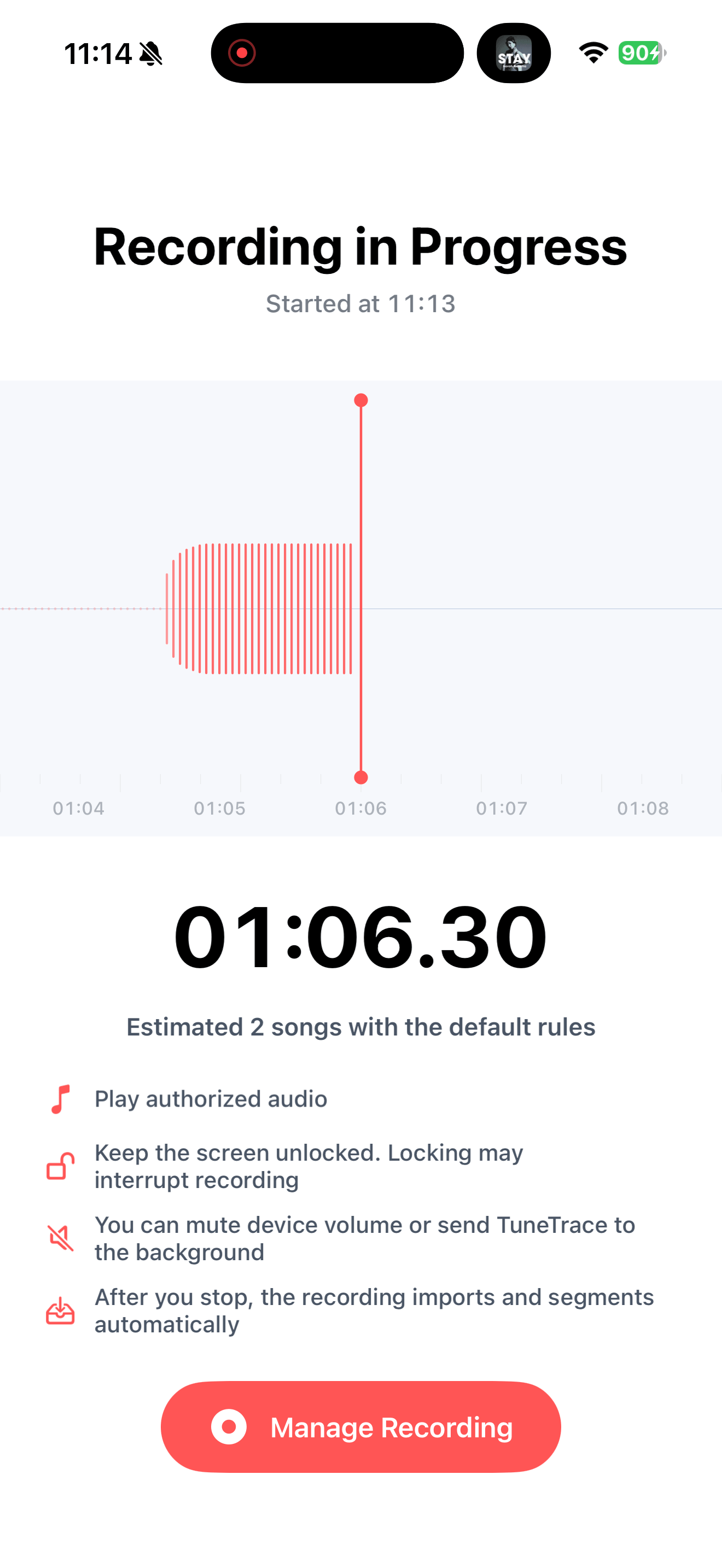
Start where you want the recording to begin and keep the screen awake. Try a short recording first. Include the opening and ending if you want the full live atmosphere.
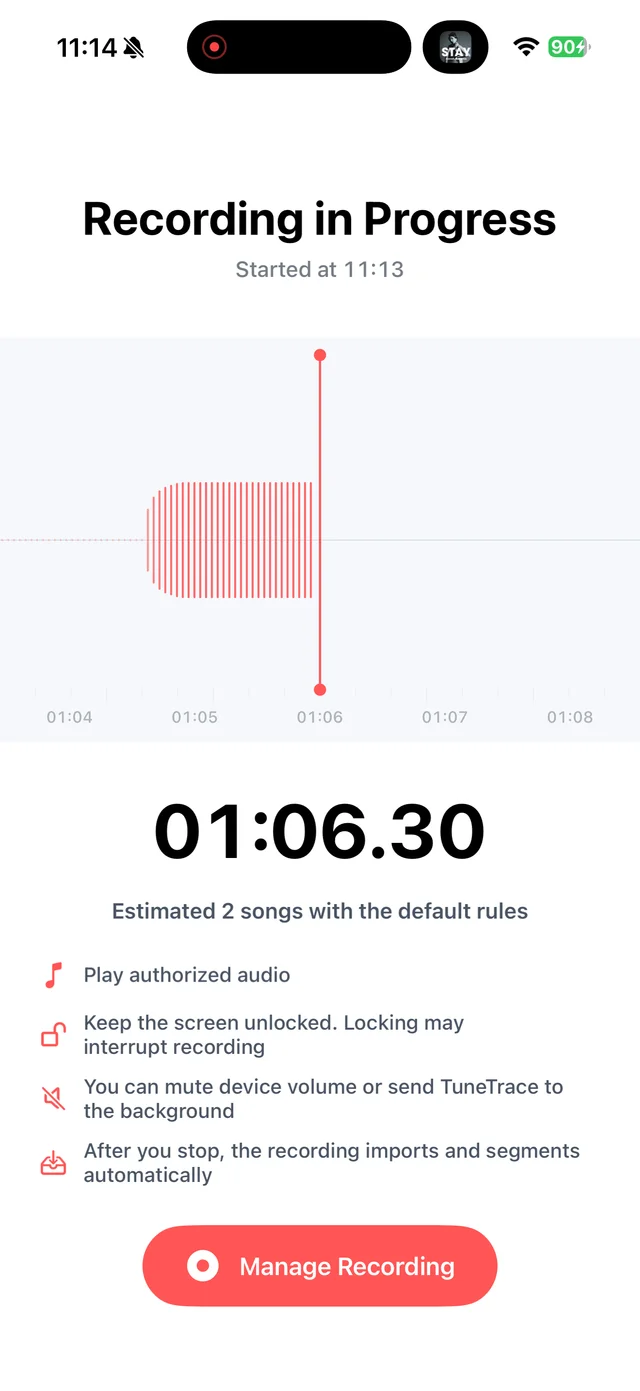
Check a short sample before recording longer audio Stop and check the recording
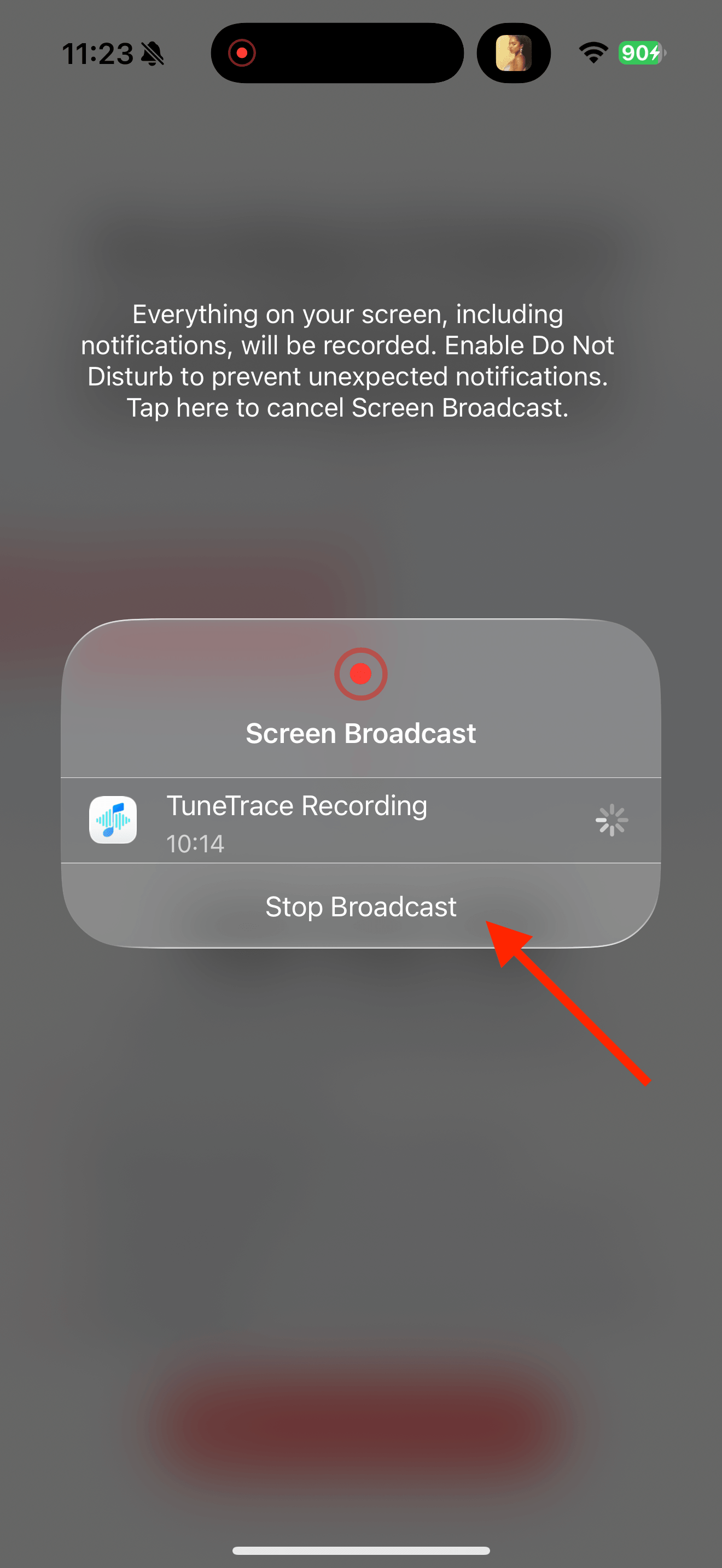
Return to TuneTrace and tap “Manage Recording → Stop Broadcast”. Wait for the audio to import, then listen back.
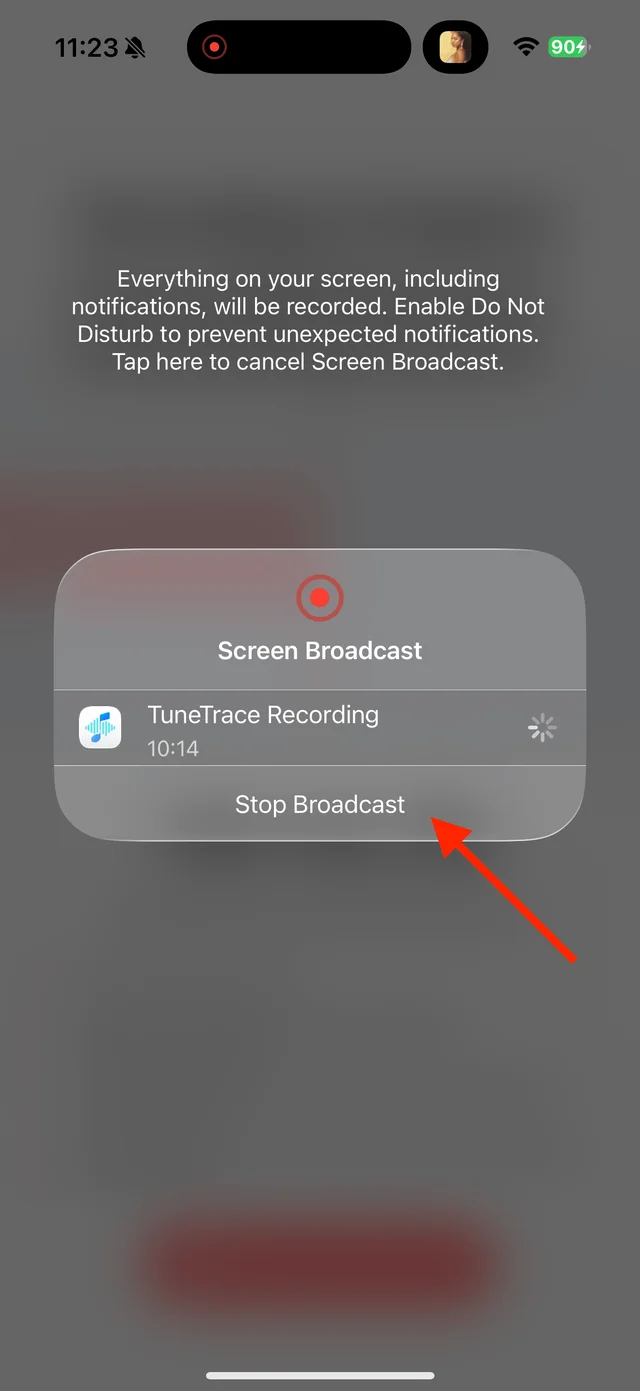
Stop the broadcast and wait for the recording to import Choose cuts that fit the performance
Identify individual songs before saving. For an uninterrupted performance, open “Manual Cut”, remove unwanted cuts and name the complete recording yourself.

Select the tracks you want to keep and save them

Common questions
Can applause and announcements be removed automatically?
No. You can cut out separate announcements and skip them when saving, but sounds overlapping the music cannot be separated.
Is recording the same as downloading the lossless original?
No. It captures the sound that plays. Quality depends on the source and your recording settings.
Only record audio you have permission to save. The source app or iOS may restrict recording.