
Quick answer
TuneTrace records a video’s sound while it plays, then lets you save the audio to your library. You need to play the content; pasting a link or importing a video file does not convert it directly.
Step by step
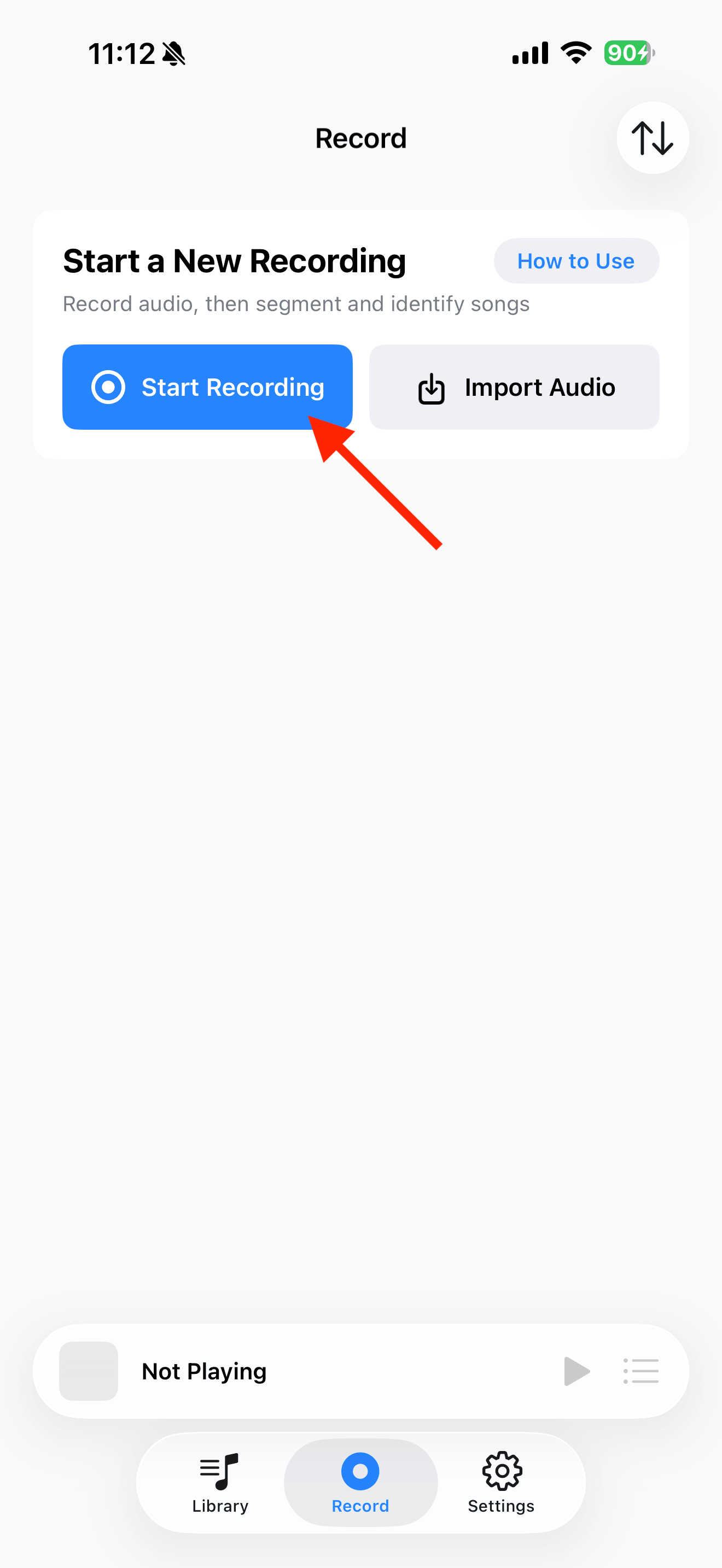
4 stepsStart recording in TuneTrace
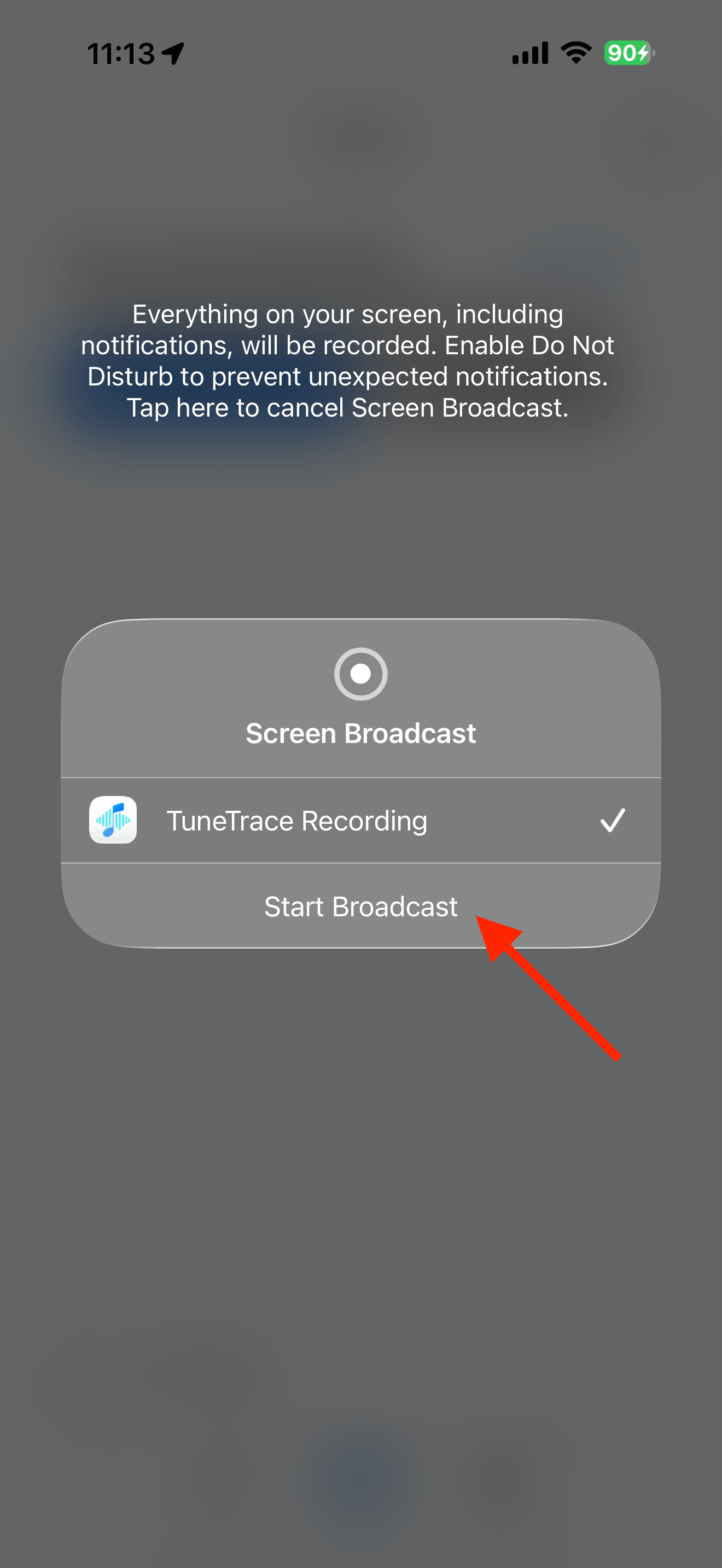
Tap “Start Recording”, then “Start Broadcast”. Once recording starts, close the dialog and return to the source app.
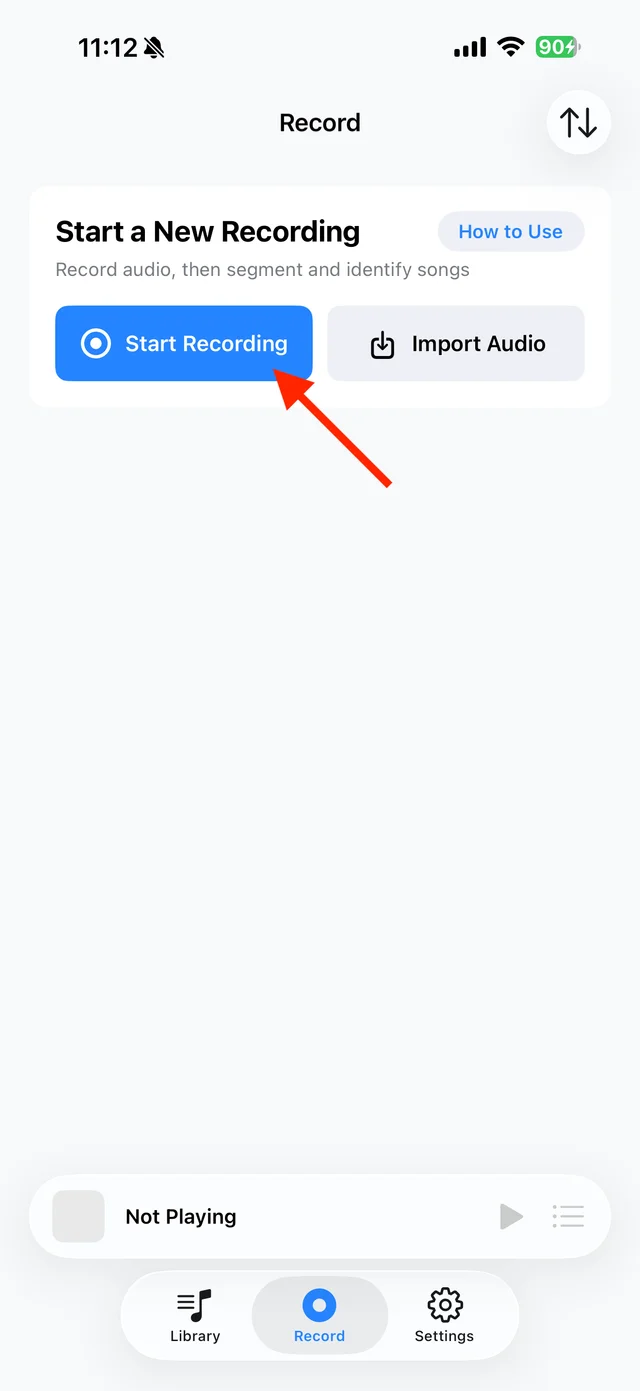
Open TuneTrace’s recording page 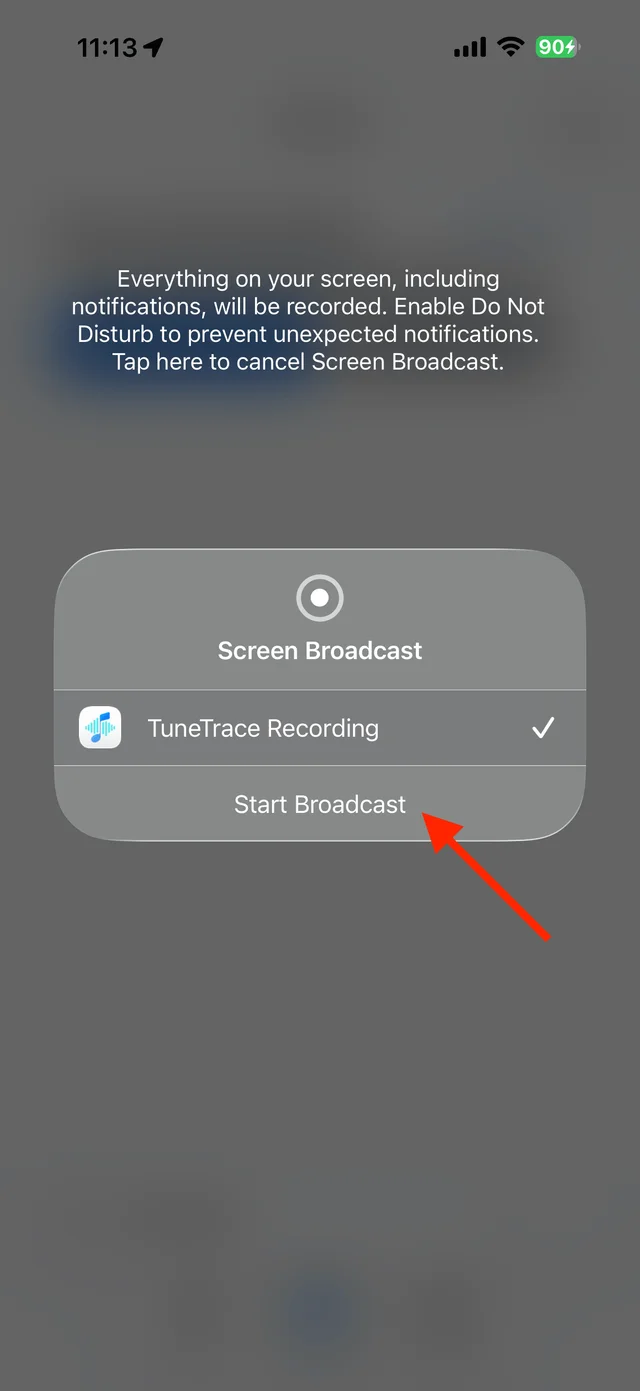
Start the broadcast in the system dialog Play the section you want to keep
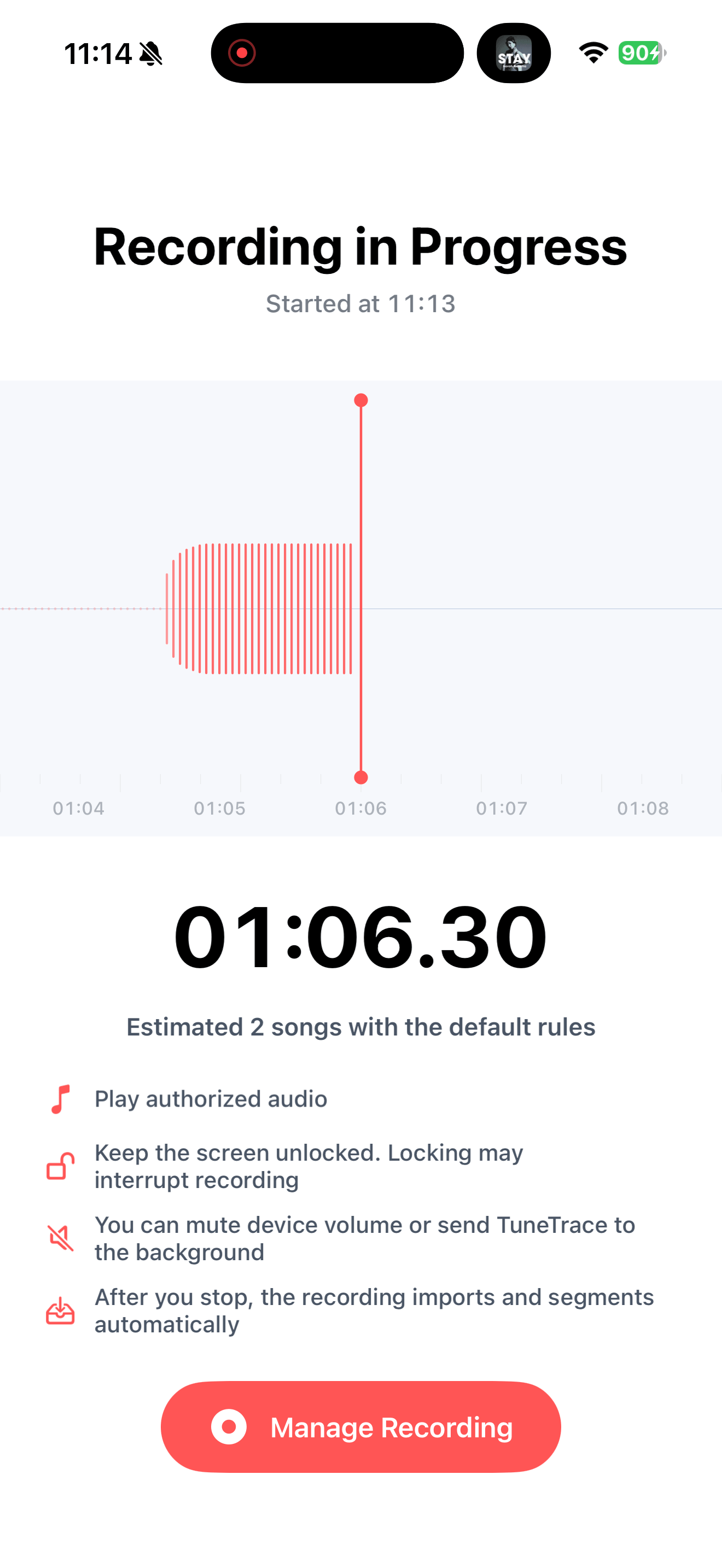
Start the video at the desired point and keep your screen awake. The recording includes all voices, music and sound effects together.
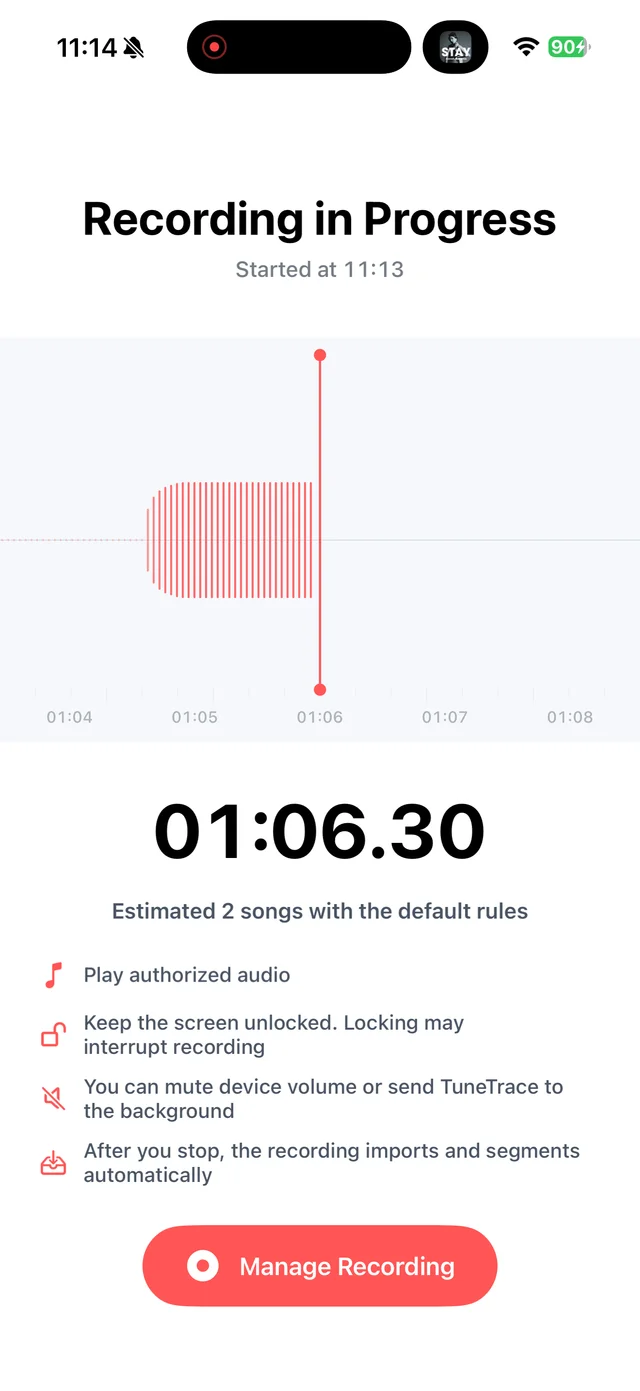
Return to TuneTrace to check the waveform Stop and check the recording
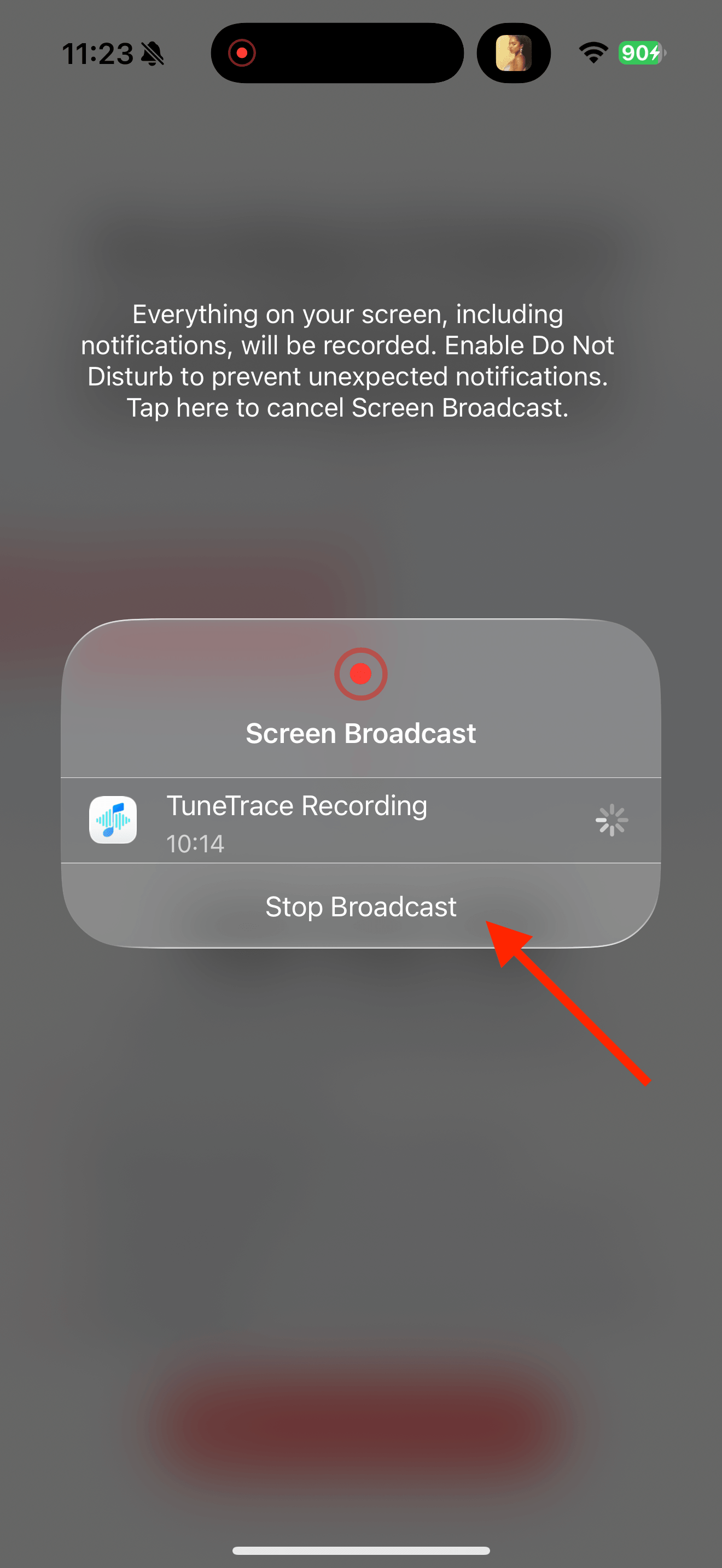
Return to TuneTrace and tap “Manage Recording → Stop Broadcast”. Wait for the audio to import, then listen back.
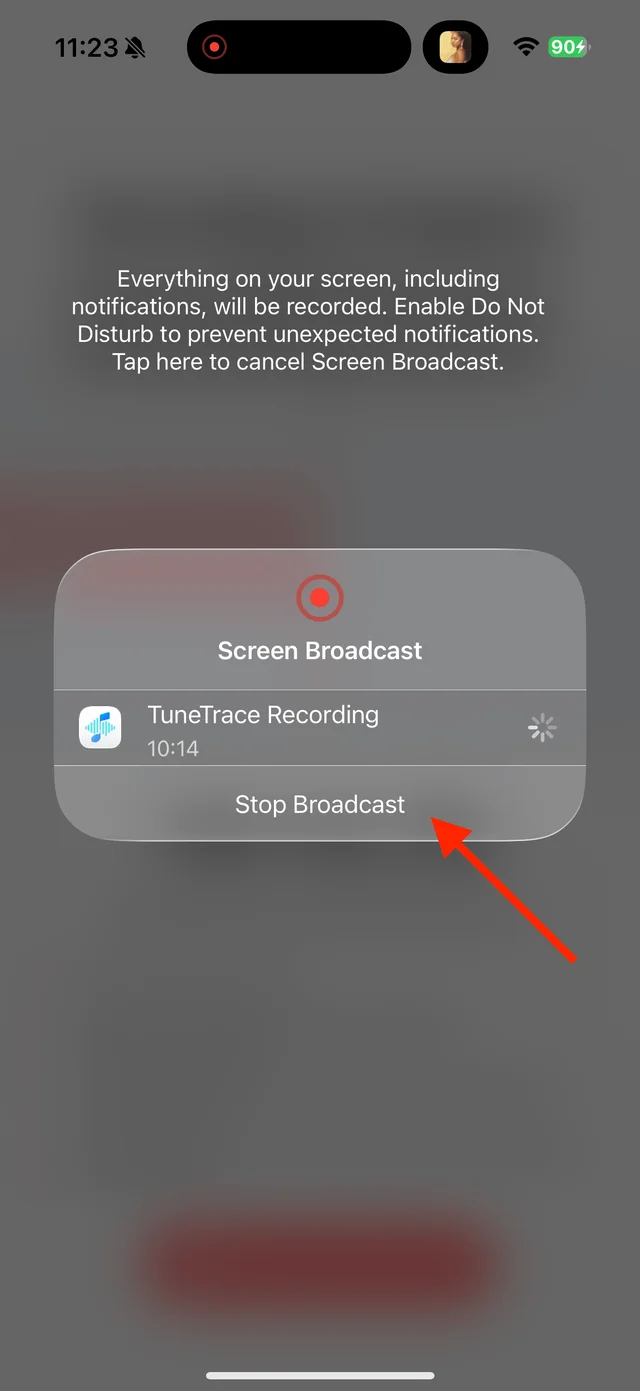
Stop the broadcast and wait for the recording to import Name and save the audio
Split and identify music collections, or keep an interview whole. Tap “Save to Library” and select only the parts you want.

Select the tracks you want to keep and save them

Common questions
Can I import an MP4 from Photos directly?
TuneTrace’s import tools accept audio files. Extract the sound from an existing video with a suitable tool first, then import that audio.
Will video ads be recorded too?
Yes. After recording, cut separate ads into their own clips and skip those clips when saving.
Only record audio you have permission to save. The source app or iOS may restrict recording.