
Quick answer
TuneTrace uses the system’s app-audio recording channel instead of a microphone pointed at the speaker. Start recording normally; you can lower the phone’s speaker volume.
Step by step
4 stepsStart recording in TuneTrace
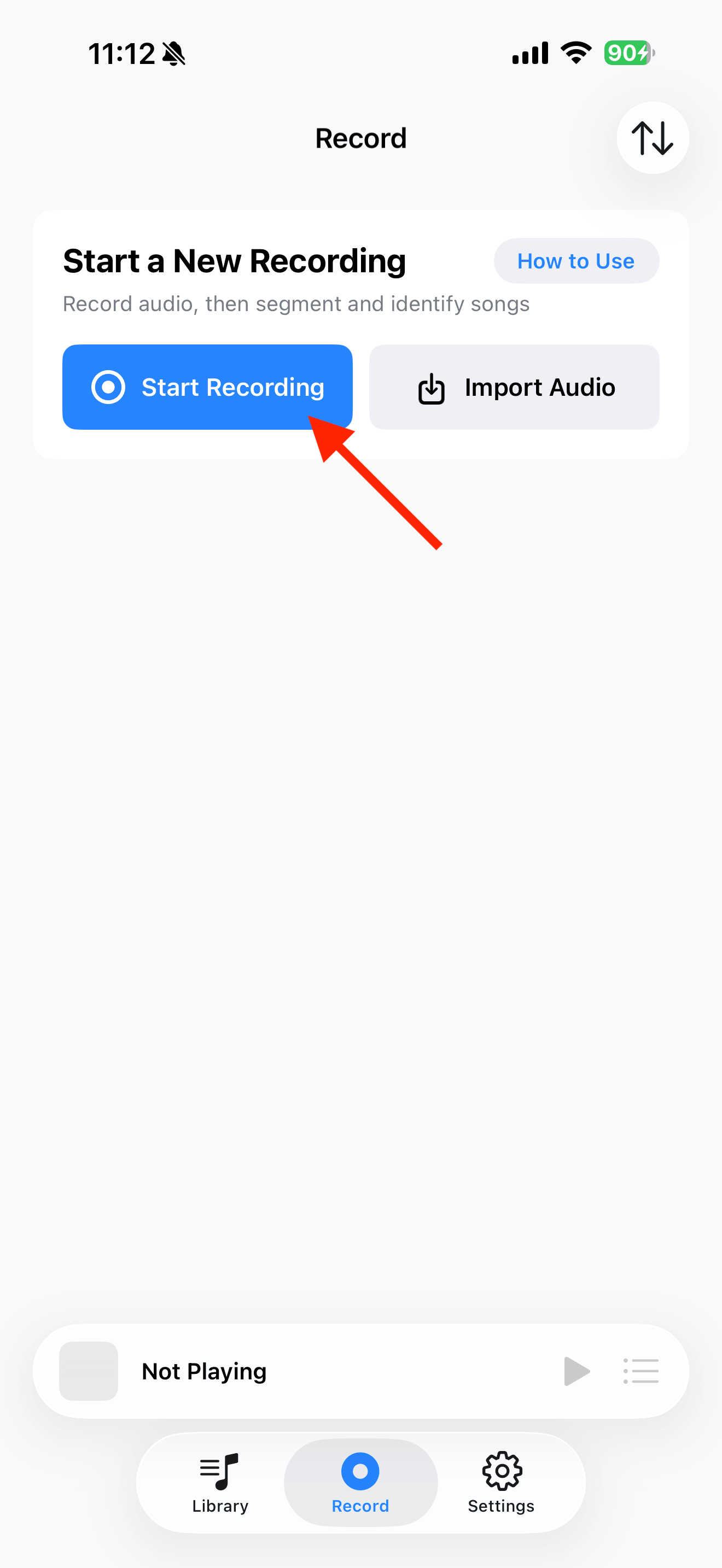
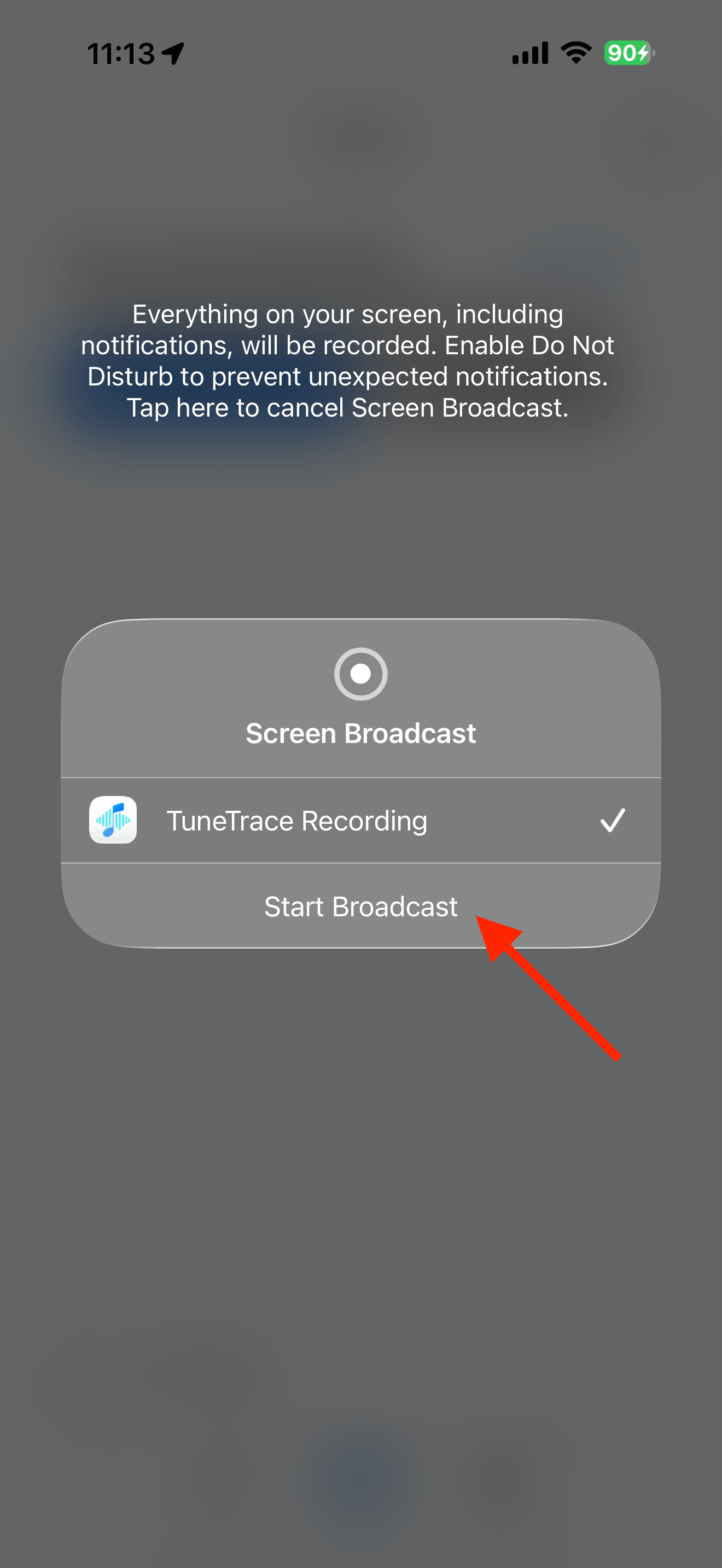
Tap “Start Recording”, then “Start Broadcast”. Once recording starts, close the dialog and return to the source app.
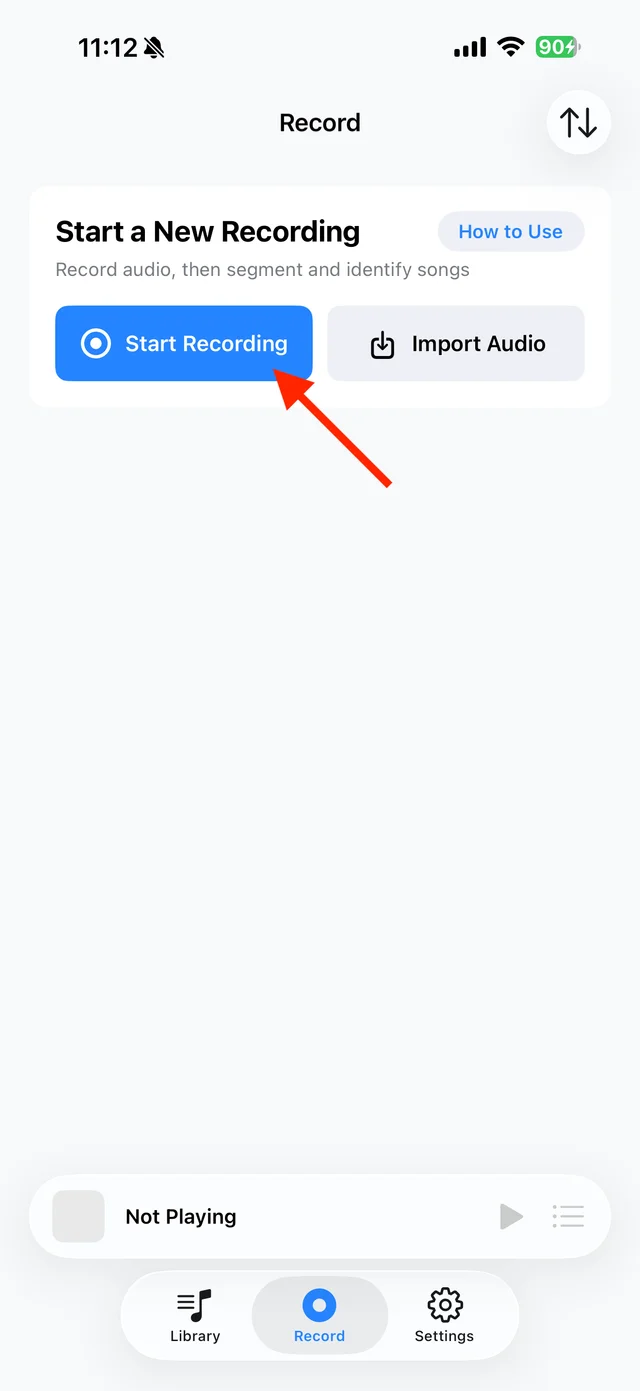
Open TuneTrace’s recording page 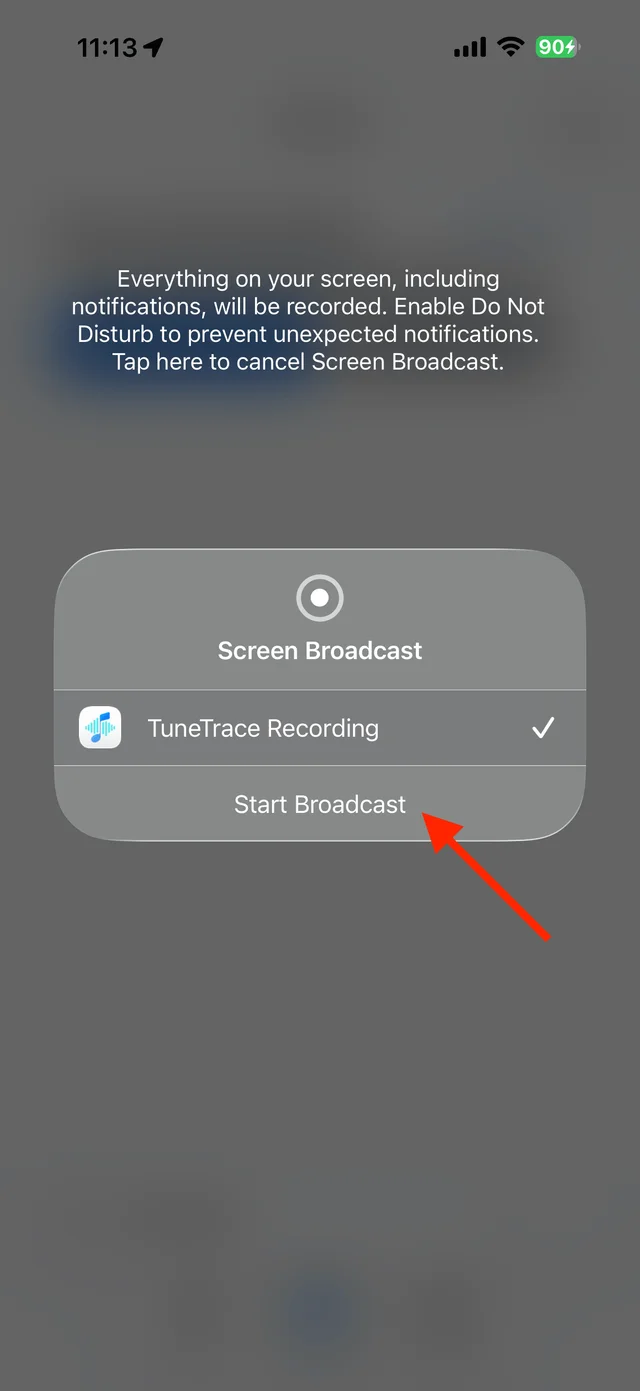
Start the broadcast in the system dialog Play the content and keep the screen awake
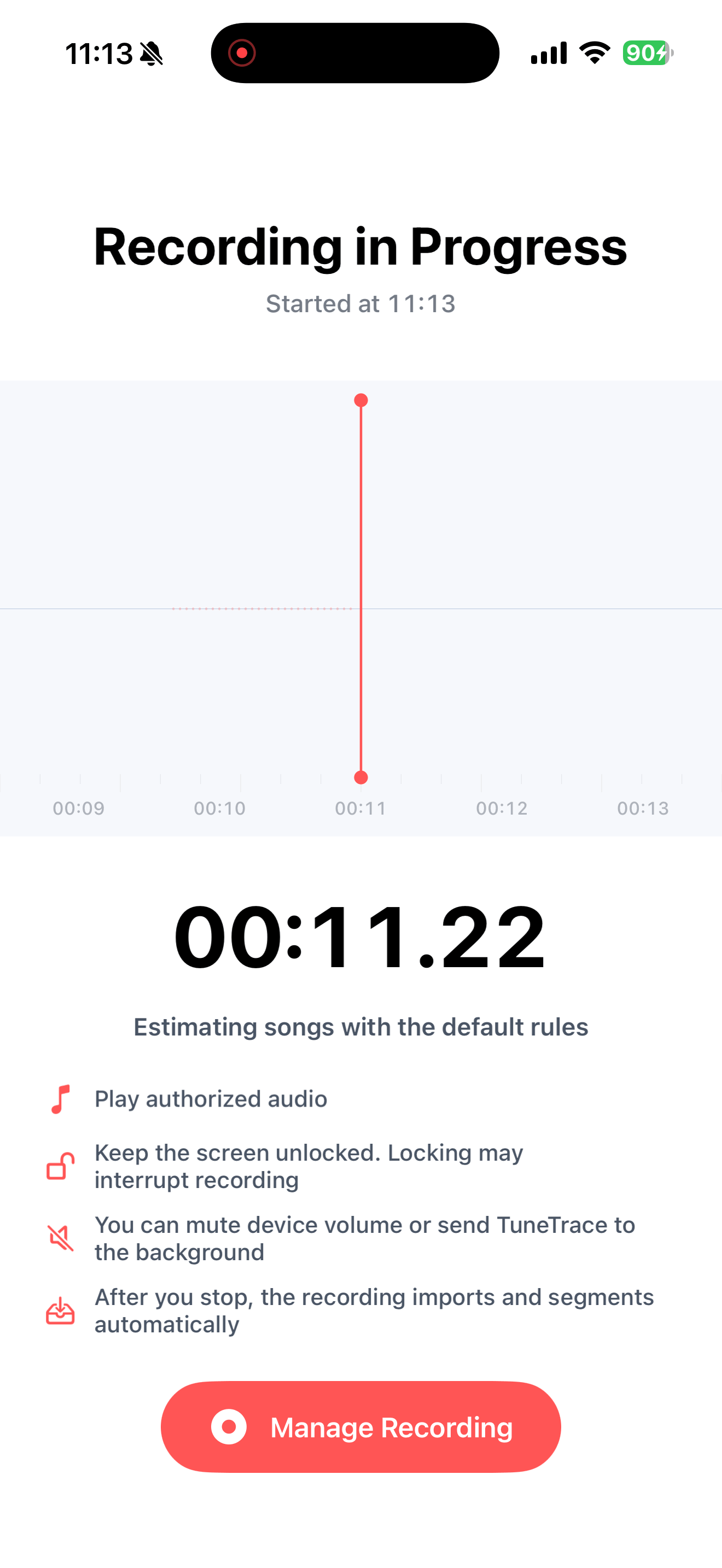
Return to the source app and play the audio. You do not need a second recording device or a loud speaker volume.
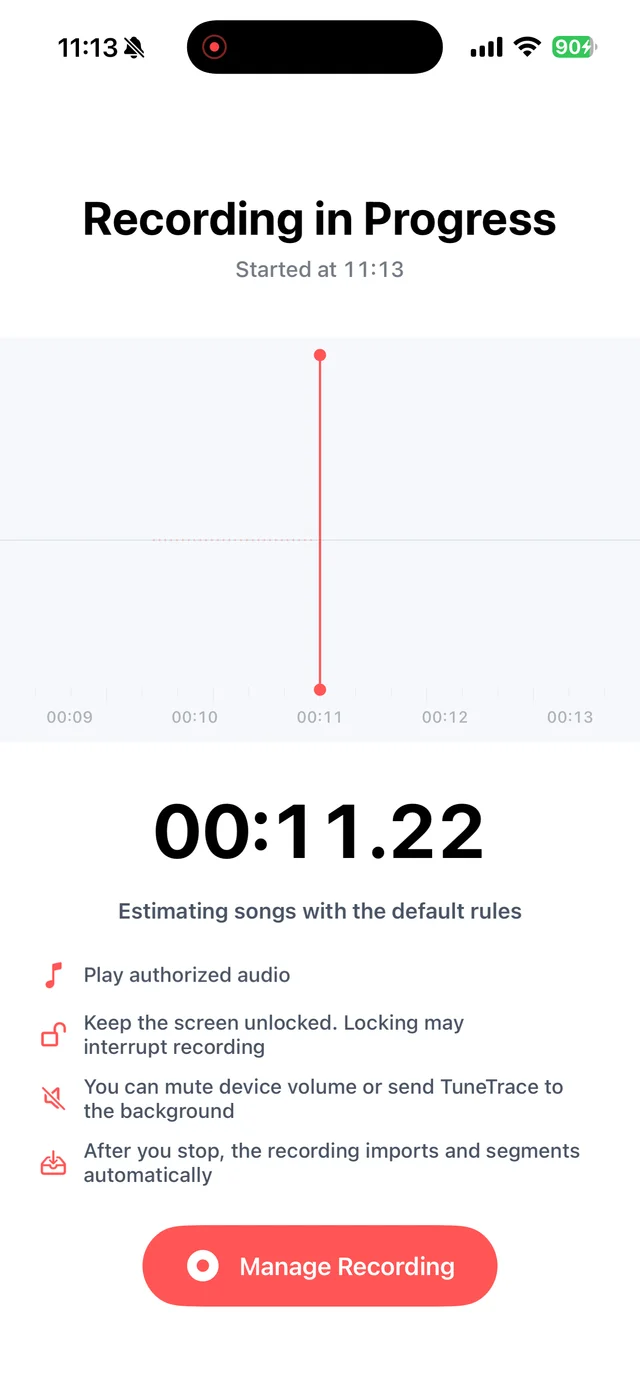
Keep the screen awake; you can lower the speaker volume Stop and check the recording
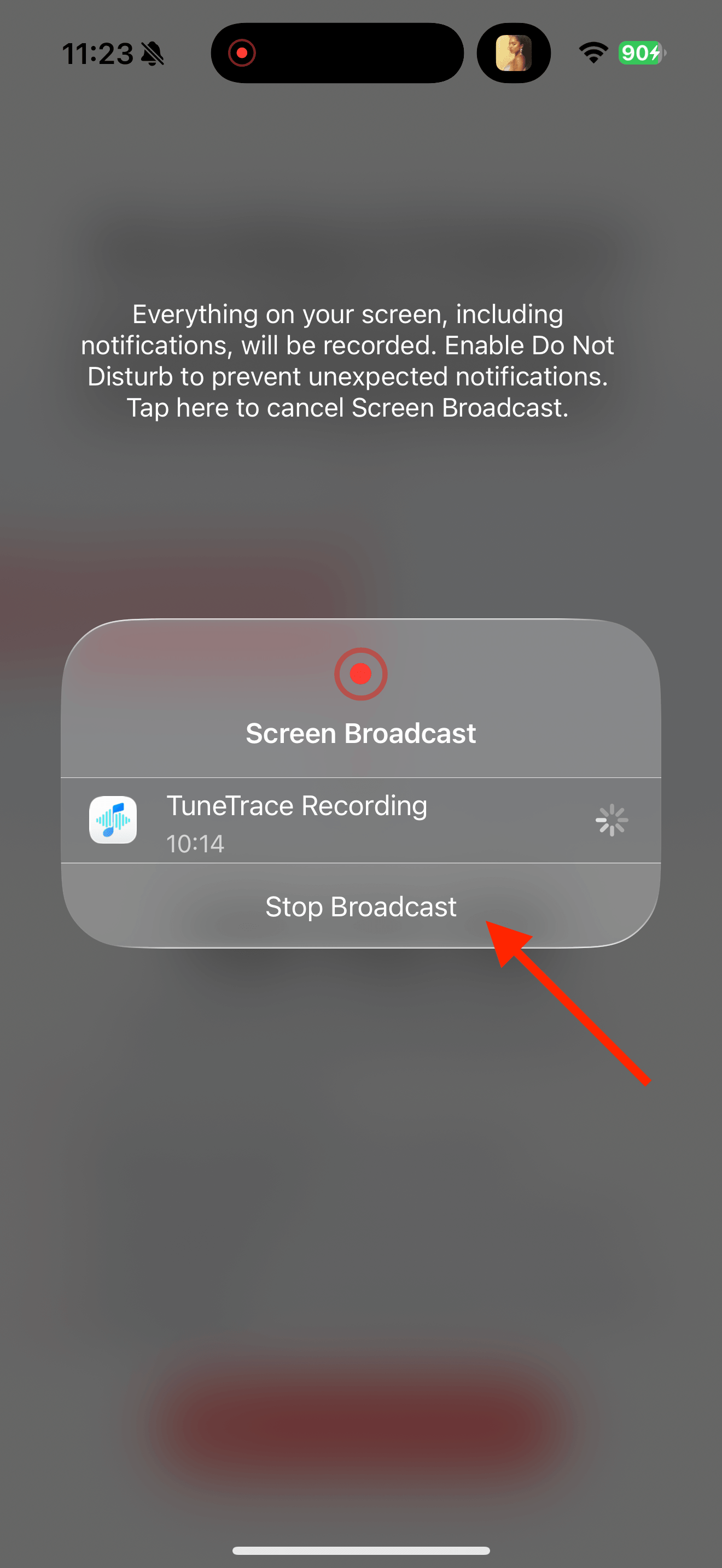
Return to TuneTrace and tap “Manage Recording → Stop Broadcast”. Wait for the audio to import, then listen back.
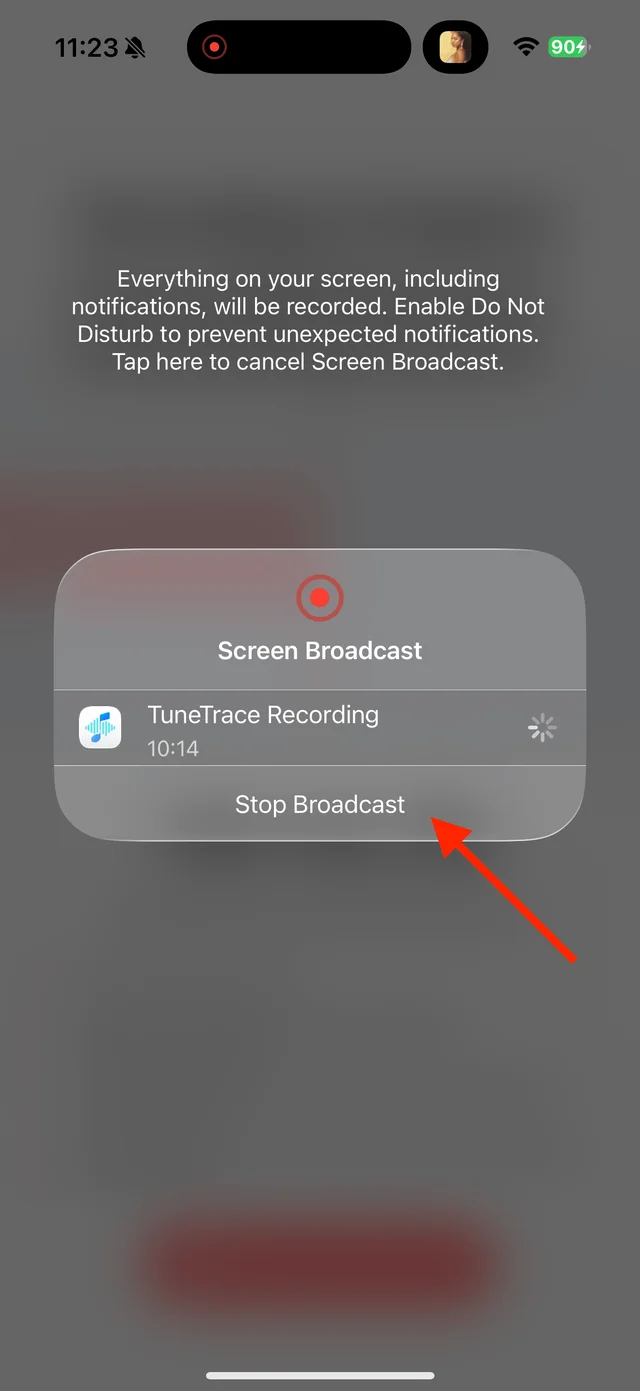
Stop the broadcast and wait for the recording to import Check what was captured
Raise the playback volume and listen. Speech and noise already in the source audio remain in the recording.

Playback progress, volume, and the player menu

Common questions
Can this remove vocals from a song?
No. Leaving the microphone off avoids recording your surroundings. Vocals and instruments in the source remain together.
Why is my recording still silent?
Check that the source is playing, system recording has started and playback volume is audible. Some sources block recording.
Only record audio you have permission to save. The source app or iOS may restrict recording.