
Quick answer
If a Xiaohongshu video plays and permits recording, capture its sound with TuneTrace. Cut out the part you want and save it. Name spoken content yourself or try identifying the music.
Step by step
4 stepsStart recording in TuneTrace
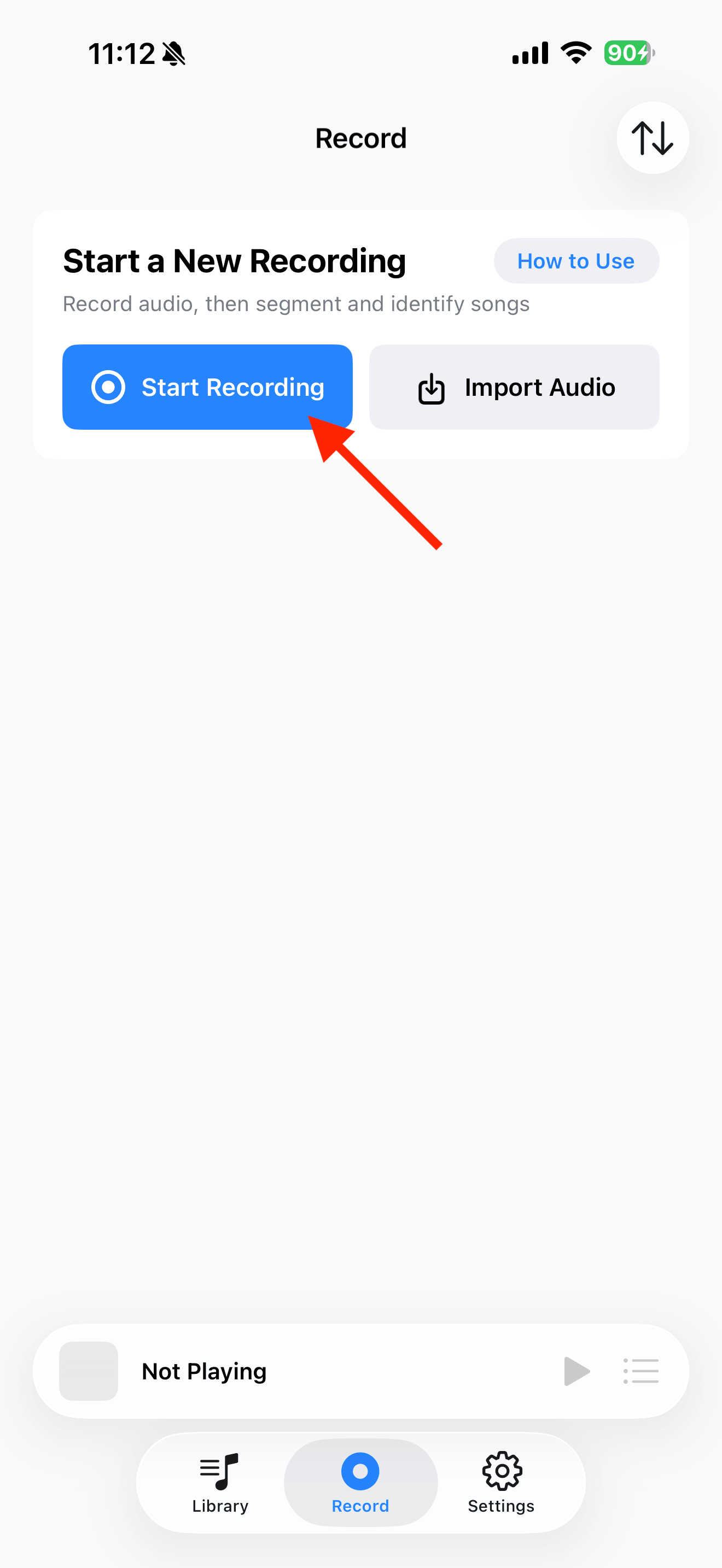
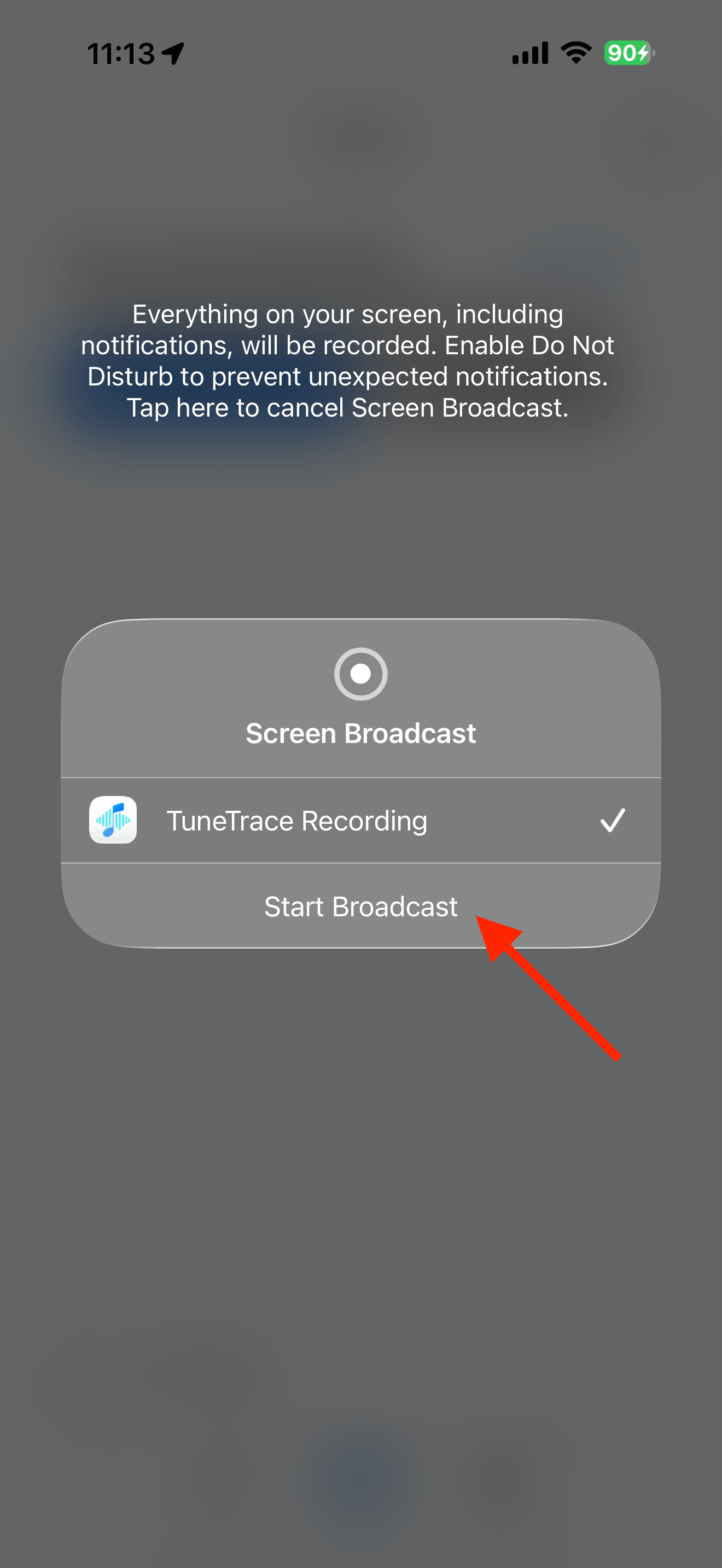
Tap “Start Recording”, then “Start Broadcast”. Once recording starts, close the dialog and return to the source app.
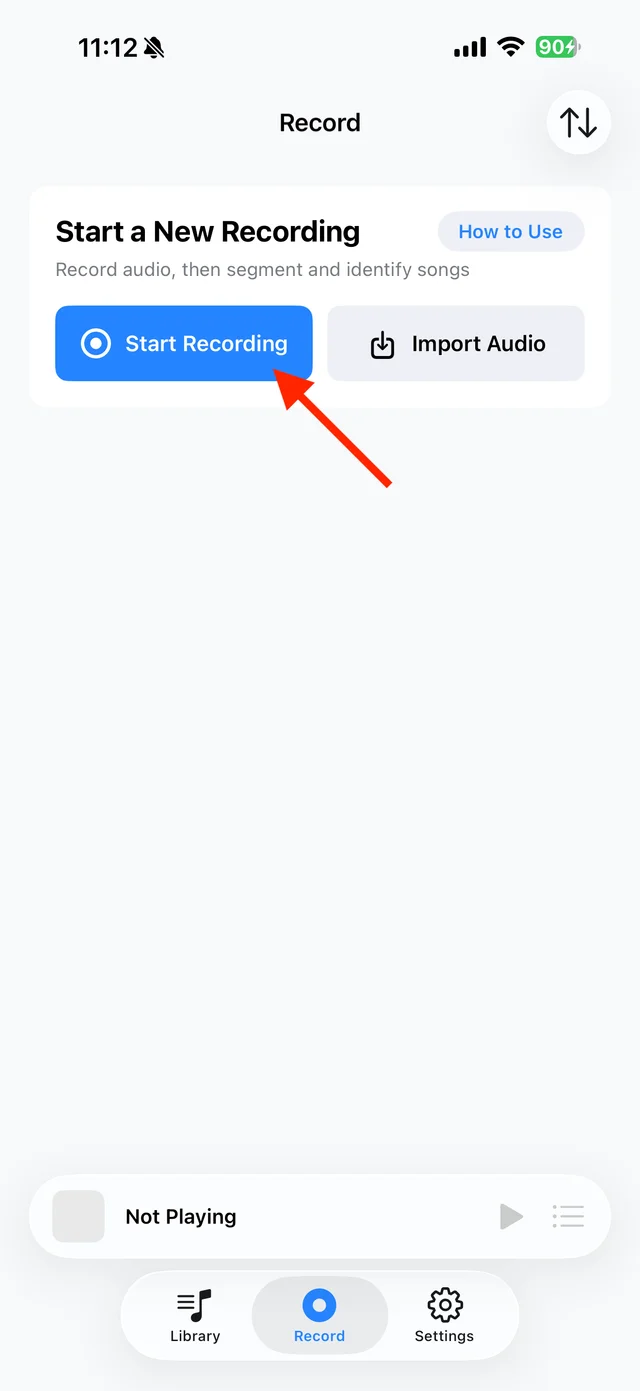
Open TuneTrace’s recording page 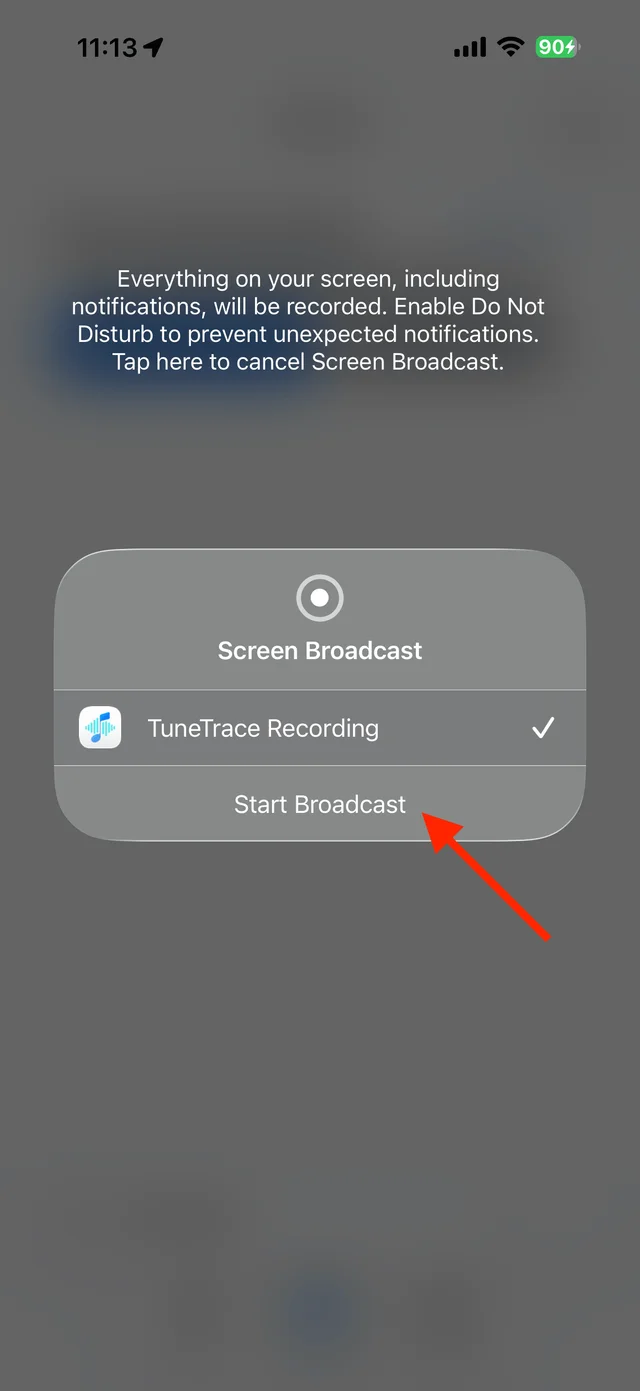
Start the broadcast in the system dialog Play the video post
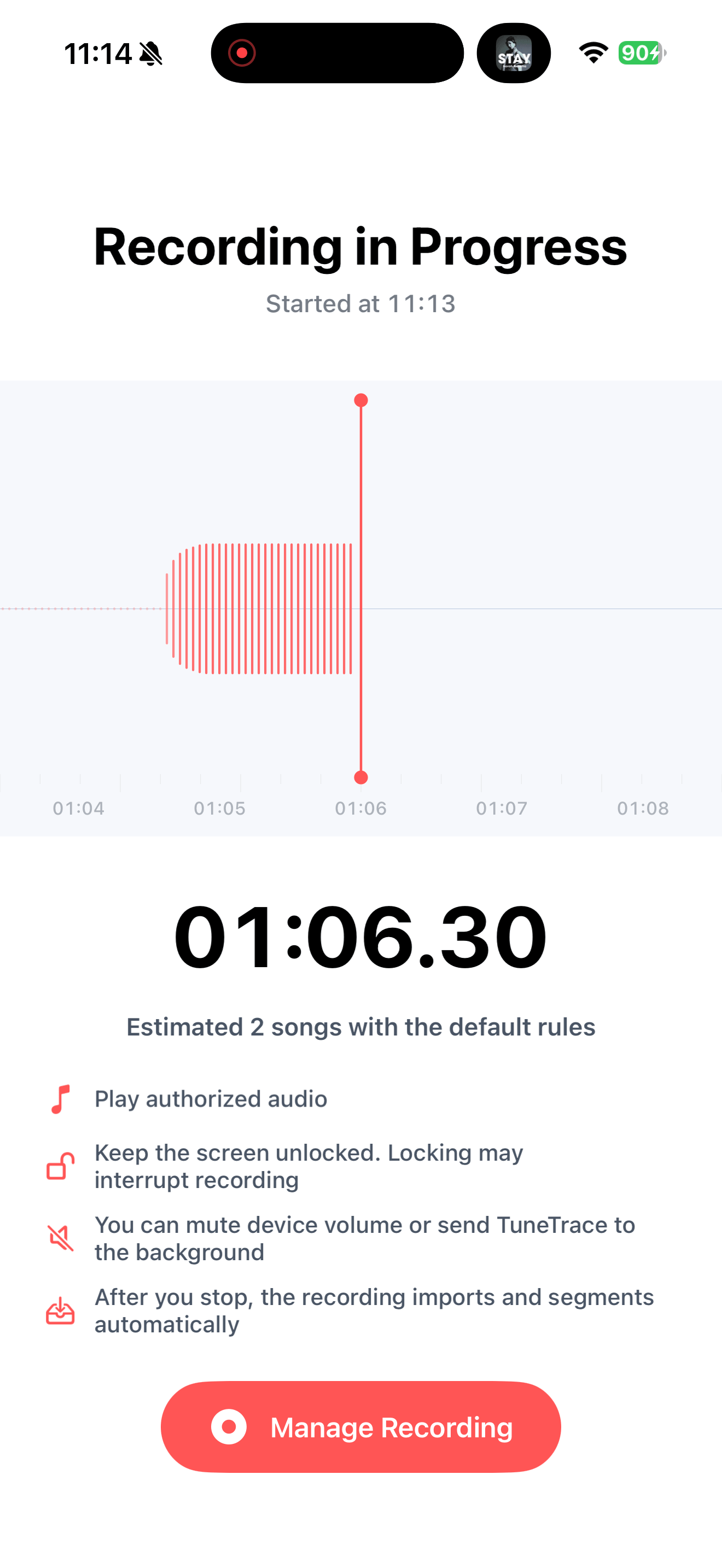
Start at the section you want and keep the screen awake. Stay on that post to avoid recording other content.
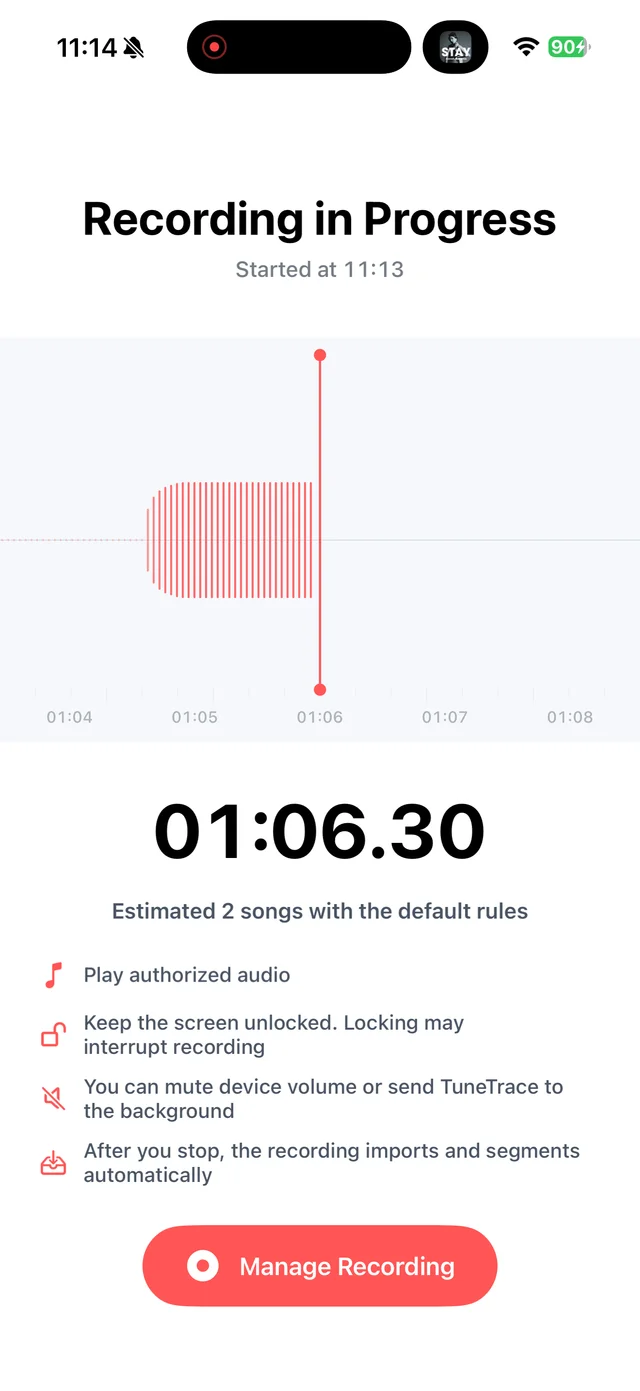
Check recording status in TuneTrace Stop and check the recording
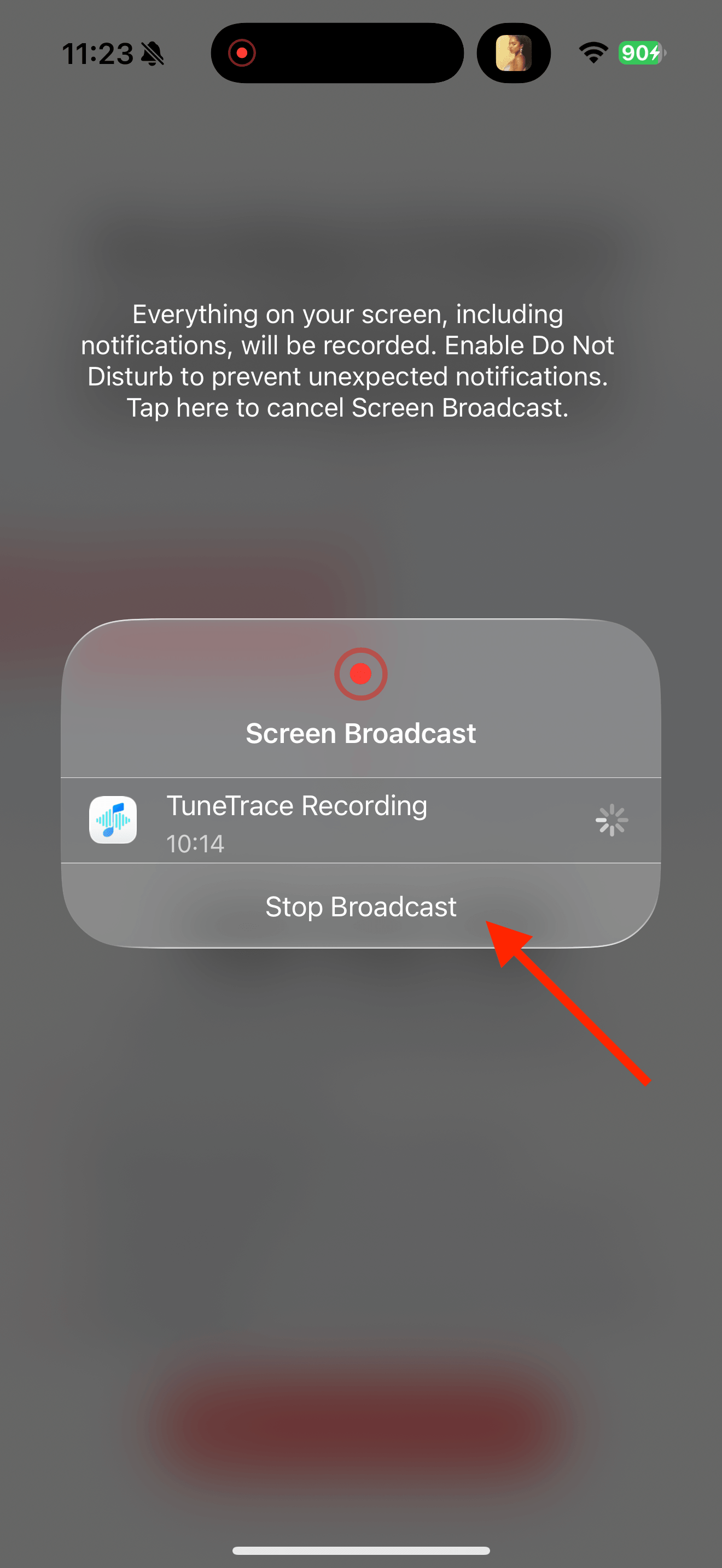
Return to TuneTrace and tap “Manage Recording → Stop Broadcast”. Wait for the audio to import, then listen back.
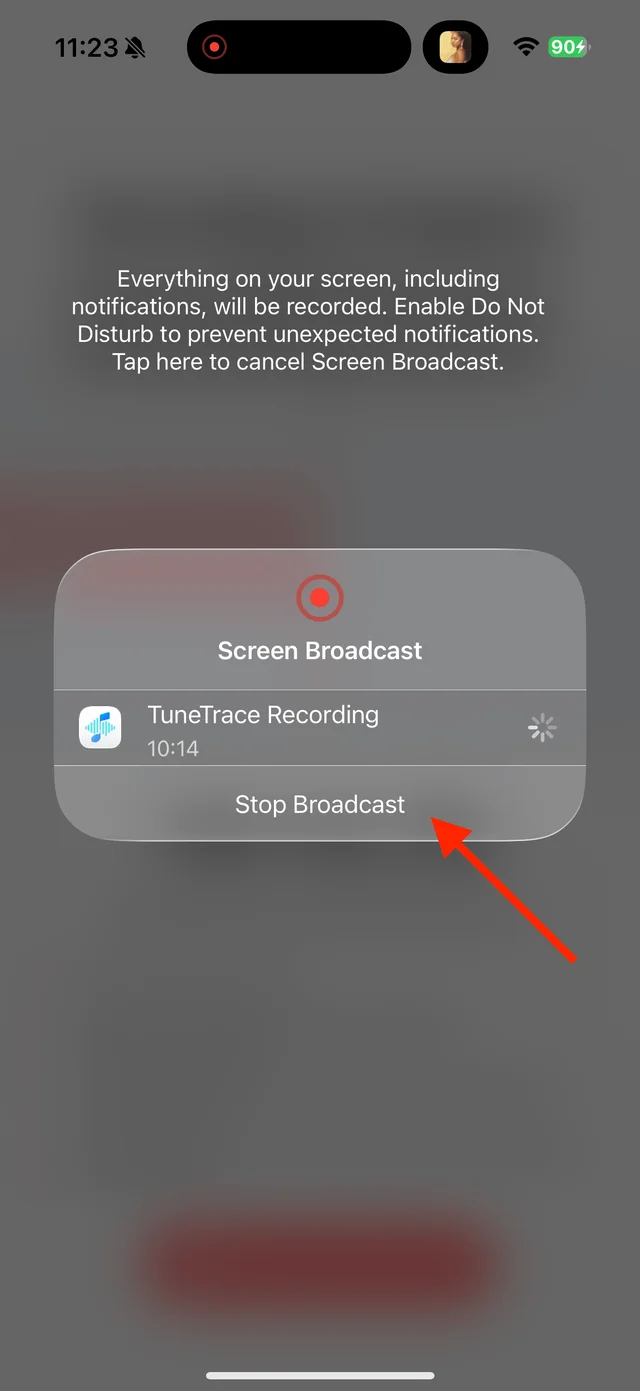
Stop the broadcast and wait for the recording to import Keep one complete copy
If the video looped, use “Manual Cut” to separate repetitions and keep one complete clip. Name spoken content by topic, then save to Library.

Select the tracks you want to keep and save them

Common questions
Can a text-and-image post become audio?
The source must actually play sound. TuneTrace does not read static text aloud.
Can I keep only the background music?
No. The recording keeps the video’s combined audio, including speech.
Only record audio you have permission to save. The source app or iOS may restrict recording.