
Quick answer
TuneTrace tries to identify songs while recording, with no extra switch to enable. After recording, review the matches and use “Identify Songs” to fill in missing results.
Step by step
4 stepsStart recording while online
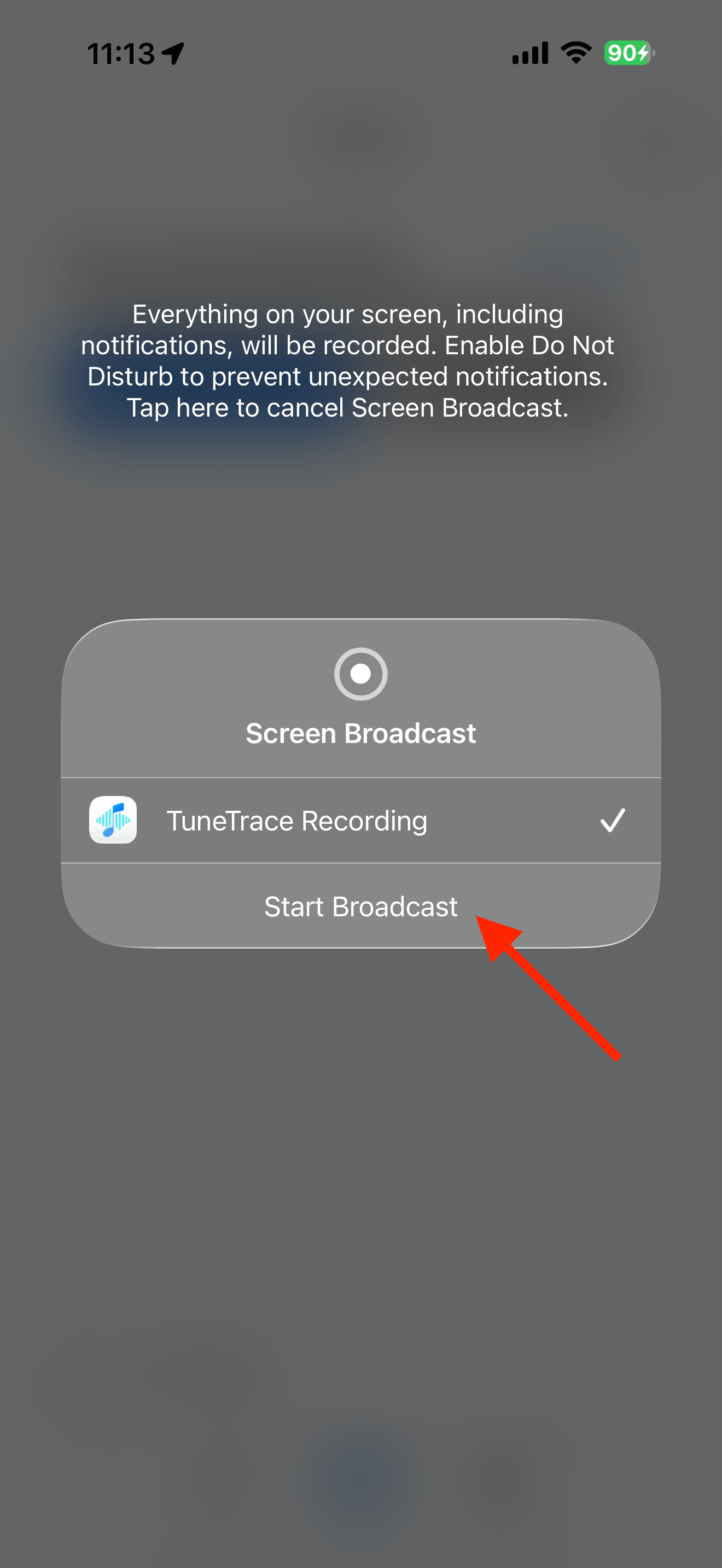
Tap “Start Recording” → “Start Broadcast”, then play the source audio. Keep the screen awake and the song playing continuously.
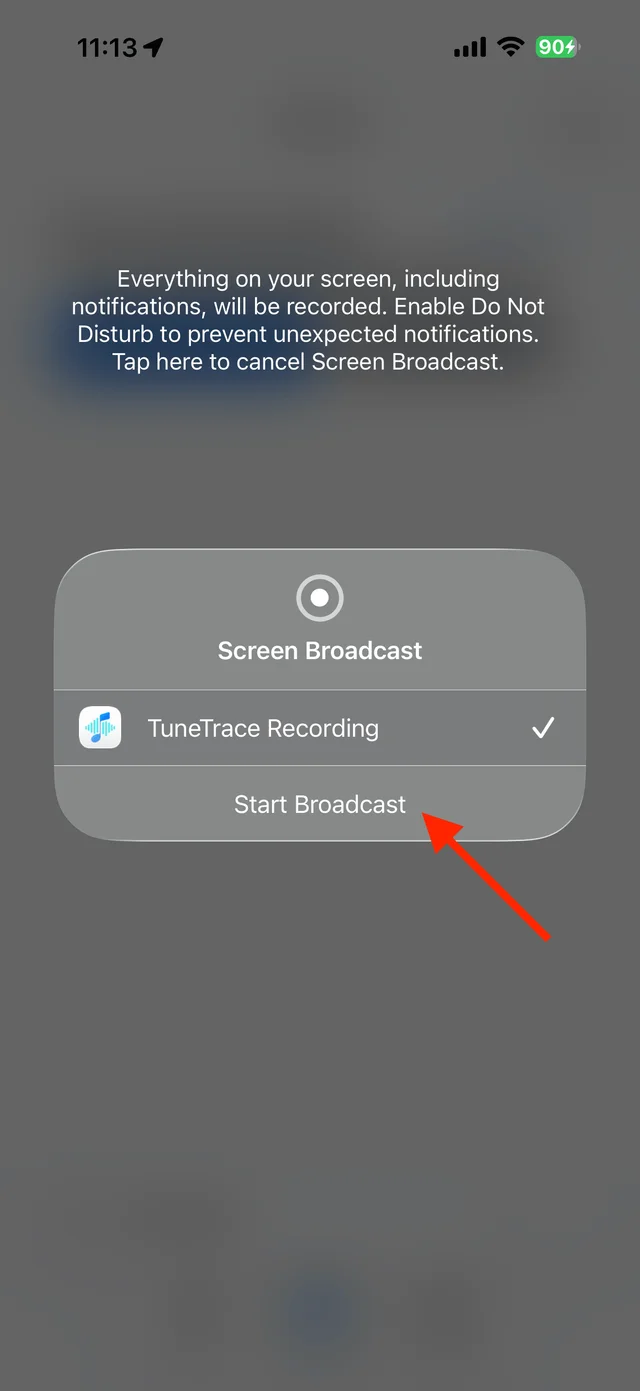
Start the system broadcast Review the recording results
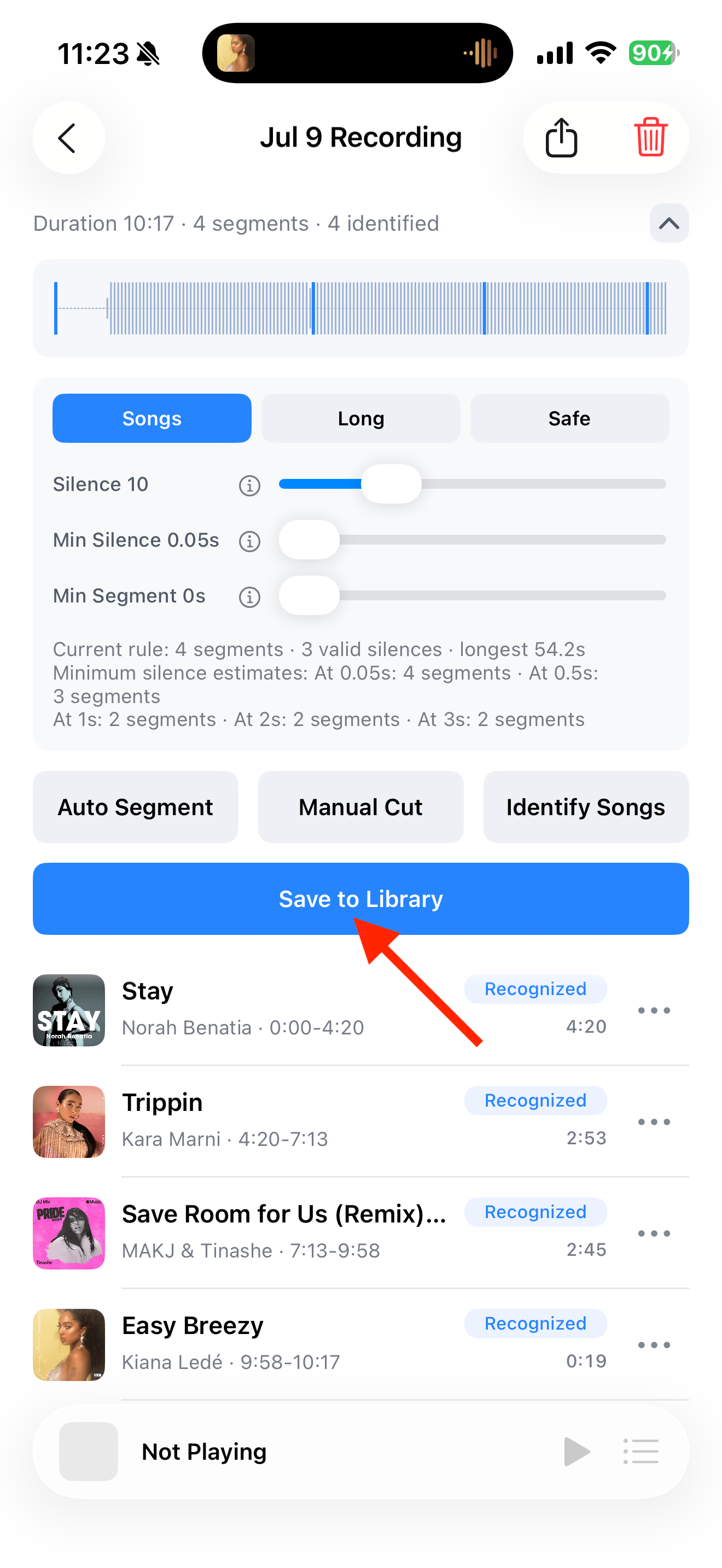
Stop the broadcast, return to TuneTrace, and open the imported recording. Matches found during recording appear in its summary and segment list.
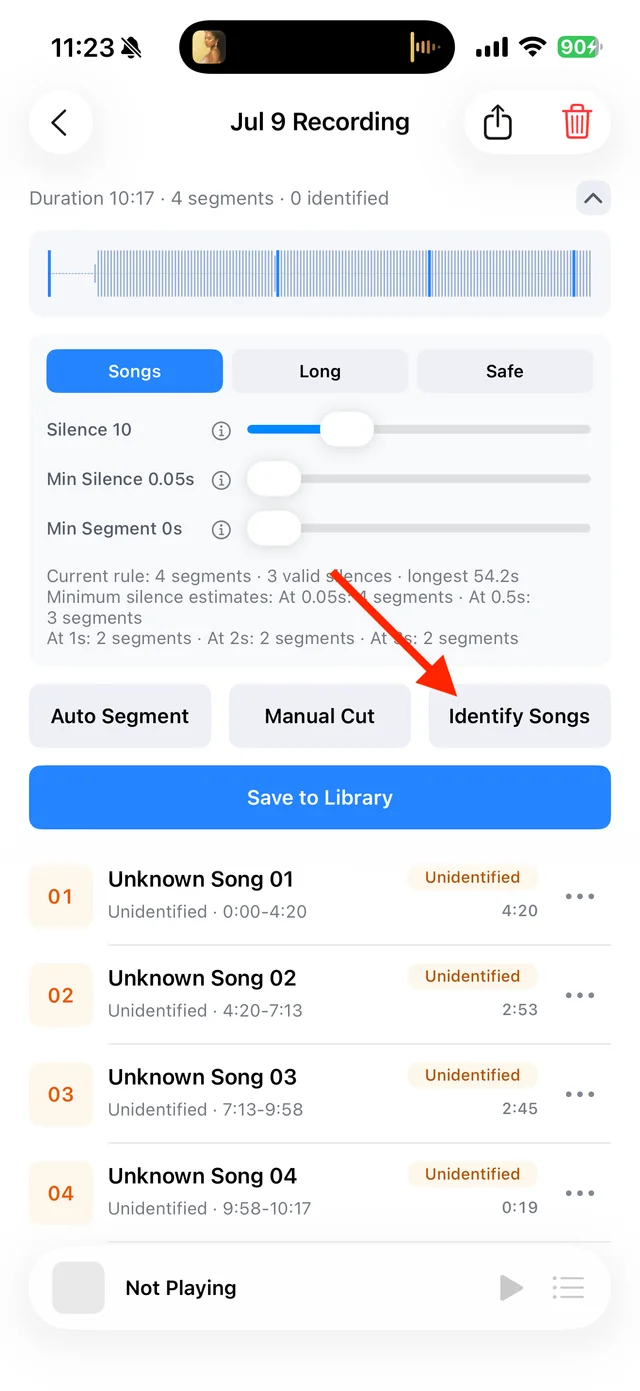
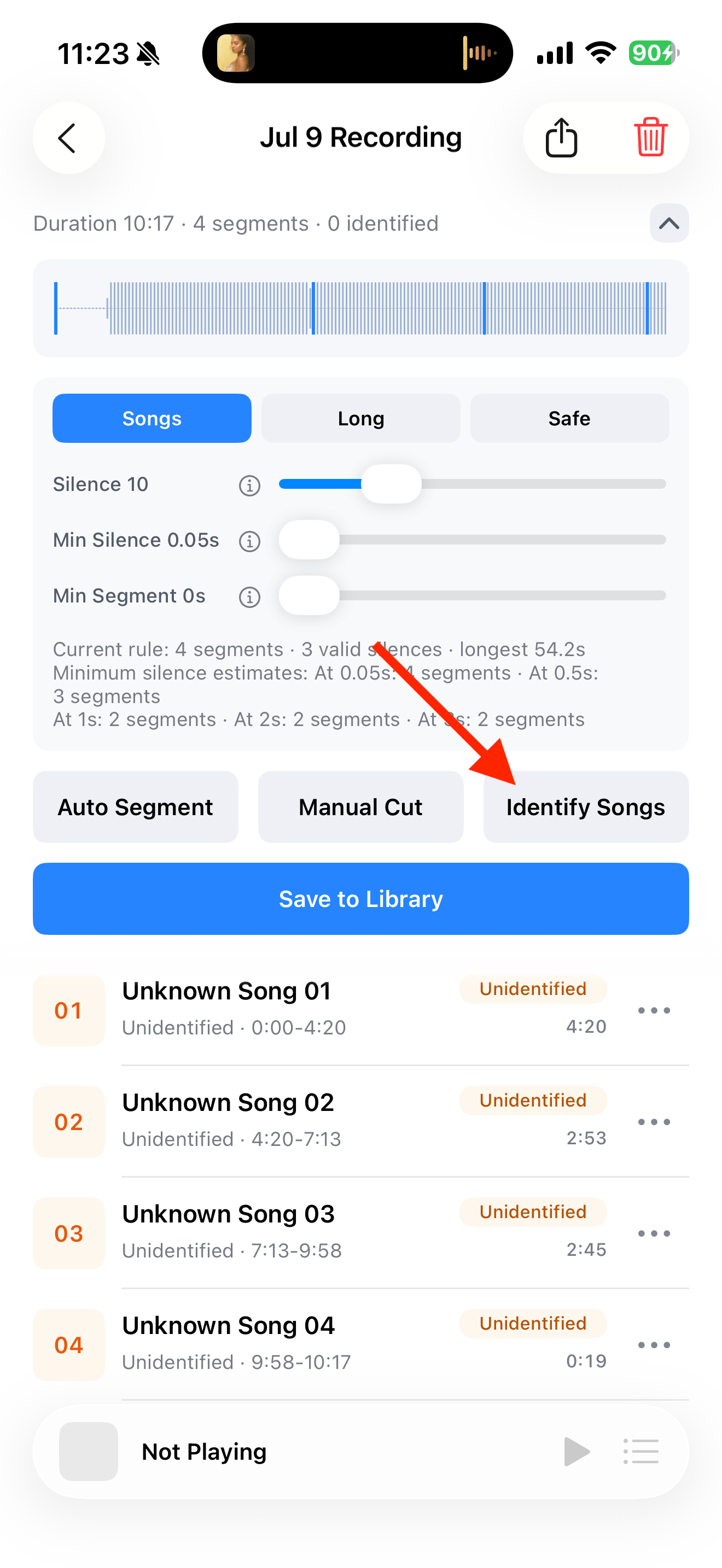
Split, identify, and save audio on the recording page Fill in missing matches
Tap “Identify Songs” for remaining segments. Listen and check the artist and version; review any result marked “Needs Review” and correct wrong details.
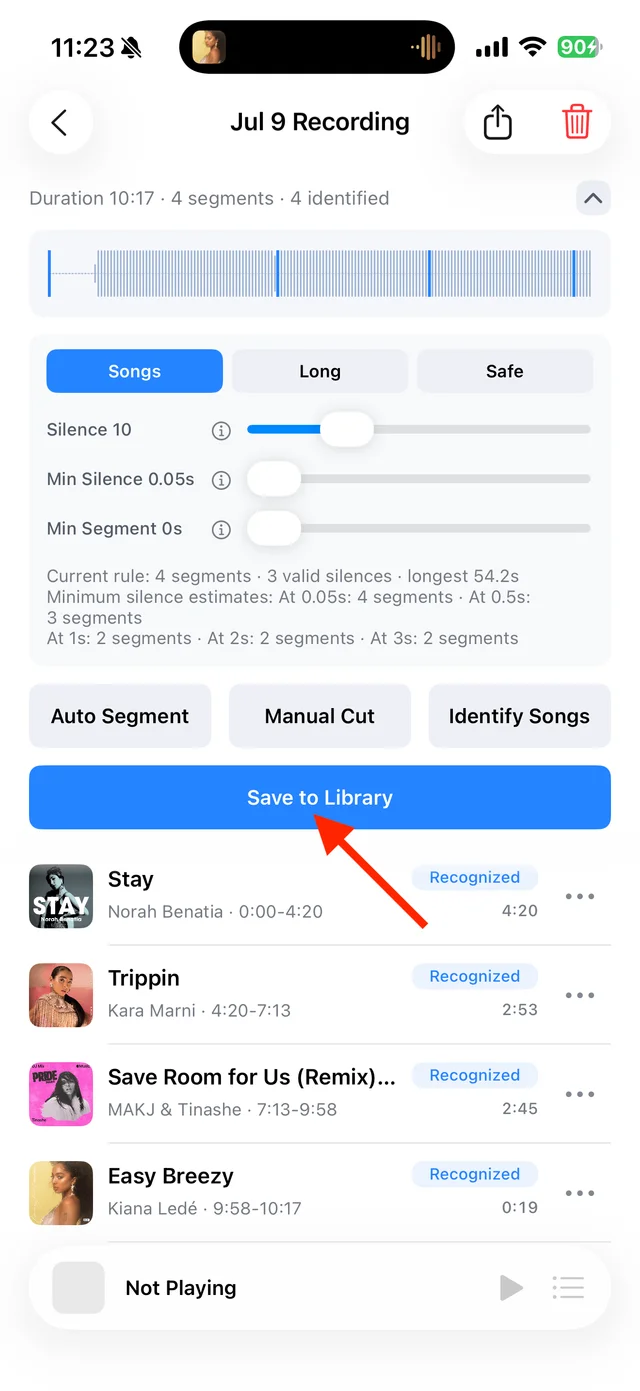
Check titles, artists, and versions in the segment list Save your selection
Tap “Save to Library” and select complete tracks. You can name and save unrecognized audio as well.

Select the tracks you want to keep and save them

Common questions
Is the recording unsuccessful if no song name appears?
Check the recording after importing it. You can try identification again while online; a missing match does not mean the audio is unusable.
Must I stay in TuneTrace while it records?
No. Return to the source app to play the audio, then review the results after recording.
Identification needs the internet. You can save audio even without a song match.